IN5316HD/IN5318 – User’s Manual
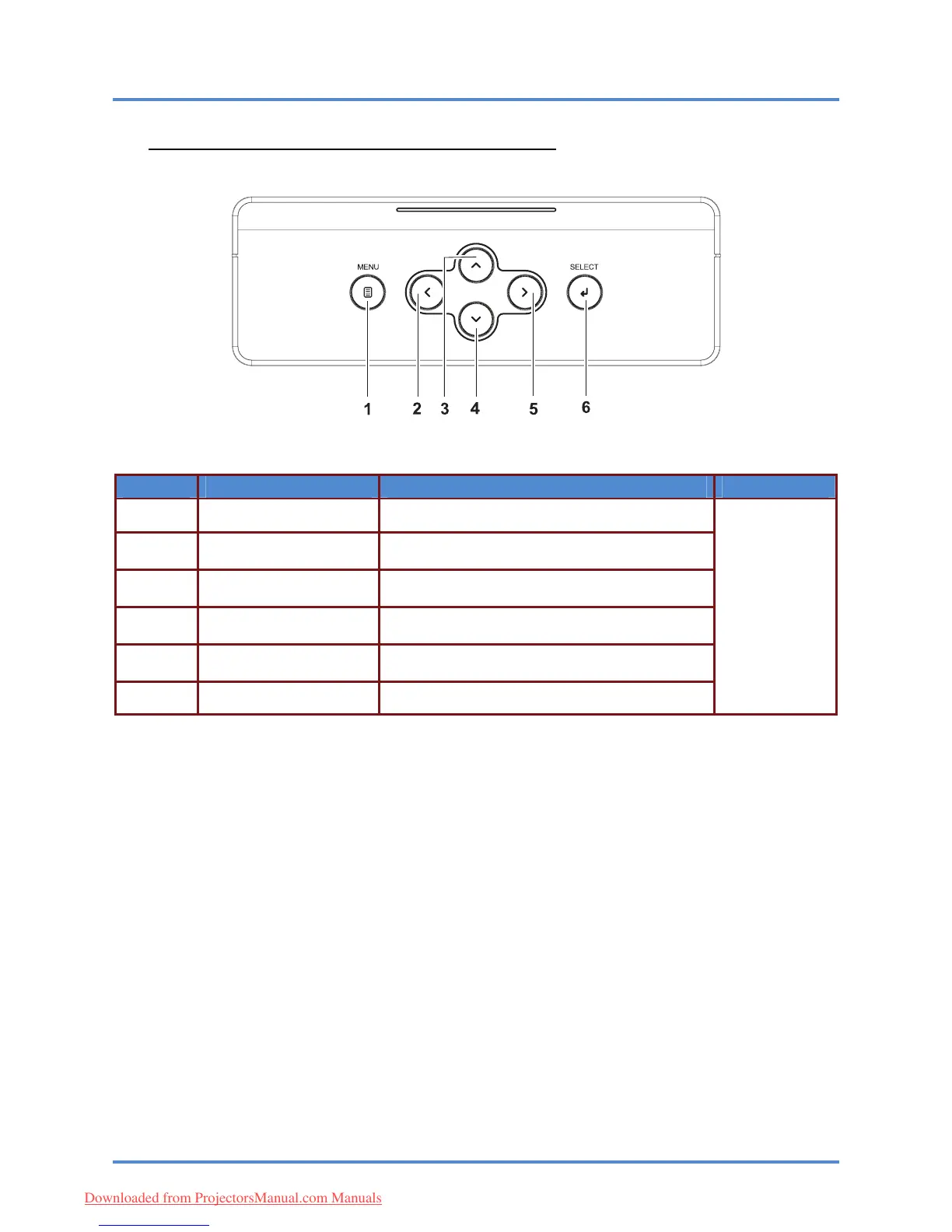
Top view—On-screen Display (OSD) buttons
– 3
–
ITEM LABEL DESCRIPTION SEE PAGE:
1.
MENU Open and exit OSD menus
Navigate and change settings in the OSD
Quick Menu – For Volume
2.
◄ (Left cursor)
Navigate the OSD
Quick Menu – For Keystone
3.
▲ (Up cursor)
4.
▼ (Down cursor)
Navigate the OSD
Quick Me
nu – For Keystone
19
Navigate and change settings in the OSD
Quick Menu – For Volume
5.
► (Right cursor)
6.
SELECT Enter or confirm highlighted OSD menu item
Downloaded from ProjectorsManual.com Manuals



 To Next Page