IN5316HD/IN5318 – User’s Manual
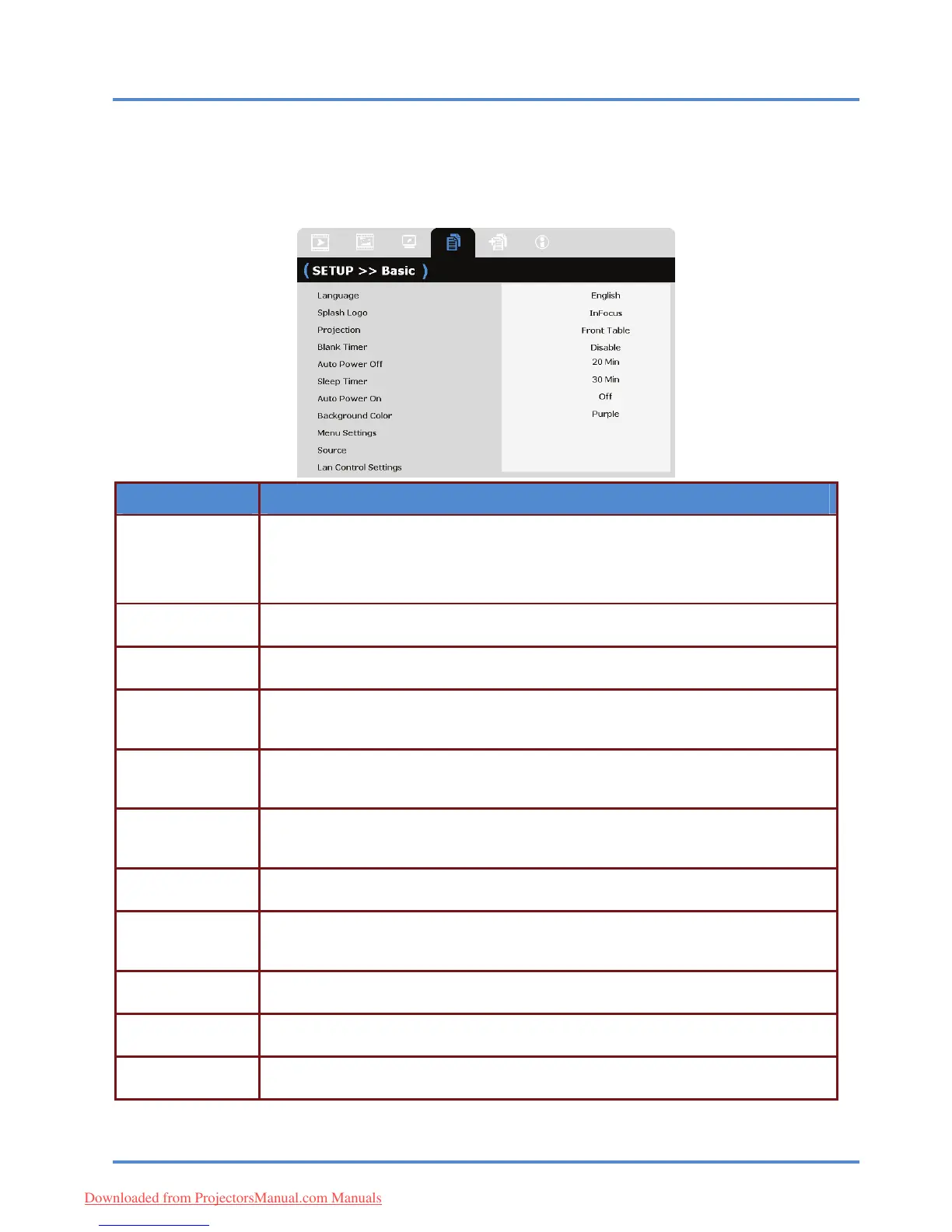
SETUP>>Basic Menu
Press the MENU button to open the OSD menu. Press the cursor ◄► button to move to the
SETUP>>Basic menu. Press the cursor ▲▼ button to move up and down in the
SETUP>>Basic menu. Press ◄► to change values for settings.
ITEM DESCRIPTION
Press the cursor ◄► buttons to select a different localization menu.
(Range: English/ Français/ Español/ Deutsch/ Português/ 簡体中文/ 繁體中文/
Italiano/ Svenska/ Nederlands/ Suomi/ Dansk/ Norsk/ Polski/ 한국어/ Türkçe/
Русский/ Bahasa Indonesia/)
Language
Press the cursor ◄► buttons to select a different startup screen.
(Range: InFocus/ Blue/ Black)
Splash Logo
Press the cursor ◄► buttons to choose from four projection methods:
Front Table/ Front Ceiling/ Rear Table/ Rear Ceiling.
Projection
Press the cursor ◄► buttons to set the Blank Screen timer. The projected image is
automatically restored after the set time.
(Range: Disable/ 5 min/ 10 min/ 15 min/ 20 min/ 25 min/ 30 min)
Blank Timer
Press the cursor ◄► buttons to set the Auto Power Off timer. The projector automati-
cally turns off if no input source is detected after the preset period of time.
(Range: Disable/ 5 min/ 10 min/ 15 min/ 20 min/ 25 min/ 30 min)
Auto Power Off
Press the cursor ◄► buttons to set Sleep timer. The projector automatically turns off
after the preset period of time.
(Range: Disable/ 30 min/ 1hr/ 2hr/ 3hr/ 4hr/ 8hr/ 12hr)
Sleep Timer
Press the cursor ◄► button to enable or disable Automatic Power On when AC power is
supplied.
Auto Power On
Press the cursor ◄► buttons to select the background color when no input source is
detected.
(Range: Purple/ Black/ Blue)
Background Color
Press the ENTER/SELECT button to enter the Menu Settings sub menu. See Menu
Settings
Menu Settings
on page 28.
Press the ENTER/SELECT button to enter the Source sub menu. See Source on
page
Source
29.
Press the ENTER/SELECT button to enter the Lan Control Settings sub menu.
See
Lan Control Set-
tings
– 27
–
Lan Control Settings on page 30.
Downloaded from ProjectorsManual.com Manuals



 To Next Page