User’s Manual
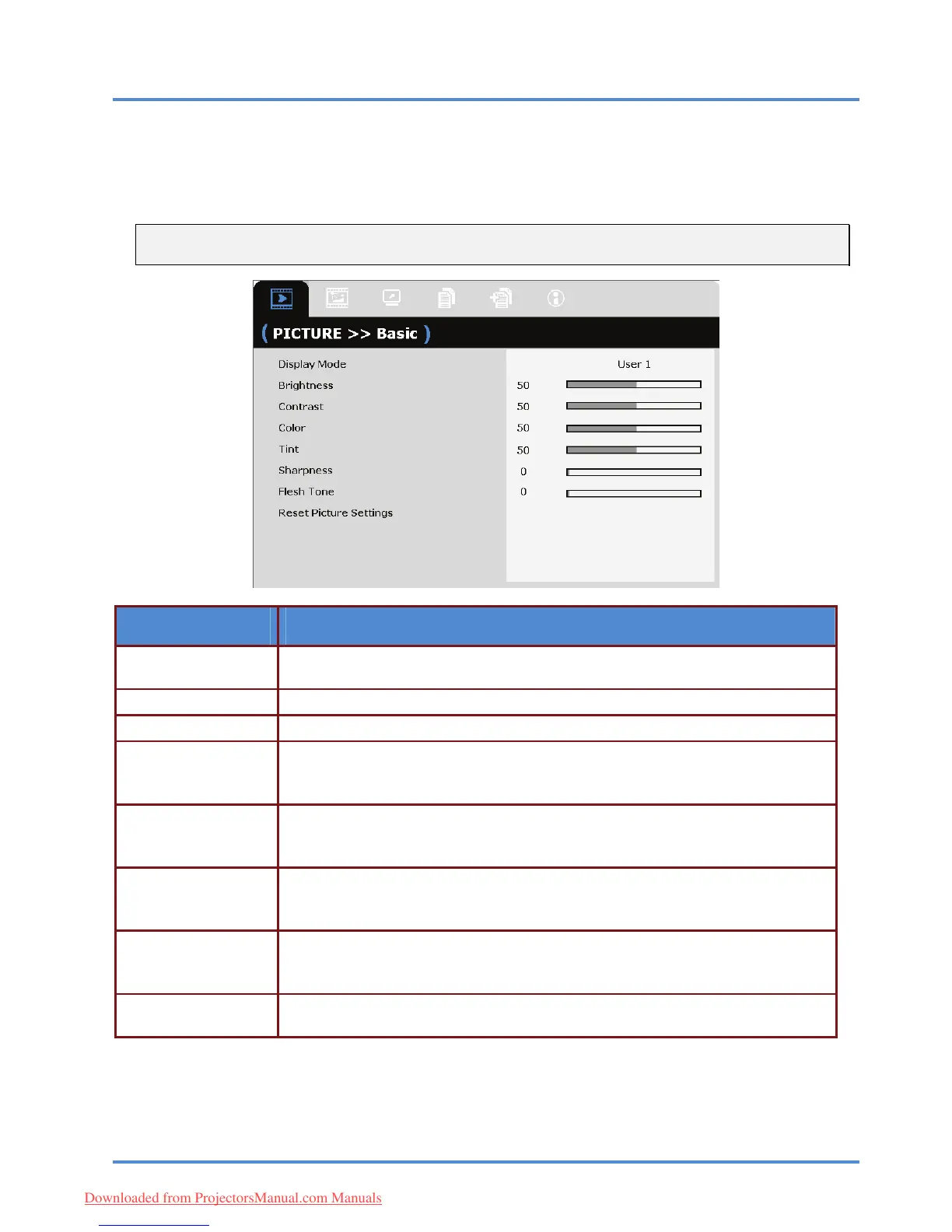
PICTURE>>Basic Menu
Press the MENU button to open the OSD menu. Press the cursor ◄► button to move to the
PICTURE>>Basic menu. Press the cursor ▲▼ button to move up and down in the PICTURE>>Basic
menu. Press ◄► to change values for settings.
Note:
Customizing the settings in PICTURE>>Basic menu is only available in User 1/ 2/ 3 mode.
ITEM DESCRIPTION
Press the cursor ◄► buttons to set the Display Mode.
(Range: Movie/ Bright/ Normal/ User 1/ User 2/ User 3)
Display Mode
Brightness Press the cursor ◄► buttons to adjust the display brightness.
Contrast Press the cursor ◄► buttons to adjust the display contrast.
Press the cursor ◄► buttons to adjust the video saturation.
Color
Notes: This f
unction is only available when Video or S-Video input source is se-
lected.
Press the cursor ◄► buttons to adjust the video tint/hue.
Tint
Notes: This f
unction is only available when Video or S-Video with NTSC
system input source is selected.
Press the cursor ◄► buttons to adjust the display sharpness.
Sharpness
Notes: This f
unction is only available when Video or S-Video input source is se-
lected.
Press the cursor ◄► buttons to adjust the display flesh tone.
Flesh Tone
Notes: This f
unction is only available when Video or S-Video input source is se-
lected.
Reset Picture Set-
tings
Press the ENTER/SELECT button to res
et all settings to default values.
– 22 –
Downloaded from ProjectorsManual.com Manuals



 To Next Page