6
Positioning the projector
To determine where to position the projector, consider the size and shape of your
screen, the location of your power outlets, and the distance between the projector
and the rest of your equipment. Here are some general guidelines:
• Position the projector on a flat surface at a right angle to the screen. The
projector must be at least 79” (2.0m) from the projection screen.
• Position the projector within 10 feet (3m) of your power source and within 6
feet (1.8m) of your video device (unless you purchase extension cables).
• Position the projector to the desired distance from the screen. The distance
from the lens of the projector to the screen, the zoom setting, and the video
format determine the size of the projected image.
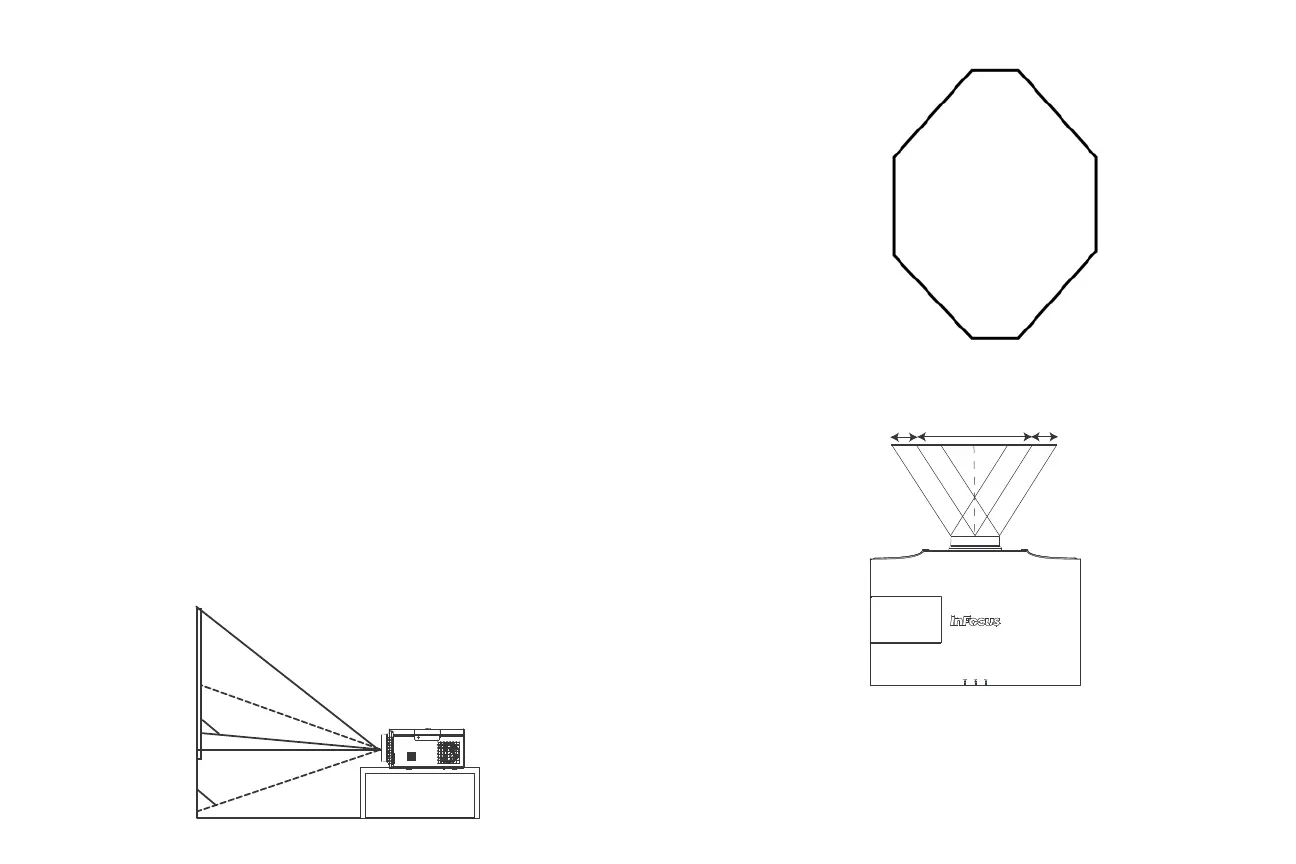
• Although the image exits at a given angle, the lens shift feature makes the
image offset variable.
• If you are installing the projector on the ceiling, we strongly recommend using
InFocus approved ceiling mounts for proper fitting, ventilation and installation.
Refer to the installation guide that comes with the InFocus Ceiling Mount Kit
(p/n PRJ-MNT-UNIV) for more information. The warranty does not cover any
damage caused by use of non-approved ceiling mount kits or by installing in an
improper location. To turn the image upside down, see “Ceiling mount” on
page 29. We recommend using an InFocus authorized ceiling mount.
The vertical image offset range is -130% to +35%, and the horizontal image offset is
+/-35%. At +35% offset, the bottom of the image is 35% of the image height above
the lens. At -50% offset, 50% of the image height resides below the lens center in
tabletop configuration.
+10% offset
lens center
Vertical Image Offset is -130% to +35%
-50% offset
Vert ical
Offset
-75%
+/-8%
+/-35%
+/-8%
Horizontal
Shift Range
-130%
+35%
-25%
-50%
Horizontal Image Offset is +/-35%



 To Next Page