24
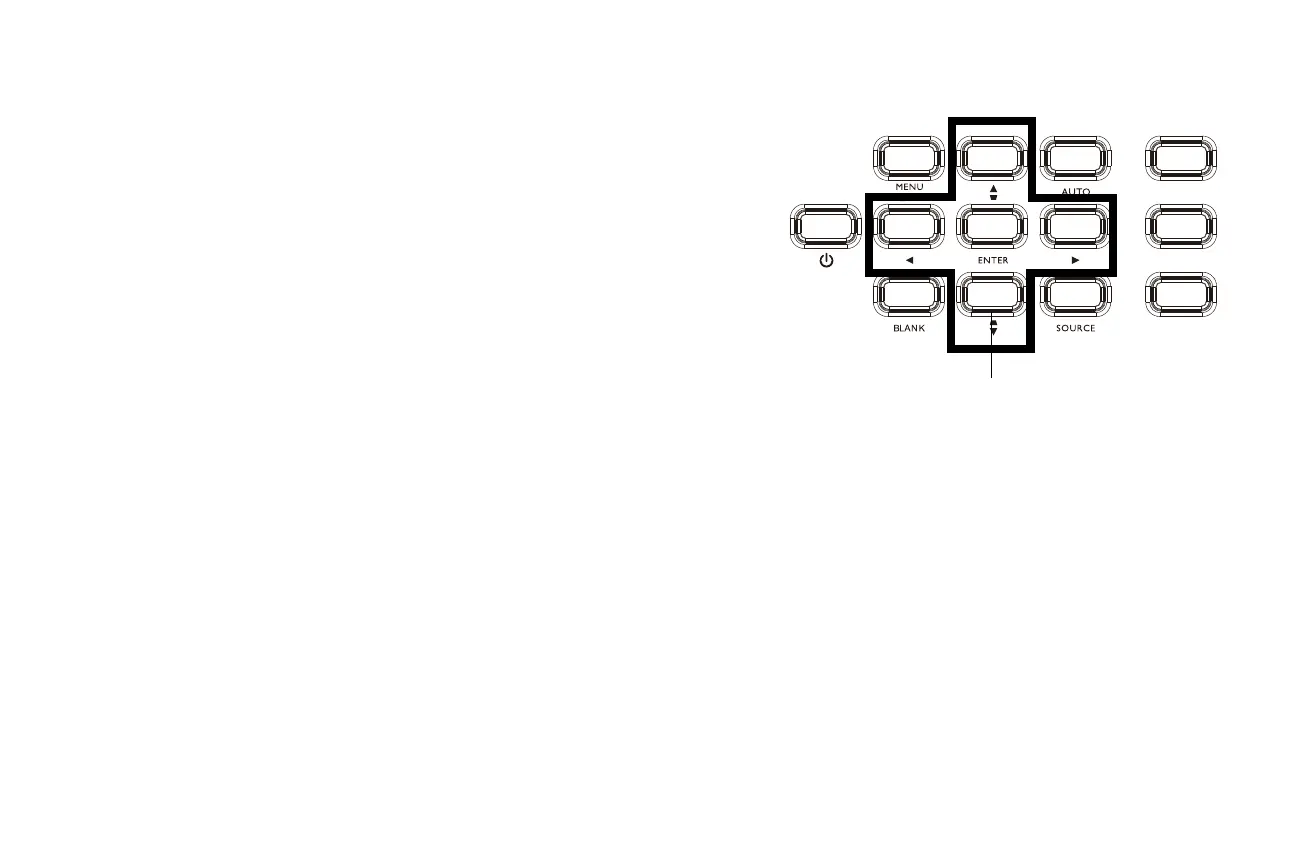
Using the keypad buttons
Most buttons are described in detail in other sections, but here is an overview of
their functions:
Menu/Exit - Turns on the On-Screen Display (OSD) menu. Goes back to previous
OSD menu, exits and saves menu settings
Up arrow/Keystone - When the menu is displayed, the up arrow button navigates
through the menu. When the menu is not displayed, this button adjusts the square-
ness of the image (page 9).
Auto - Resynchronizes the projector to the source.
Focus - Changes the focus of the image.
Power–turns the projector on and off (page 8).
Left arrow - When the menu is displayed, the left arrow button navigates through
the menu.
Enter - Activates the selected On-Screen Display (OSD) menu item.
Right arrow - When the menu is displayed, the right arrow button navigates
through the menu.
Zoom - Adjusts the image size.
Blank - Displays a solid color or factory logo screen.
Down arrow/Keystone - When the menu is displayed, the down arrow button nav-
igates through the menu. When the menu is not displayed, this button adjusts the
squareness of the image (
page 9).
Source - Brings up a menu of available sources.
Shift - Moves the lens up and down.



 To Next Page