EasyManua.ls Logo

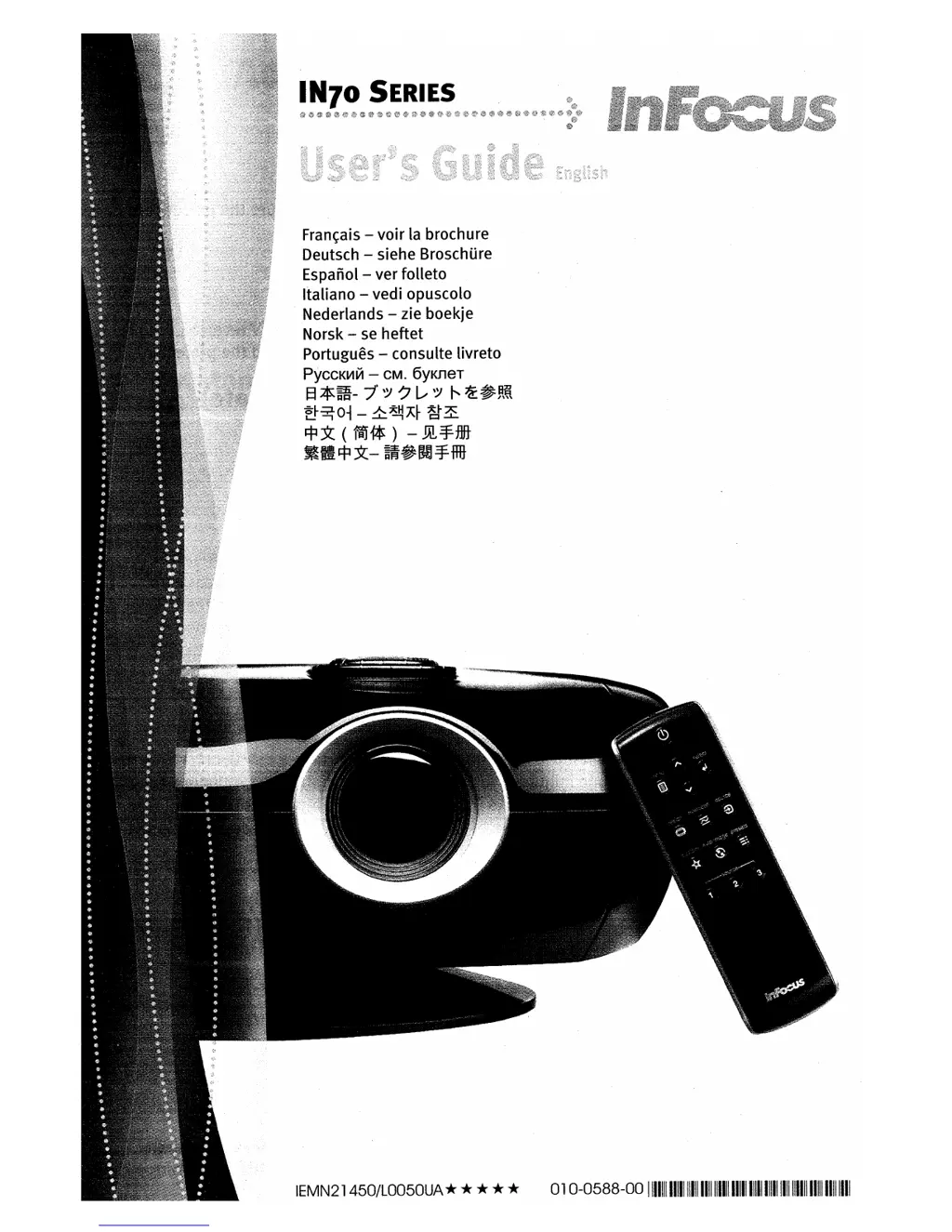
InFocus IN72 - User Manual

InFocus IN72
54 pages
Print Icon
To Next Page IconTo Next Page
Loading...

Other manuals for InFocus IN72

Questions and Answers

  • A
    Aaron ShortAug 21, 2025
    What to do if the InFocus Projector lamp won’t turn on and the LED is blinking red?
    • B
      Brenda JonesAug 21, 2025
      If the lamp on your InFocus Projector doesn’t turn on and the LED is blinking red, ensure that the vents are not blocked. Turn off the projector and allow it to cool for one minute.
  • J
    joseph76Sep 3, 2025
    What to do if only the start up screen appears on my InFocus IN72?
    • S
      Shelley AndrewsSep 3, 2025
      If only the start up screen appears on your InFocus Projector, connect an active source and press the Source button.
  • K
    kevin74Sep 1, 2025
    What to do if the InFocus IN72 Projector image is upside down?
    • N
      noahphillipsSep 1, 2025
      If the image from your InFocus Projector is upside down, turn off the ceiling setting in the Settings>System menu.
  • J
    John WilliamsAug 31, 2025
    How to fix an image that is not sharp on an InFocus IN72?
    • C
      Christopher DavisAug 31, 2025
      If the image from your InFocus Projector is not sharp, adjust the Sharpness in the Picture>Advanced menu.
  • L
    Lisa AndersonAug 29, 2025
    What to do if the image is not centered on the screen with my InFocus Projector?
    • K
      Kelly BrownAug 29, 2025
      If the image from your InFocus Projector is not centered on the screen, move the projector, adjust the zoom, and adjust the height.
  • L
    Leon WallsAug 27, 2025
    How to fix projected colors that don’t match the source on InFocus IN72 Projector?
    • J
      Jonathan GibsonAug 27, 2025
      If the projected colors on your InFocus Projector don’t match the source, adjust the color, tint, color temperature, brightness, and contrast in the menus.
  • T
    Tasha HernandezAug 26, 2025
    How to flip image on InFocus IN72 Projector?
    • G
      Gary SmithAug 27, 2025
      If the image on your InFocus Projector is upside down, turn off the ceiling setting in the Settings>System menu.
  • A
    Angela ParrishAug 25, 2025
    What to do if a 'Change lamp' message appears at startup or LED is blinking red on InFocus IN72?
    • F
      Francisco MatthewsAug 25, 2025
      If the 'Change lamp' message appears when you start your InFocus Projector, or the LED is blinking red, the lamp must be replaced. Replace the lamp and reset the lamp timer.
  • S
    simsalanAug 23, 2025
    What to do if the 'Change lamp' message appears at startup or LED is blinking red on InFocus Projector?
    • M
      Mary GoodmanAug 23, 2025
      If the 'Change lamp' message appears when you start your InFocus Projector or the LED is blinking red, the lamp must be replaced. Replace the lamp and reset the lamp timer.

Summary

Important Operating Considerations for Safety

Introduction

Product specifications

Details on the projector's technical specifications and where to find them.

Accessories

Information on standard and optional accessories for the projector.

Online Registration

Instructions on how to register the projector for warranty and updates.

Connector Panel

Digital Connections

Explains M1-DA/DVI and HDMI ports for high-quality digital input.

Computer Connections

How to connect a computer via VGA using the M1-DA/DVI input.

RS-232 Connections

Information on serial control for IN74 and IN76 models.

Positioning the projector

Distance to Screen Tables

Charts showing screen sizes and corresponding projection distances for different models.

Choosing the aspect ratio

Video connectors

Connecting a video device

Composite (RCA) Video Connection

How to connect using the provided composite video cable.

S-video Connection

How to connect using an S-video cable for better quality.

Component (RCA) Connection

How to connect using component video cables for improved color.

SCART RGB Connection

How to connect using SCART for enhanced color accuracy.

Digital connections

DVI connection

Steps to connect a DVI source using the M1-DA/DVI port.

HDMI connection

Steps to connect an HDMI source for digital audio/video.

Displaying an image

Adjusting the image

Adjust the zoom and focus

Adjust the volume on your stereo receiver

Shutting down the projector

Troubleshooting your setup

Using the remote control

Troubleshooting the remote

Tips for resolving issues with the remote control's functionality.

Using the keypad buttons

Optimizing video images

Customizing the projector

Using the menus

Picture menu

Adjustments for image properties like keystone, contrast, and brightness.

Settings menu

Setup adjustments like source selection, system options, and language.

Source Info menu

Displays information about the projector and the active input source.

Picture menu

Keystone

Adjusts image geometry to correct trapezoidal distortion.

Aspect Ratio

Selects how the image width and height are displayed on the screen.

Presets

Gamma

Advanced menu

Sharpness

Controls the clarity and definition of edges in the video image.

Color Space

Selects color space tuning for computer and component video sources.

Color Temperature

Color Control

Video Standard

Overscan

Noise Reduction

Settings menu

Sources

Manages input sources, autosource, and assigns buttons.

System

Controls projector orientation, power modes, and display options.

Startup Logo

Blank Screen

Language

Custom key

Service

Service Info

Displays projector software, serial number, and lamp usage details.

Maintenance

Cleaning the lens

Instructions on how to safely clean the projector lens.

Replacing the projection lamp

Detailed steps for safely replacing the projector's lamp.

Appendix

Red LED behavior and projector errors

Explains LED status codes for troubleshooting projector issues.

Remote control discrete codes

Projector dimensions for ceiling mount installations

Supported video formats

RS-232 terminal specifications for IN74 and IN76

Communication configuration

Settings for connecting a computer or control panel via RS-232.

Command format

Structure for sending commands to the projector via RS-232.

Supported commands

SAFETY INSTRUCTIONS

Safety Definitions

Explanations of terms used in safety warnings and cautions.

Safety Terms

Definitions of "Warning" and "Caution" statements within the safety section.

Limited Warranty

WARRANTY LIMITATION AND EXCLUSION

Specific conditions and exclusions that limit warranty coverage.

DISCLAIMER OF UNSTATED WARRANTIES

Legal statement disclaiming implied warranties beyond those expressly stated.

To Obtain Warranty Service

Instructions on how to contact InFocus for warranty support and service.

InFocus IN72 Specifications

General IconGeneral
BrandInFocus
ModelIN72
CategoryProjector
LanguageEnglish

Related product manuals