28
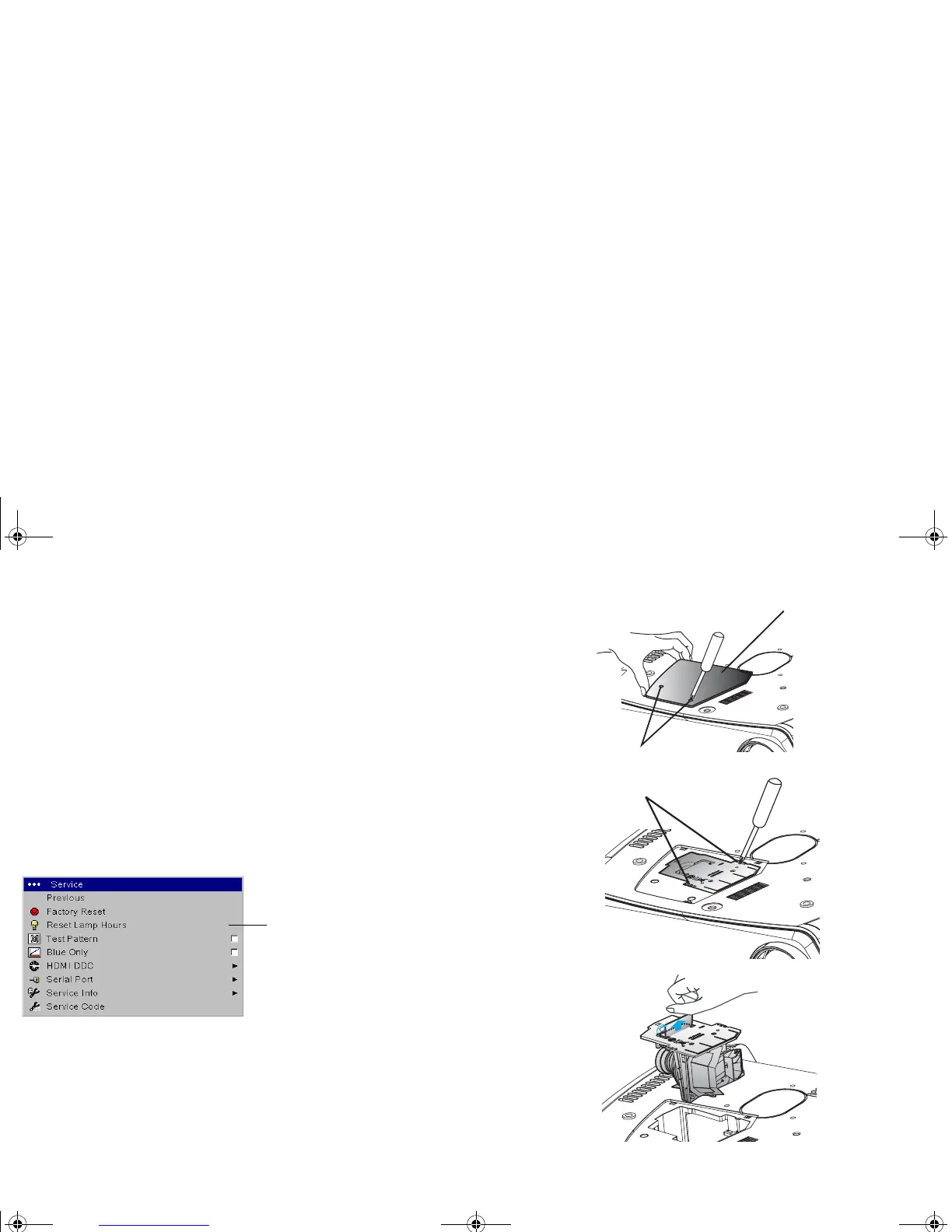
4 Loosen the two captive screws on the lamp door and lift the door off.
5 Loosen the two captive screws that attach the lamp housing to the projector.
6 Carefully remove the lamp housing. Dispose of the lamp in an environmentally
proper manner.
7 Install the new lamp housing and tighten the screws.
8 Replace the lamp door.
9 Replace the base or ceiling mount plate, if necessary.
10 Plug in the power cord and press the Power button on the remote to turn the
projector back on.
11 To reset the lamp hour timer, navigate to the Settings>Service menu and
select Reset Lamp Hours
. See page 26 for details.
Reset lamp hours
Captive screws
Lamp door
Captive screws
K1 RG.fm Page 28 Thursday, September 27, 2007 10:24 AM


 To Next Page