EasyManua.ls Logo

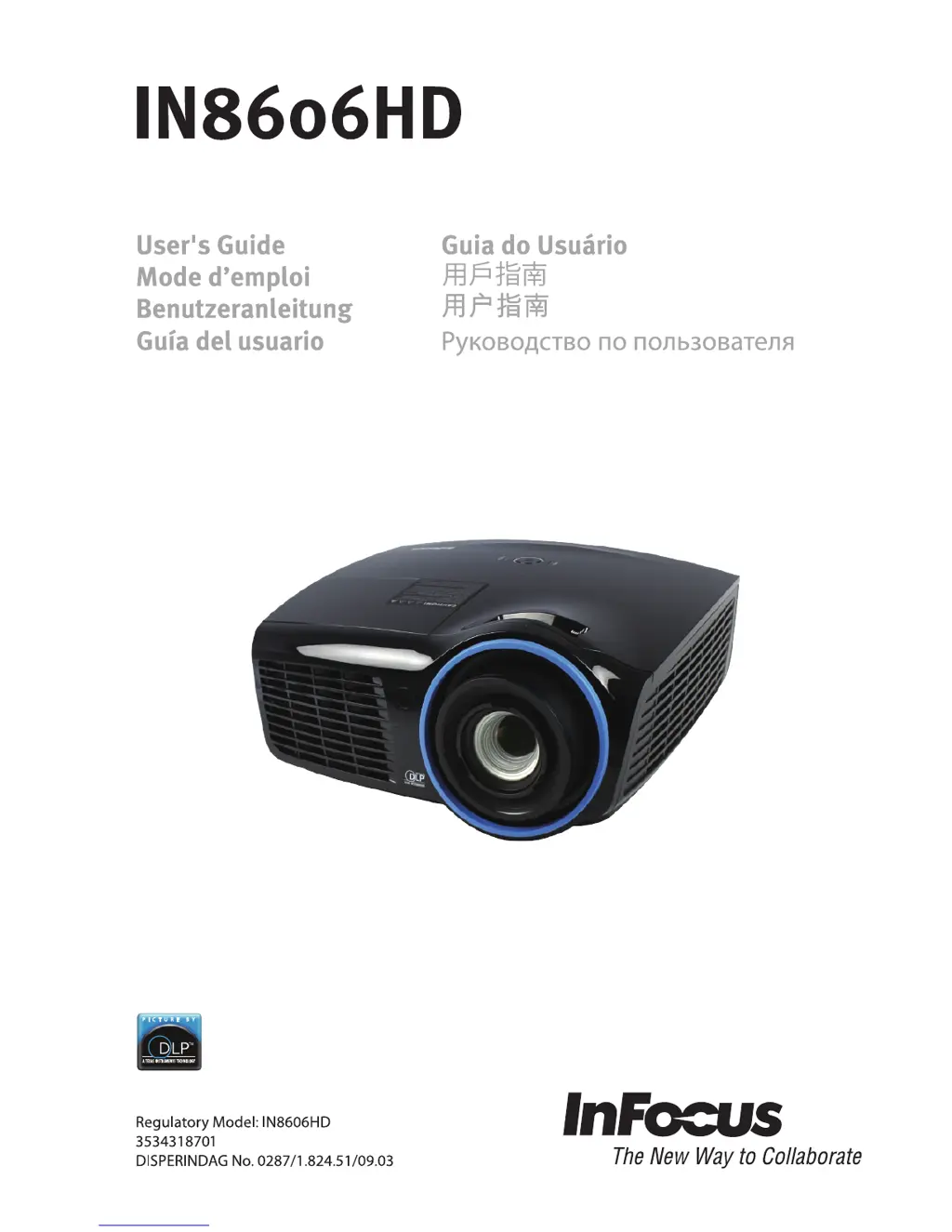
InFocus IN8606HD - User Manual

InFocus IN8606HD
62 pages
Print Icon
To Next Page IconTo Next Page
Loading...

Table of Contents

Other manuals for InFocus IN8606HD

Questions and Answers

Summary

Important Safety Information

General Safety Information

Essential safety guidelines for operating the projector, including warnings and precautions.

Symbols Used

Explanation of warning symbols and text styles used in the manual for important information.

Projector Installation Notice

Operation and Maintenance Basics

Power Safety Precautions

Guidelines for safe use of the power cord and battery handling for the remote control.

Lamp Replacement and Cleaning

Procedures for safely replacing the projector lamp and cleaning the unit's exterior and lens.

Projector Components Overview

Front and Top Views

Views of projector front, right, and top panels, including OSD buttons and LEDs.

Rear and Bottom Views

Views of projector rear connectivity ports and bottom mounting points.

Remote Control Guide

Remote Control Parts

Identification of all buttons and features on the remote control unit.

Remote Control Operation

Information on operating range and button functions for the remote.

Setup and Operation

Inserting Remote Control Batteries

Step-by-step guide for installing batteries in the remote control.

Turning Projector On and Off

Instructions for powering the projector up and down safely.

Security and Access Control

Setting Access Password (Security Lock)

How to set and manage a password to prevent unauthorized projector use.

Image and Audio Adjustments

Adjusting Projector Level

Guidelines for setting the projector's physical angle and stability.

Adjusting Zoom, Focus, and Keystone

How to control image size, sharpness, and correct trapezoid distortion.

Adjusting Volume

Instructions for controlling the projector's audio output level.

On-Screen Display (OSD) Menu

OSD Menu Navigation

How to navigate through the OSD menus using the remote control.

Setting OSD Language

Procedure for selecting the desired display language for the OSD.

OSD Menu Overview

A diagram illustrating the structure and options within the OSD menus.

Image Menu Settings

Computer Menu Settings

Adjustments for PC video input signals like position, frequency, and tracking.

Advanced Image Features

Detailed image adjustments like sharpness, gamma, and color temperature.

White Balance & Color Manager

Fine-tuning Red, Green, Blue gain/offset and color saturation/hue.

Settings 1 Menu Options

Audio Settings

Adjusting volume, mute, and SRS surround sound features.

Advanced 1 Features

Configuration options including language, security lock, and 3D settings.

Advanced 2 Features

Settings for test patterns and image shift adjustments.

Settings 2 Menu Options

Status Menu

Displaying operational status like active source, lamp hours, and software version.

Advanced 1 Features (Settings 2)

Settings within Settings 2 menu, including menu position and lamp hour reset.

Advanced 2 Features (Settings 2)

Settings within Settings 2 menu, including sleep timer and source filter.

Maintenance and Security

Replacing the Projection Lamp

Detailed steps for safely removing and installing the projector lamp module.

Resetting the Lamp Timer

Procedure to reset the lamp usage timer after lamp replacement.

Cleaning the Projector

Instructions for safely cleaning the projector's exterior, lens, and case.

Security Features

Using Cable Lock System

How to secure the projector using a Kensington lock and cable.

Using Security Bar

Information on utilizing the security bar for enhanced protection.

Troubleshooting

Common Problems and Solutions

General tips for diagnosing and resolving projector issues.

Tips for Troubleshooting

Best practices for effective problem diagnosis and support interaction.

LED Error Messages

Table detailing projector status based on LED indicator lights.

Image Problems

Solutions for common display issues like no image or blurriness.

Keystone and Image Adjustments

Correcting trapezoid effect, image reversal, and streaking.

Lamp Problems

Troubleshooting steps for projector lamp not lighting or turning off.

Remote Control Problems

Solutions when the projector does not respond to remote control commands.

Audio Problems

Diagnosing and fixing issues with sound output.

Servicing the Projector

Guidance on when and how to seek professional technical support.

HDMI Information and FAQs

Product Specifications

Projection Distance vs. Size

Table correlating projection distance with screen size.

Timing Mode Table

List of supported signal resolutions and sync frequencies.

Projector Dimensions

Detailed physical measurements of the projector unit.

Regulatory Compliance

FCC Warning

Information regarding compliance with FCC Part 15 for Class B digital devices.

Canadian Compliance

Statement of compliance with Canadian ICES-003 standards.

Safety Certifications

List of safety and compliance marks obtained by the product.

Appendix I: Serial Communication

Summary

Important Safety Information

General Safety Information

Essential safety guidelines for operating the projector, including warnings and precautions.

Symbols Used

Explanation of warning symbols and text styles used in the manual for important information.

Projector Installation Notice

Operation and Maintenance Basics

Power Safety Precautions

Guidelines for safe use of the power cord and battery handling for the remote control.

Lamp Replacement and Cleaning

Procedures for safely replacing the projector lamp and cleaning the unit's exterior and lens.

Projector Components Overview

Front and Top Views

Views of projector front, right, and top panels, including OSD buttons and LEDs.

Rear and Bottom Views

Views of projector rear connectivity ports and bottom mounting points.

Remote Control Guide

Remote Control Parts

Identification of all buttons and features on the remote control unit.

Remote Control Operation

Information on operating range and button functions for the remote.

Setup and Operation

Inserting Remote Control Batteries

Step-by-step guide for installing batteries in the remote control.

Turning Projector On and Off

Instructions for powering the projector up and down safely.

Security and Access Control

Setting Access Password (Security Lock)

How to set and manage a password to prevent unauthorized projector use.

Image and Audio Adjustments

Adjusting Projector Level

Guidelines for setting the projector's physical angle and stability.

Adjusting Zoom, Focus, and Keystone

How to control image size, sharpness, and correct trapezoid distortion.

Adjusting Volume

Instructions for controlling the projector's audio output level.

On-Screen Display (OSD) Menu

OSD Menu Navigation

How to navigate through the OSD menus using the remote control.

Setting OSD Language

Procedure for selecting the desired display language for the OSD.

OSD Menu Overview

A diagram illustrating the structure and options within the OSD menus.

Image Menu Settings

Computer Menu Settings

Adjustments for PC video input signals like position, frequency, and tracking.

Advanced Image Features

Detailed image adjustments like sharpness, gamma, and color temperature.

White Balance & Color Manager

Fine-tuning Red, Green, Blue gain/offset and color saturation/hue.

Settings 1 Menu Options

Audio Settings

Adjusting volume, mute, and SRS surround sound features.

Advanced 1 Features

Configuration options including language, security lock, and 3D settings.

Advanced 2 Features

Settings for test patterns and image shift adjustments.

Settings 2 Menu Options

Status Menu

Displaying operational status like active source, lamp hours, and software version.

Advanced 1 Features (Settings 2)

Settings within Settings 2 menu, including menu position and lamp hour reset.

Advanced 2 Features (Settings 2)

Settings within Settings 2 menu, including sleep timer and source filter.

Maintenance and Security

Replacing the Projection Lamp

Detailed steps for safely removing and installing the projector lamp module.

Resetting the Lamp Timer

Procedure to reset the lamp usage timer after lamp replacement.

Cleaning the Projector

Instructions for safely cleaning the projector's exterior, lens, and case.

Security Features

Using Cable Lock System

How to secure the projector using a Kensington lock and cable.

Using Security Bar

Information on utilizing the security bar for enhanced protection.

Troubleshooting

Common Problems and Solutions

General tips for diagnosing and resolving projector issues.

Tips for Troubleshooting

Best practices for effective problem diagnosis and support interaction.

LED Error Messages

Table detailing projector status based on LED indicator lights.

Image Problems

Solutions for common display issues like no image or blurriness.

Keystone and Image Adjustments

Correcting trapezoid effect, image reversal, and streaking.

Lamp Problems

Troubleshooting steps for projector lamp not lighting or turning off.

Remote Control Problems

Solutions when the projector does not respond to remote control commands.

Audio Problems

Diagnosing and fixing issues with sound output.

Servicing the Projector

Guidance on when and how to seek professional technical support.

HDMI Information and FAQs

Product Specifications

Projection Distance vs. Size

Table correlating projection distance with screen size.

Timing Mode Table

List of supported signal resolutions and sync frequencies.

Projector Dimensions

Detailed physical measurements of the projector unit.

Regulatory Compliance

FCC Warning

Information regarding compliance with FCC Part 15 for Class B digital devices.

Canadian Compliance

Statement of compliance with Canadian ICES-003 standards.

Safety Certifications

List of safety and compliance marks obtained by the product.

Appendix I: Serial Communication

InFocus IN8606HD Specifications

General IconGeneral
Display TechnologyDLP
Native Resolution1920 x 1080
Lamp Life (Eco)6000 hours
Keystone CorrectionVertical: ±40°
Speakers10W
Input Lag16 ms
Zoom Ratio1.2:1
Projection Size30-300 inches
InputsHDMI, VGA, USB
Weight7.3 lbs (3.3 kg)

Related product manuals