23
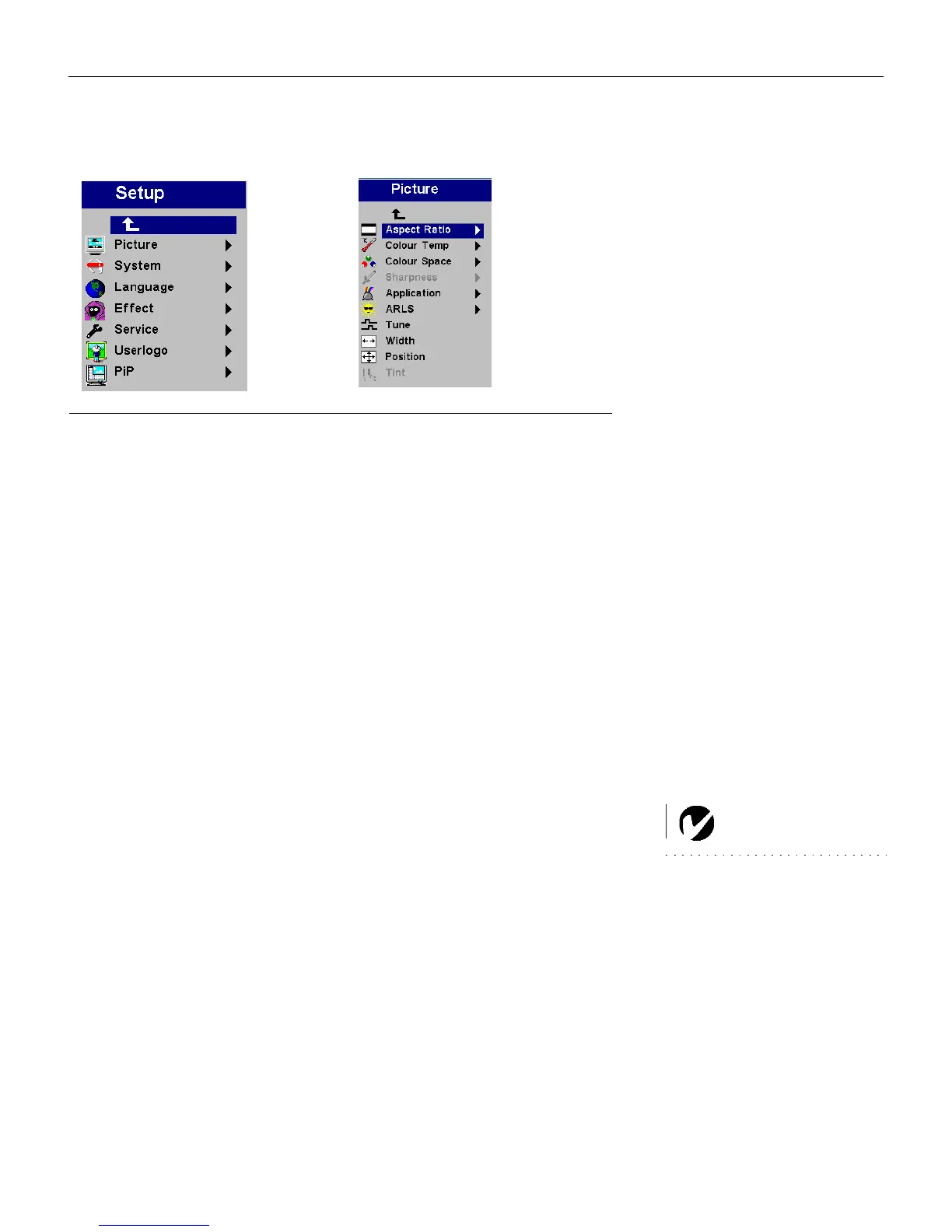
Setup menu
FIGURE 17
Setup and Picture menus
Picture menu
• Aspect
Ratio: The default is 4:3. Click 16:9 if you are watching
videos in widescreen format. Click Native to display the image
in its native format. Highlight Aspect Ratio, press
Select, use
the up and down arrows to highlight your selection, then press
Select.
• Color Temp: The default is Presentation. Choose Film if you are
watching a film.
• Color Space: This option applies to computer sources. It allows you
to select a color space that has been specifically tuned for the video
input. When Auto is selected, the projector automatically determines
the standard. To choose a different setting, turn off Auto, then choose
RGB for computer sources, choose either SMPTE240, REC709 or
REC601 for component sources.
• Sharpness
: Adjusts the sharpness of video images.
NOTE: Sharpness and Tint are
only available with a video source.
• Application
: Sets the mode for the application of the projector.
The options are Normal, Presentation, and Film.
• ARLS: Automatic Room Light Sensing. The choices are Auto-
matic, Dark, and Bright.
• Tu n e : Use the arrows to adjust the horizontal phase and fine
tuning of the image.
• Width: Use the arrows to adjust the width of the image.
• Position: Use the arrows to adjust the horizontal or vertical
position of the image.
• Tint: Use the arrows to adjust the tint of video images.
LP70.book Page 23 Friday, February 13, 2004 7:39 AM



 To Next Page