12
Setting up the Projector
Do you want to control the computer’s mouse from the projector’s
remote or keypad?
1
Locate the mouse cable and unplug it from your computer.
NOTE: Most laptop computers
do not allow you to use the
computer’s pointing device and the
projector’s remote at the same
time.
2
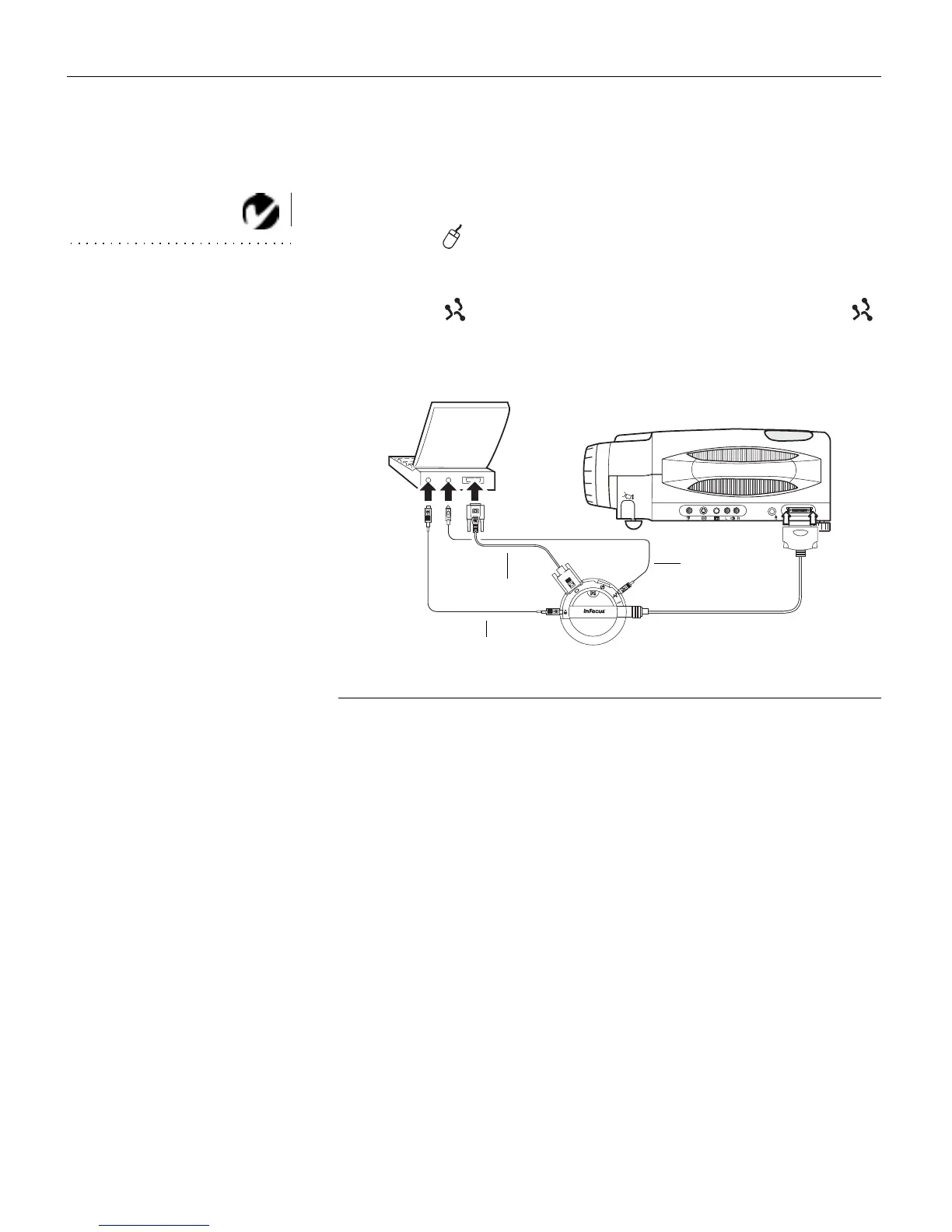
Plug the end of the CableWizard mouse cable into the
mouse connector on your computer.
3
Plug the end of the CableWizard mouse cable into the
connector on the CableWizard.
FIGURE 11
Connecting the CableWizard audio and mouse cables to an IBM-compatible laptop
computer
Now you’re ready to power up the projector and your laptop.
Skip to “Powering up the Projector and Adjusting the Image” on
page 21.
computer cable
audio cable
mouse cable



 To Next Page