16
Setting up the Projector
Do you want to control the computer’s mouse from the projector’s
remote or keypad?
1
Locate the mouse cable and unplug it from your PowerBook.
NOTE: Most laptop computers
do not allow you to use the
computer’s pointing device and the
projector’s remote at the same
time.
2
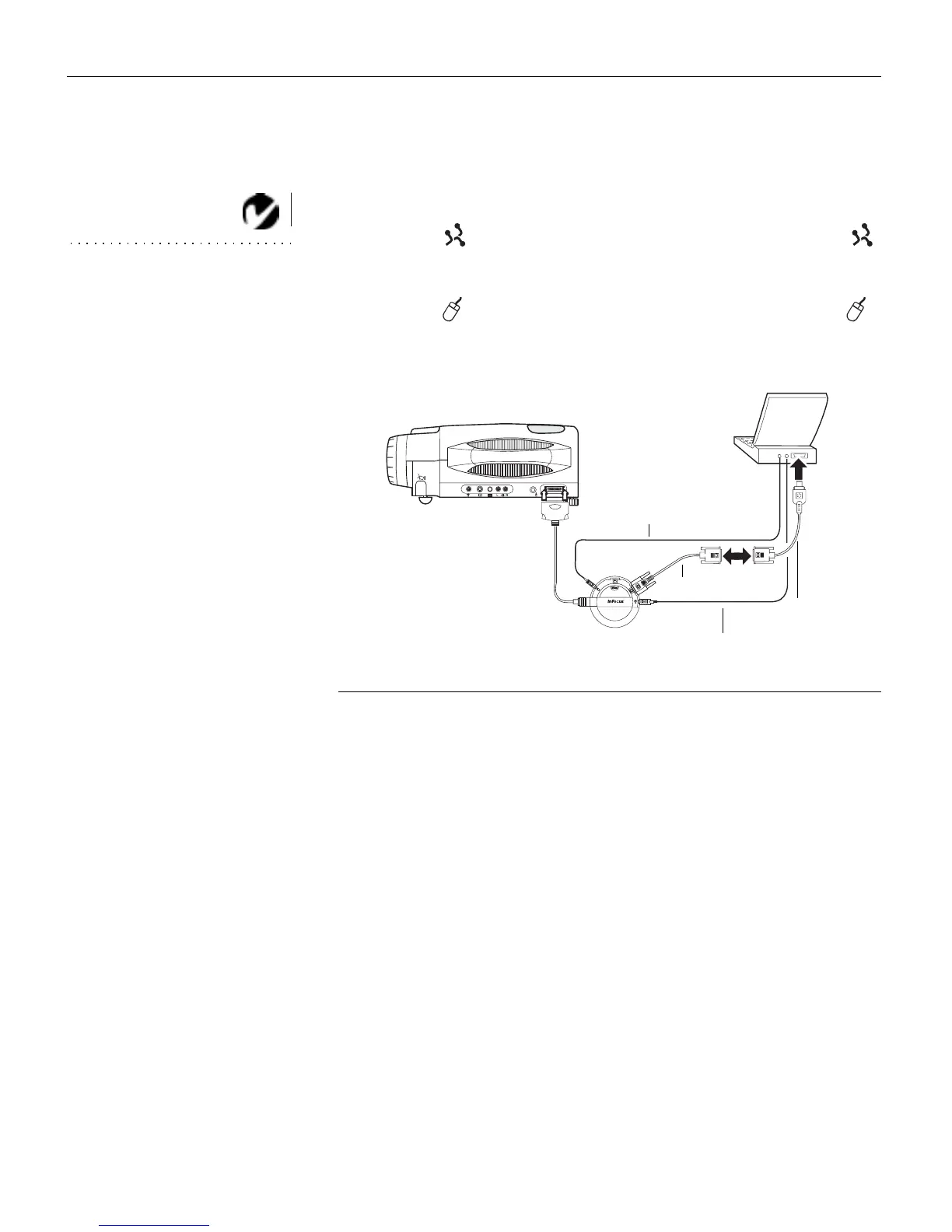
Plug the end of the CableWizard mouse cable into the
(ADB) connector on your PowerBook.
3
Plug the end of the CableWizard mouse cable into the
connector on the CableWizard.
FIGURE 15
Connecting the CableWizard audio and mouse cables to a PowerBook
Now you’re ready to power up the projector and your Power-
Book. Skip to “Powering up the Projector and Adjusting the
Image” on page 21.
computer cable
PowerBook
video-out cable
mouse cable
audio cable



 To Next Page