10
Setting up the Projector
Connecting a Desktop Computer
1
Locate the cable that connects your monitor to your computer.
Unplug it from the computer.
NOTE: If you are connecting an
older Macintosh computer that
does not have a 15-pin connector,
you must use Mac adaptors
(ordered separately). See
“Optional Accessories” on
page 50.
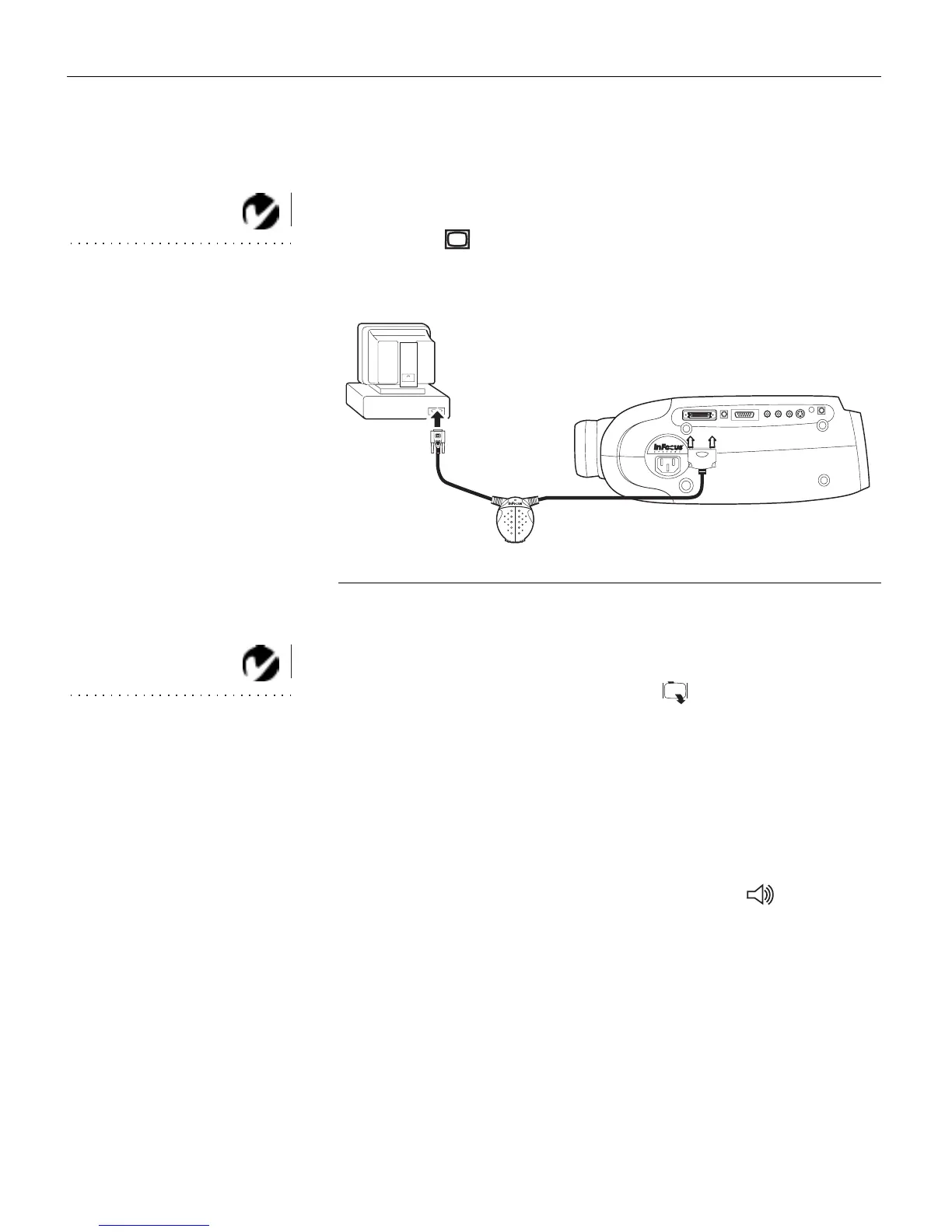
2
Plug the end of the CableWizard cable into the monitor
connector on your computer.
FIGURE 8
Connecting the CableWizard cable to a desktop computer
Do you want to display the image on your computer’s monitor as well
as on the projection screen?
NOTE: The projector must be
turned on to display the image on
your monitor.
1
Plug your monitor’s cable into the connector on the
CableWizard.
Do you want to play your computer’s audio on the projector?
1
Unplug the audio cable, if present, from your computer.
2
Plug either end of the CableWizard audio cable into the audio
connector on your computer.
3
Plug the other end of the audio cable into the connector
on the CableWizard.



 To Next Page