14
Setting up the Projector
F
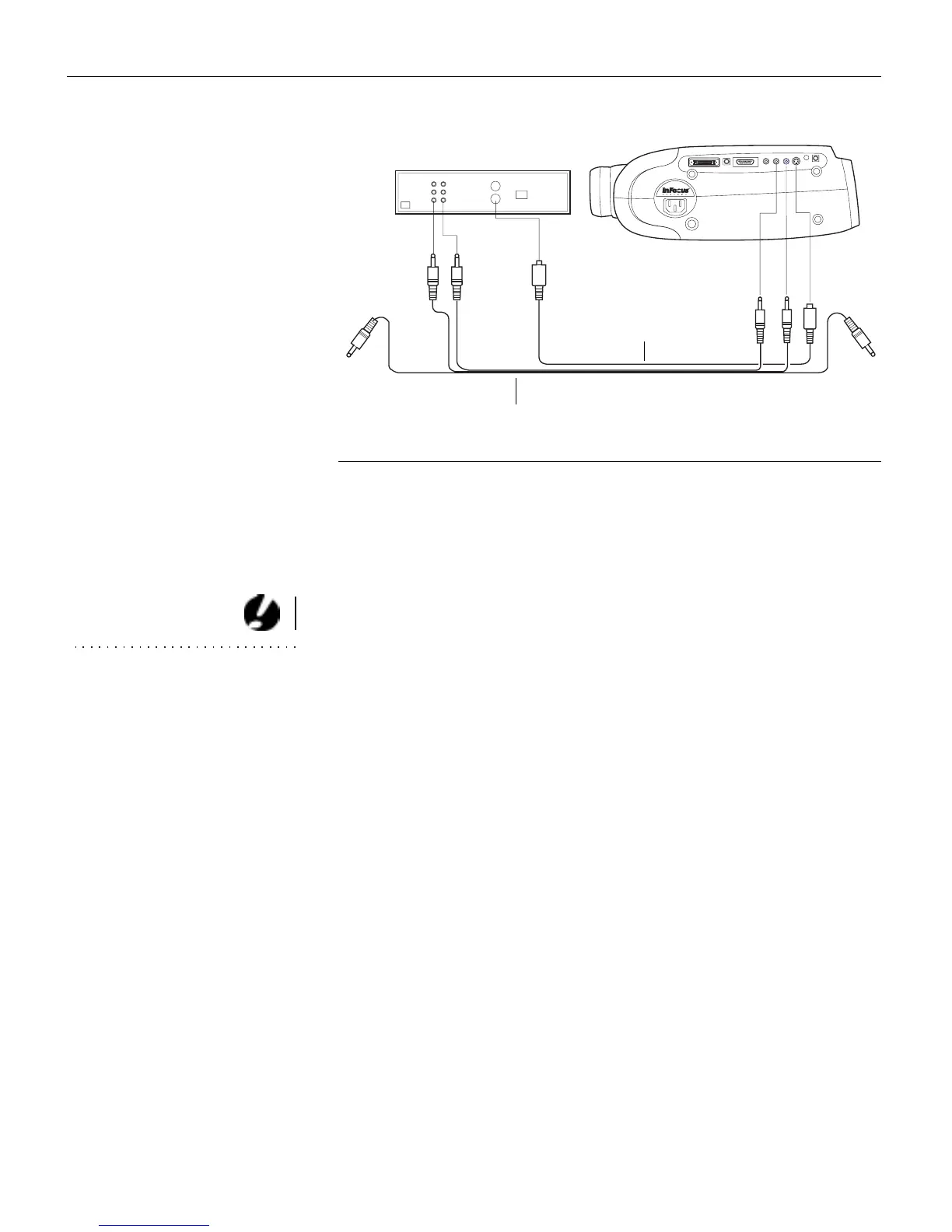
IGURE 12
Connecting the projector to a video player using an S-video cable and the audio con-
nectors on the standard A/V cable
4
Plug the A/V cable’s white connector into the left “audio out”
port on your video player. Plug the cable’s red connector into
the right “audio out” port on the video player (Figure 11 and
Figure 12).
CAUTION: Your video player
may also have a “Video Out” port
for a coaxial cable connection.
DO NOT use this to connect to the
projector.
•
If you’re using an S-video cable, the yellow connectors on
the A/V cable remain unused (Figure 12).
5
Plug the A/V cable’s other white and red connectors to the
left and right “audio in” ports on the projector.
The projector is compatible with these major broadcast video
standards: NTSC, NTSC 4.43, PAL, PAL-M, PAL-N, and SECAM.
It automatically adjusts to optimize its performance for the
incoming video. The input signals for SECAM, PAL-M, and
PAL-N video cannot be automatically detected, therefore they
must be chosen manually; see “Video Standard” on page 31.
A/V cable
S-video cable



 To Next Page