10
Connecting power
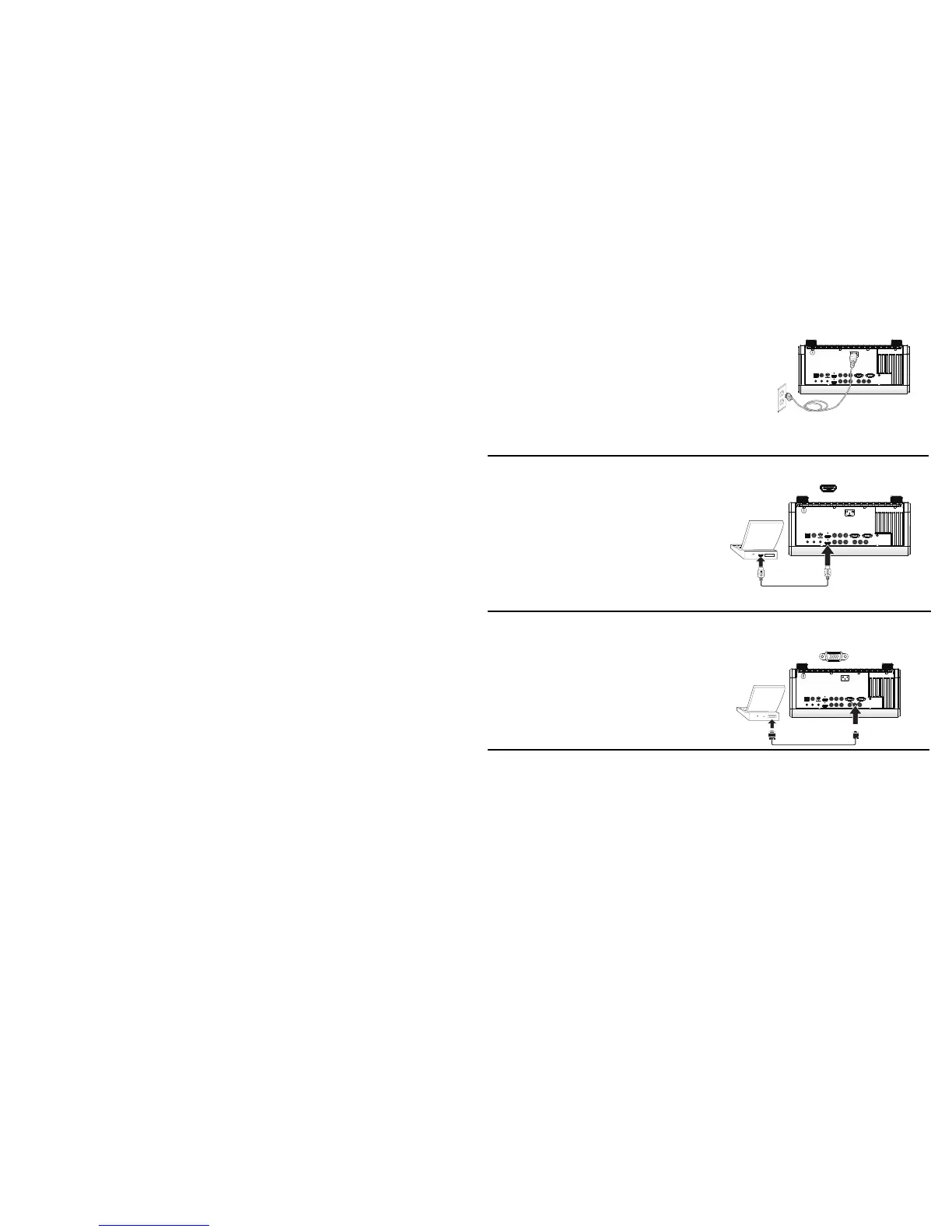
Connect the black power cord to the Power connector on the rear of the
projector and to your electrical outlet. The Power light on the Status
Indicator Panel (page 15) turns amber.
NOTE:
Always use the power cord that shipped with the projector.
Connecting a computer source
HDMI 1.3 connection
HDMI is a standard, uncompressed, all-digital audio/video interface.
HDMI provides an interface between sources, such as set-top boxes, DVD
players, and receivers and your projector. Plug an HDMI cable into the
video out connector on the video device and into either the HDMI 1 or HDMI
2 connector on the projector.
To take advantage of HDMI 1.3 Deep Color (30 bit) you must have a 1.3-
c
ompatible source.
VGA connection
Connect one end of the provided computer cable to the VGA connector on
the projector and the other to the VGA connector on your computer. If you
are using a desktop computer, you will need to disconnect the monitor
cable from the computer’s video port first.








 To Next Page