14
What is Aspect Ratio?
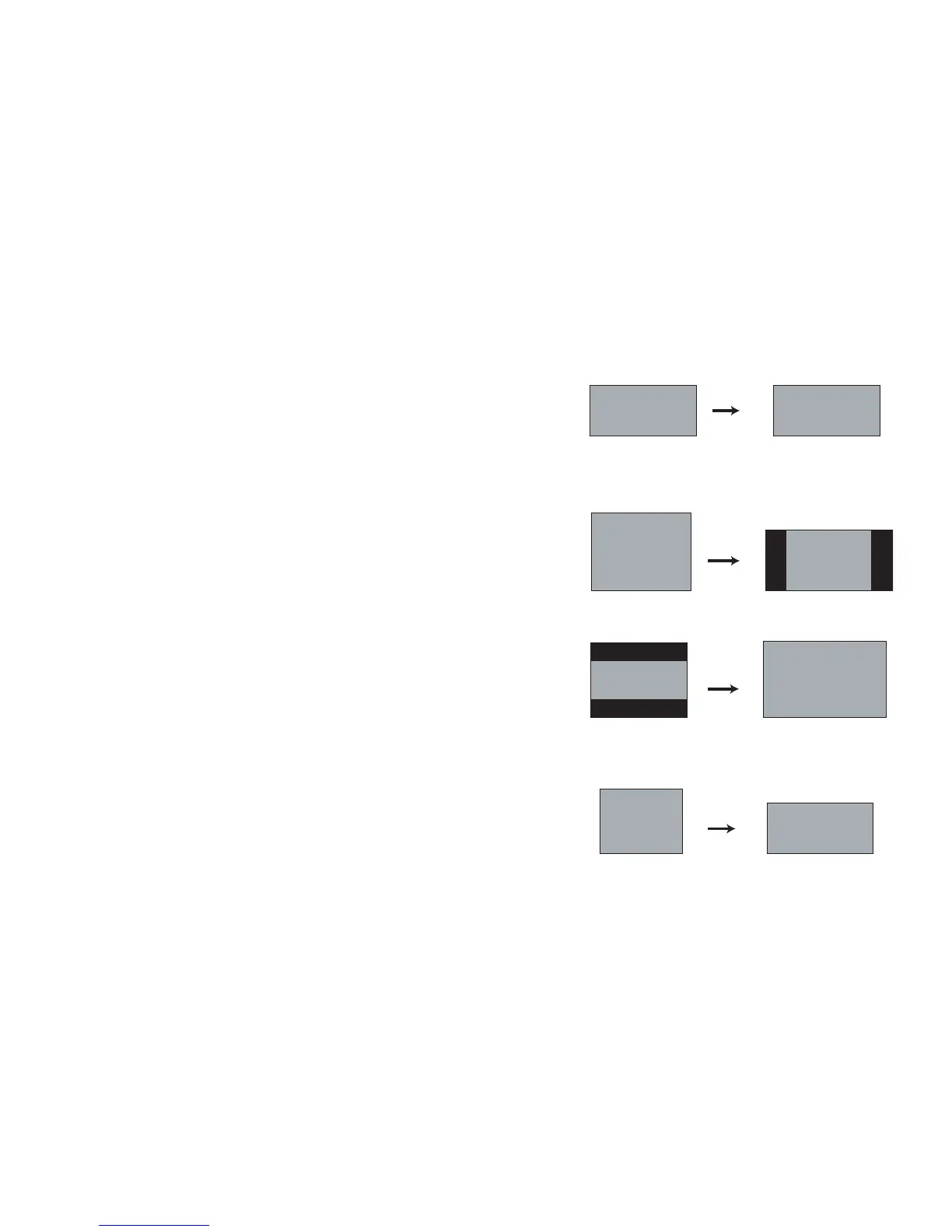
Aspect ratio is the ratio of the image width to image height. HDTV and
most DVDs are 16:9, which is the default for this projector. When in 4:3
mode the projector places black bars on both sides of the image. Native
mode centers the image and turns off the internal scaler so that any
resolution larger than the native projector resolution is cropped on the
edges. Letterbox expands the image to fill the screen. Natural Wide
stretches a 4:3 image to fill the entire 16:9 screen. The center two-thirds of
the image is unchanged; the edges of the image are stretched.
What you plan to project will
also help you choose between 4:3 and 16:9.
For example, most TV shows are 4:3, while most movies are 16:9. If you
have a 16:9 screen, then you should select an aspect ratio of 16:9 for
anamorphic movies and HDTV, and Native for 4:3 content. If you have a 4:3
screen you should still use 16:9 for anamorphic movies or HDTV, but you
also have the option of using 4:3, Native, or Natural Wide for 4:3 content.
Force Wide can also be enabled to automatically resize less common aspect
ratios to 16:10.
16
9
16
9
16
9
4
3
16
9
4
3
4
3
16
9
16:9 image input
16:9 aspect
ratio
4:3 aspect
ratio
letterbox
aspect ratio
natural wide
aspect ratio
16:9 image
4:3 image input 4:3 image on 16:9 screen
letterbox image input 16:9 image fills 16:9 screen
4:3 image input 4:3 image fills 16:9 screen









 To Next Page