6
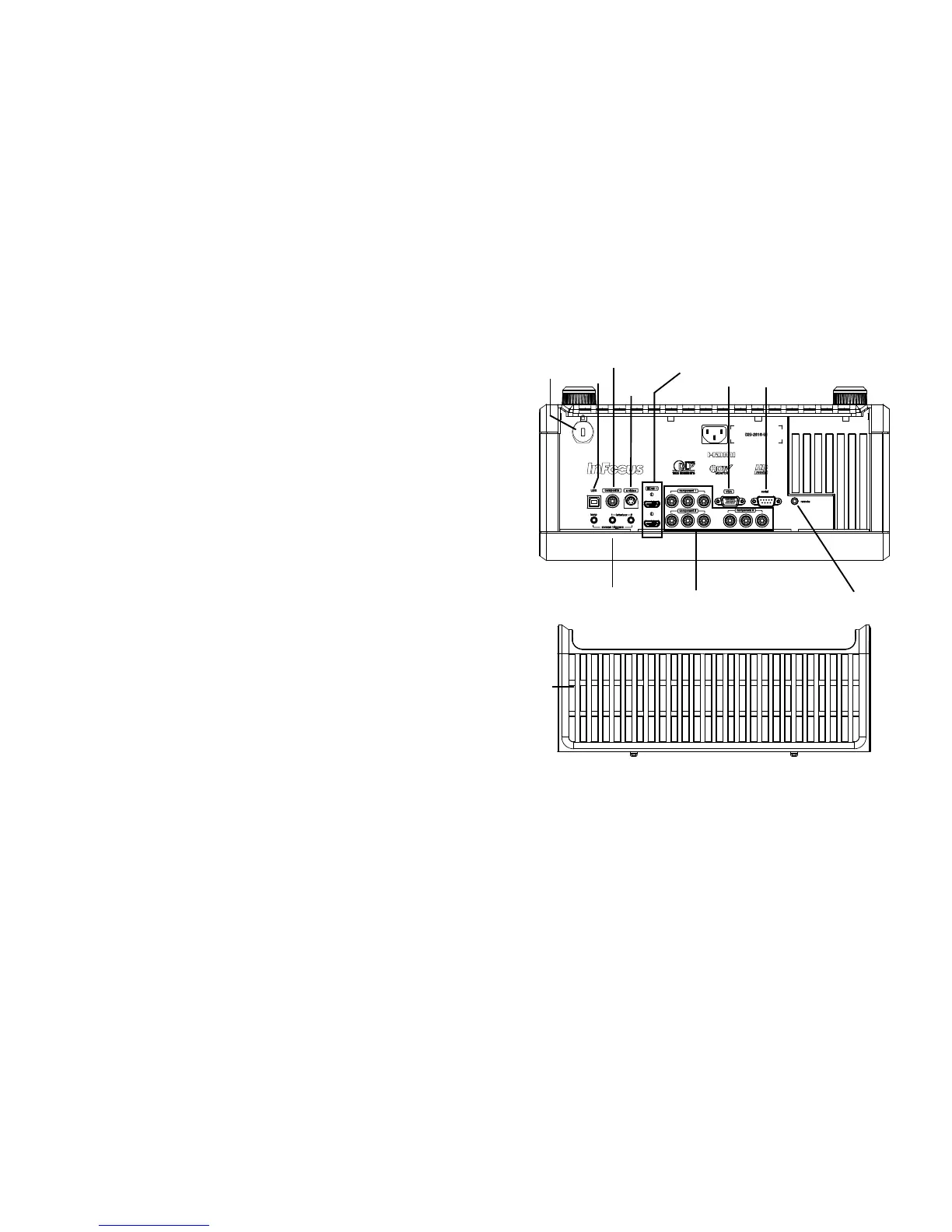
Connector panel
The projector provides both computer and video connection options,
including:
•VGA computer
•HDMI (2)
•S-video
•Composite video
• Component video (3)
•USB port
The projector also provides the following connectors:
• 12V screen trigger outputs (3)
• Wired remote jack (for use with optional Commander 2 remote)
• RS-232 connector for serial control.
Command control codes are in the
Appendix and on our support website at www.infocus.com/support.
12V External Trigger outputs
The three 3.5mm mini-jack 12 volt, 0.25 amp DC outputs are screen/lens
triggers:
• The “Lamp” trigger turns on when the lamp is lighted. If you connect
your projectio
n screen to this output using the cable that came with
your screen, the screen will move down when the lamp is turned on
and the screen will return to its storage position, when the lamp is
turned off.
• The Letterbox “1” and “2” triggers are active when the projector is
placed in letterbo
x mode and are utilized for variable masking and
anamorphic lens control. (These triggers are off when SplitScreen is
active.)









 To Next Page