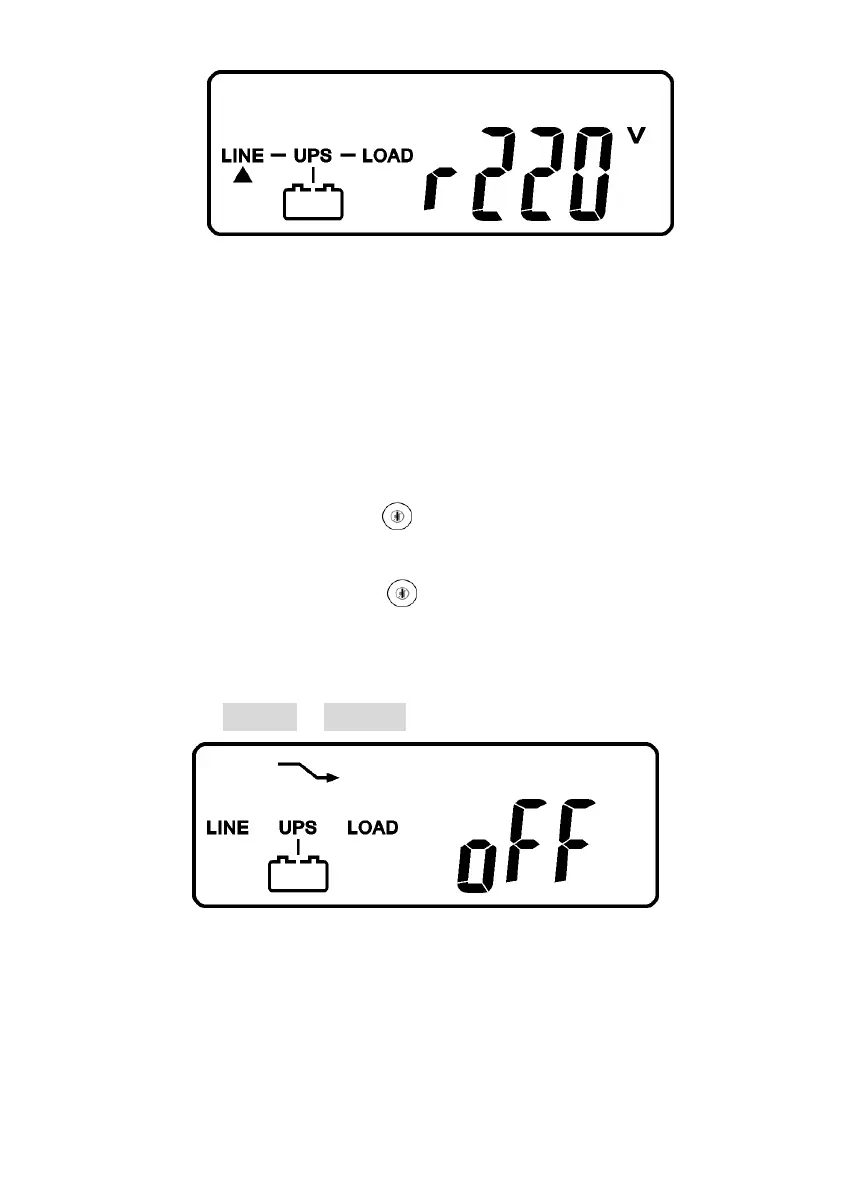
F
* It shows “220Vac” in Utility Input.
3.13.1.9 In case of failure in self-test, the LCD display will illustrate from Drawing D
to drawing E2, then an error code or error status will be shown on the screen.
3.13.1.10 Your start-up operation of the UPS is completely now. Make sure the
UPS is plugged onto the wall receptacle for charging at least 8 hours and the
batteries of the UPS are fully charged.
3.13.2 Start-up in Battery Mode (Cold Start)
3.13.2.1 Make sure the UPS you have has already been installed at least 1
set(20pcs) of 12V/7AH or 12V/5AH batteries.
3.13.2.2 Push the UPS On Switch once for approx. 5 seconds to awake the
ups, and then the buzzer sounds twice. The LCD display will illustrate from
drawing A to drawing G, and keep awake for approx. 15 seconds.
3.13.2.3 Press the UPS On Switch of the UPS again for about 3 seconds till
the LCD display illustrates from drawing G to drawing H, then the UPS will be
in self-test Mode. The UPS may offer energy to the output in a minute, and the
LCD display illustrates as drawing I. In case of failure in pushing the UPS On
Switch in 15 seconds, the UPS will automatically turn off. You then have to go
through step 3.13.2.1 to 3.13.2.3 once again.
G
* It shows “Off”, which means the UPS pre-start is successful.



 To Next Page