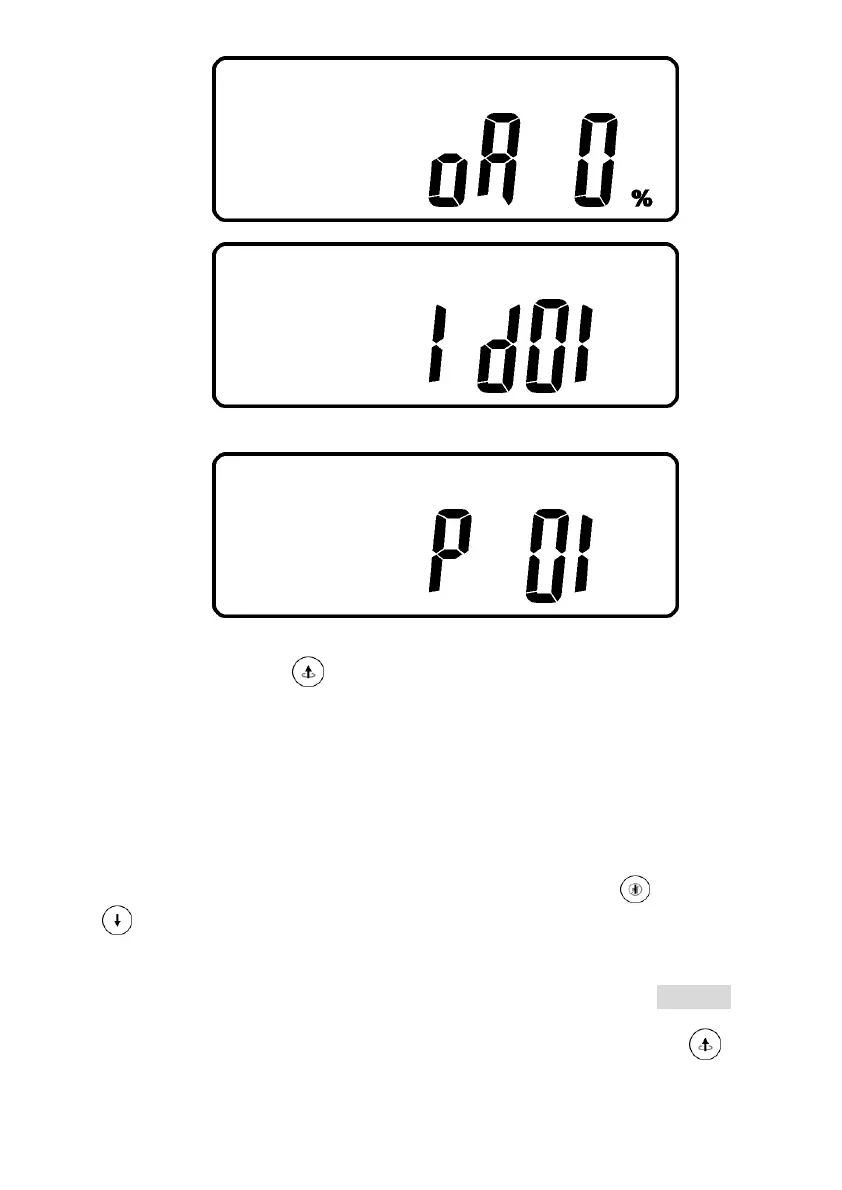
W
* It shows Output Voltage Adjustment % from 0% to 3% or -0% to -3%.
X
* It shows UPS Identification Number.
Y
* It shows the UPS is in the No. 1
st
of parallel systems.
3.13.4.3 Press scroll up key pad, you may execute special functions. The
Functions includes buzzer ON (as drawing Q1), or buzzer OFF (as drawing Q2,
Alarm silence for UPS Warning) and self-test OFF (As drawing R1) or self-test
ON. (as drawing R2. UPS will execute battery test for 10 seconds. If the self-
test is successful, it will show as Drawing E1; otherwise, it will show as
drawing E2 & error message in the same time.)
3.13.5 UPS Default Settings and their alternatives
3.13.5.1 Make sure the UPS is not “On” yet. Press On Switch and scroll down
key pads simultaneously for approx. 3 seconds, the buzzer will sound
twice, the LCD display screen shows as drawing Q1, then the UPS is under
setting mode now.
3.13.5.2 To scroll down the LCD screen, you may refer to Chapter 3.13.4.2
3.13.5.3 Except Buzzer(as drawing Q1 & Q2) and Self-test(as drawings R1 & R2),
all the rest default settings may be changed by pressing scroll up key pad.



 To Next Page