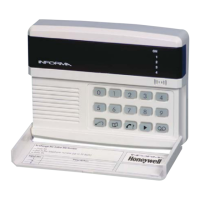
Informa – Speech Dialler
Enabling the Follow Me Function [6]
Changing the Customer Code [8]
Recording Messages
The Follow Me function permits the customer to
enter a telephone number each time the alarm system
is set. The Informa always uses the Follow Me
number (if programmed) in preference to the first
telephone number.
a) Press [6] to enable or disable the Follow Me
function.
b) Press [0] to disable the Follow Me function once
it is enabled (LED 4 lit) or Press [1] to re-enable
the function (LED 1 lit).
The Follow Me function is cancelled each time the
panel is Unset.
Access to the customer menu, for the programming
of messages and telephone numbers, is protected by
a four-digit code. By default, this is 0123.
This can be changed either by the customer or the
engineer, as follows:
Press [8], followed by the new four-digit code.
The Informa sounds a fast double-beep to
confirm that the new code has been recorded.
If the code is the same as the engineer code, the
Informa will not accept it and sounds a long
two-note error tone.
After the code is changed, the Informa
automatically resets to the top level of the
Engineering menu.
Changing the Engineer Code [9]
The engineer code is 9999 by default. You can
change this as follows:
Press [9] followed by the new four-digit code.
The Informa sounds a short double-beep to
confirm that the new code has been recorded.
After the code is changed, the Informa
automatically resets to the top level of the
Engineering menu.
You can program up to four messages.
Message 1 is used as the location message.
Messages 2, 3 and 4 are used as alarm
messages.
To record or re-record a message:
a) Press ; (there is a 1-second pause).
b) Press the number of the message (1 to 4, where
1 corresponds to the location message).
The Informa pauses for one second then sounds
a tone for one second.
b) Now speak clearly into the microphone, which
is positioned just below the LEDs. Message 1
may be up to 11 seconds long; the three alarm
messages are 3 seconds long.
Example
A location message can be: Message 1- "This is
the alarm system at Mr & Mrs Smith's house, 1
The Avenue, Smith Town. There is"
The alarm message can be:
−
Message 2: "Fire alarm"
−
Message 3: "Personal Attack"
−
Message 4: "Intruder alarm"
The Informa automatically stops recording at the end
of the message delay. If the announcement to be
recorded in message 1 is much shorter than 11
seconds you can stop the recording at any time by
pressing .
After the message is recorded there is a short
interval, after which the Informa plays back your
recorded message.
11


 To Next Page