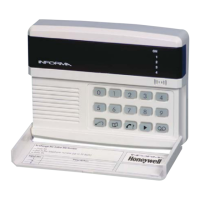
Informa – Speech Dialler
NVM Reset
The engineer code, and all other programmable
parameters, can be reset to their factory defaults by
following the sequence below:
a) Power down the Informa by removing the 12V
supply to the Informa.
b) Slacken the front cover screw and remove the
front assembly to expose the PCB.
c) Short together the 2 pins labelled “NVM” LK 1
(see diagram on page 5) with the blade of a
screwdriver, or the supplied shorting link, and at
the same time power up the Informa. The NVM
will be reset.
d) Now remove the short from the 2 pins and refit
the front cover.
Your Informa will return to the factory setting.
The Informa is suitable for connection to the
following types of telephone line:
a) Direct exchange lines (PSTN) supporting
DTMF (tone) only.
b) PABX exchanges, with or without secondary
proceed indication.
The Informa can be used for the following:
Automatic call initialisation
Operation in the absence of a proceed
indication.
Automatic calling: Multiple repeat attempts.
Applications
The above sequence will not clear
the messages that have previously
been recorded.
Engineer Code 9999
Customer Code 0123
Volume Control Medium 1
Message Timeout 45 seconds
Input Association Messages (1)
Trigger Levels All inputs active low
Follow Me function Disabled
Telephone numbers All blank
Factory Settings (defaults)
13
Ringer Equivalence Number
The REN of the Informa is 1. The sum of the REN
values of all telephone apparatus connected to a
single line should not exceed 4.
Where the REN is not specified, it is assumed to
be 1.


 To Next Page