Launch Guide IS2216 / IS2220 / IS2220D
17
LAN-Fax Feature (LAN-Fax M4)
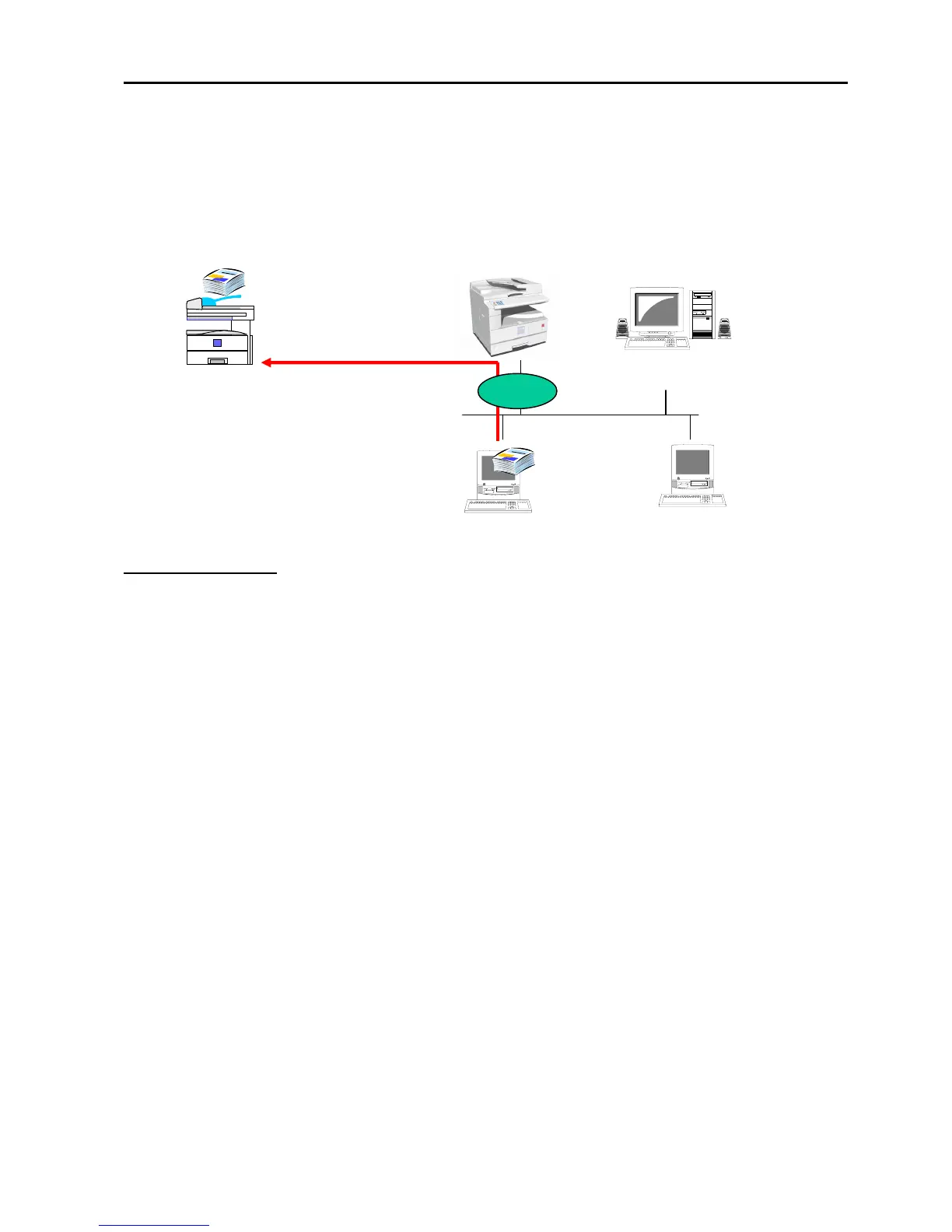
LAN-Fax also comes standard when the fax and printer/scanner options are fitted. This means
that the user can send faxes directly from the PC (as if sending them to a printer), without having to
go to the fax machine or to make a print out.
Benefits of LAN-Fax
Paper Saving: Eliminates the need for printing faxes, saving on paper and printing costs
Reduction of work time and workload: Eliminate the need to walk to the fax machine to enter
the fax number
Improved Document Quality: The image sent from a LAN-fax to G3 Fax is better than from hard
copy sent by fax, screened letters; images will be faxed clearly
Transmission Result Report: When sending a fax from LAN-Fax with a user code, the
transmission result report is delivered to the E-mail address associated with the user code. There
is no need to walk to the machine to check on the transmission result.
Address Book Import/Export: This feature allows users to convert from other LAN fax systems to
the IS 2216/20/D’s LAN-Fax without having to re-input addresses.
Device Management Utilities
Web Image Monitor
When the IS 2216/20/D is fitted with the Printer/Scanner option, users can simply open a web
browser, type in the IP address of the IS 2216/20/D and gain access to the machine. This feature
allows users to monitor the machine status, change network settings and much more – all from the
PC.
Web Image Monitor is easy to use and is available to everyone across the network. There is no
need to install additional software on PCs, so no objections from the IT manager.
Telephone
Network
(PSTN)
Server
PC
PC
LAN
IS 2216/20/D
G3 Fax
Fax No. 123-456-789


 To Next Page