7. Application setups
This chapter contains the basic configuration examples for some popular software
applications. Please refer to the specific software’s manual for detailed information.
7.1. Cubase and Nuendo
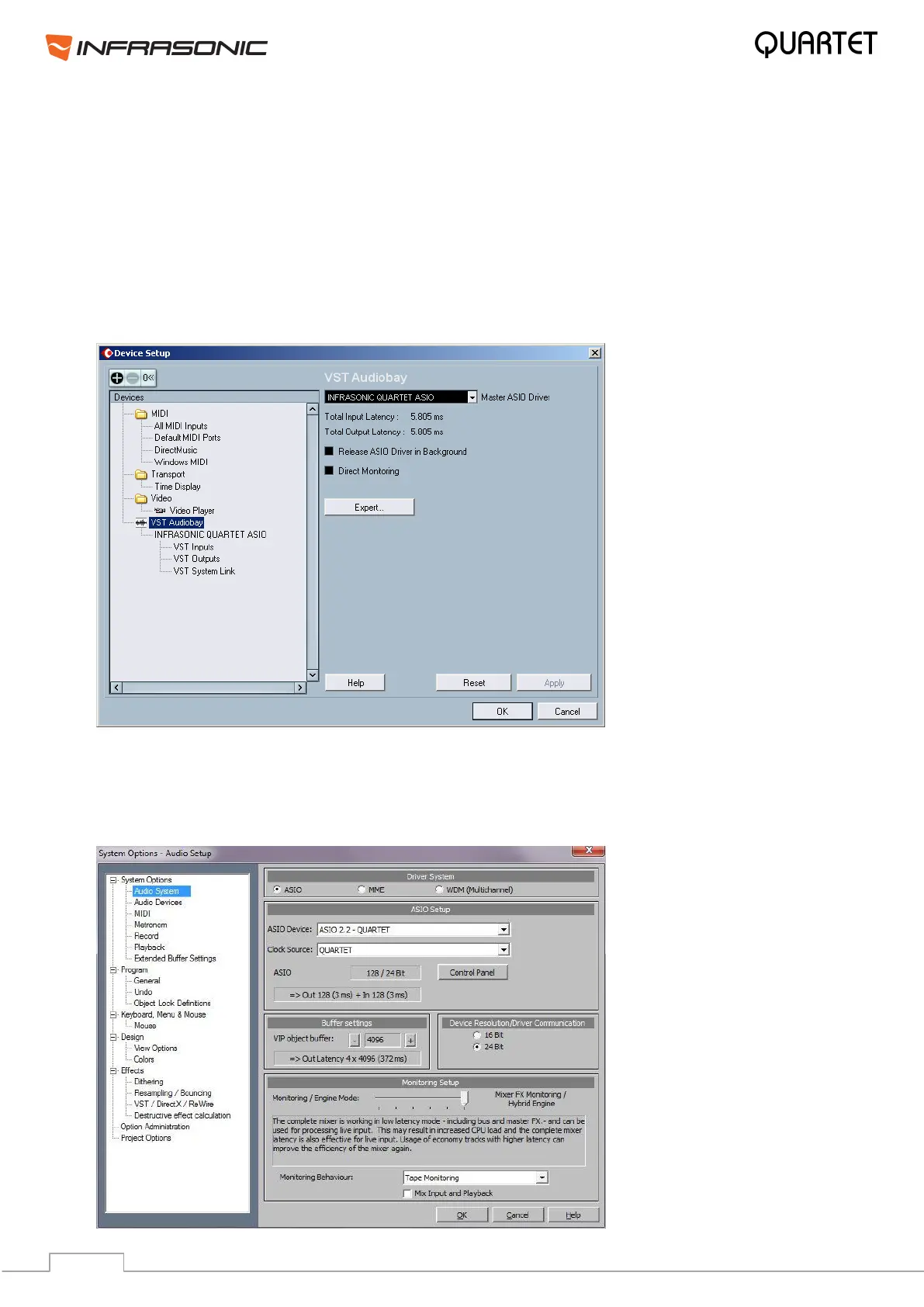
After launching Cubase SX, go to Device Device Setup VST Multitrack. Select “ASIO
2.2 – QUARTET” for the ASIO device. Make sure you click Apply and OK buttons after
changing the settings.
7.2. Samplitude Device Setup
Samplitude Menu Options System Audio System Driver System ASIO Device
Select “ASIO 2.2 – QUARTET” then Click “OK” on the bottom.


 To Next Page