7.2. SONAR
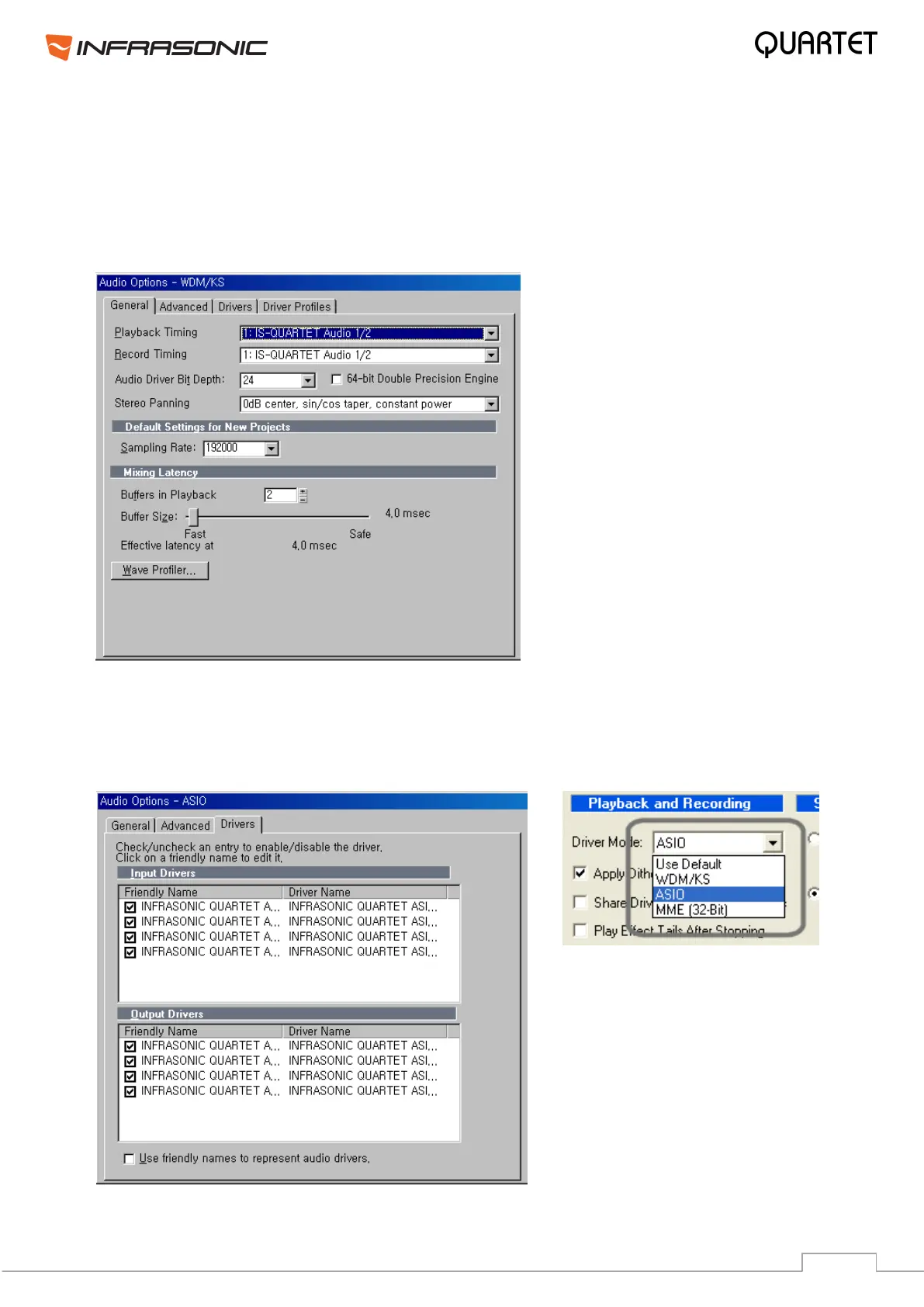
A few steps must be done for SONAR which supports both WDM and ASIO APIs. After
launching SONAR, go to Options Audio tab. The input and output drivers have to be
matched to each other. Restart SONAR after saving the settings.
1. WDM/KS mode – Change the settings as below under Input / Output Drivers settings.
2. ASIO mode
First, change the Driver Mode to ASIO under the Advanced tab of the Audio Option as
below. Then restart SONAR. Second, change the settings as below on Input / Output
Drivers settings.


 To Next Page