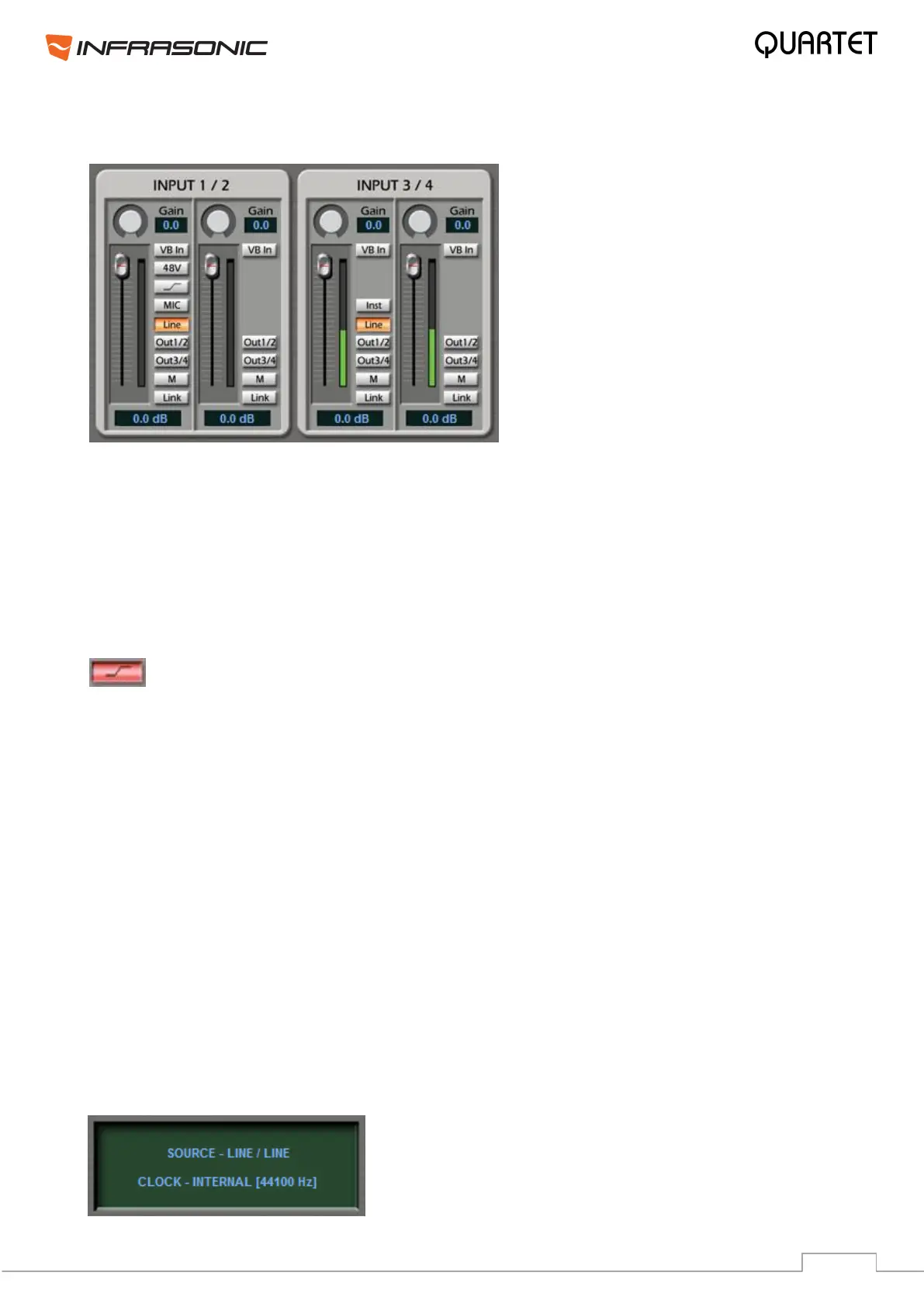
5.1. Control Mixer
• LINE: Enables line level input for inputs 1/2 or 3/4. Orange when selected.
• MIC: Microphone input for input 1/2. Orange when selected.
• 48V: By selecting this button, +48 volts phantom power will be applied to input 1/2 for
condenser microphones. Red, when selected.
Warning: Applying the phantom power to dynamic microphones or other devices might
cause damage and do not forget to enable phantom power only after plugging in the
corresponding 1/4" TRS Jack cable!
• This button activates the Low Cut feature for the microphone input, which
enables a high pass filter above 75Hz. Turns red, when selected.
• INST: Enables Instrument input for input 3/4. You can connect your electric guitar or
bass to this connector.
• OUT 1/2: By selecting this button, you can monitor the input signal through output 1/2.
Blue, when selected.
• OUT 3/4: By selecting this button, you can monitor the input signal through output 3/4.
Blue, when selected.
• VB In: Enables Balanced Input for inputs 1/2 & 3/4. Green, when selected.
• M (mute): Select this button to mute individual signal sources. Red, when selected.
• Link: Connects the input faders by twos and allows controlling them together. Purple,
when selected.
• Volume level faders: Change the signal level of each input. It can be set using the
mouse, mouse wheel, or cursor keys.
• GAIN: These knobs provide additional +18dB gain for inputs.
• Display panel:
It displays the current status of QUARTET.


 To Next Page