Ingenico 3300
14
3.3 Installing a SIM card
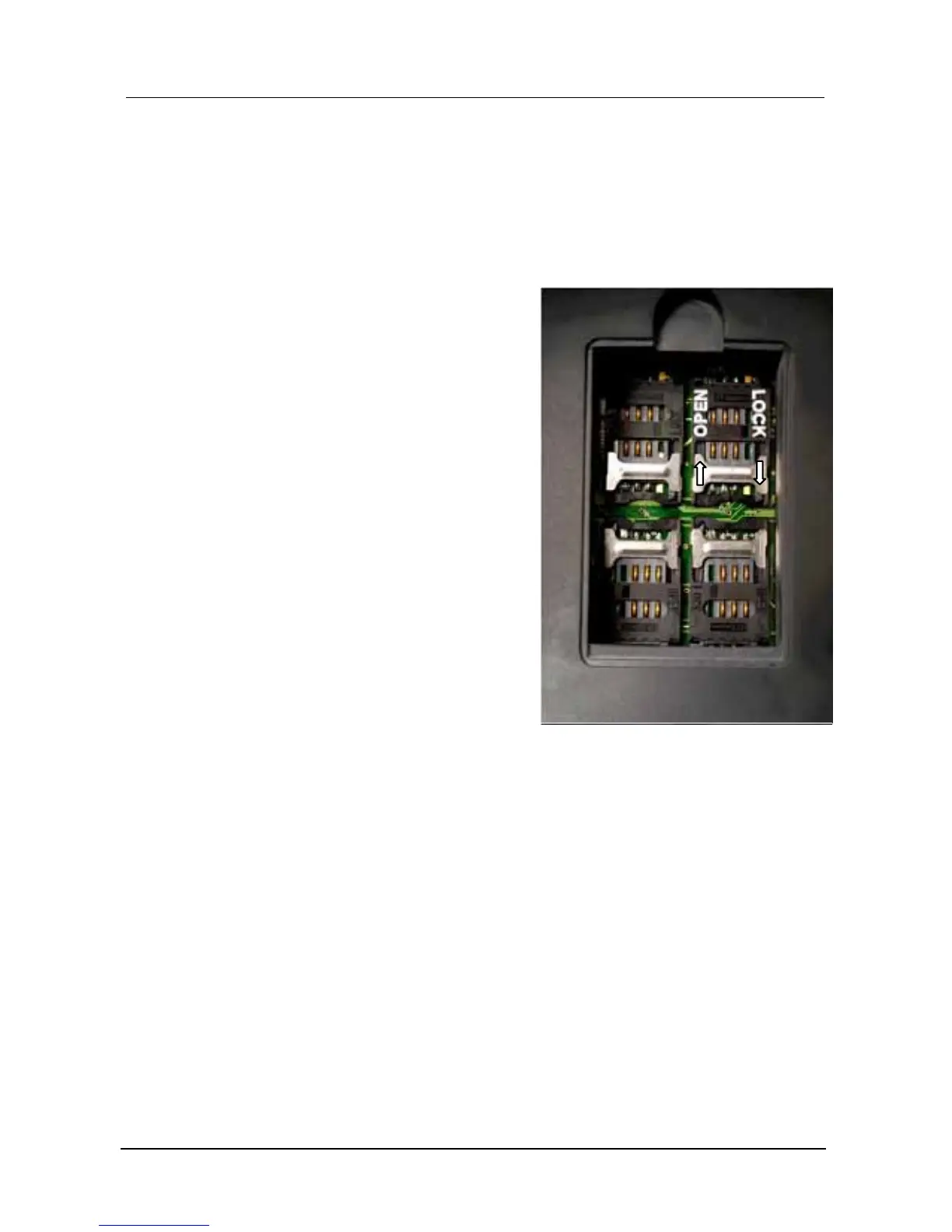
The SIM card connectors are located on the back side of the terminal.
Installing a SIM card
) Remove the cover with a torx 6 screwdriver,
) Unlock the connector by sliding the metallic
part in the direction of the OPEN arrow,
) Lift the card housing up,
) Insert a SIM card into the housing,
) Put the housing back down again,
) Lock the connector by sliding the metallic part
in the direction of the LOCK arrow.
0 Make sure you put it in the right way,
follow the foolproof lug!
Removing a SIM card
) Follow the installing instructions to remove the SIM card.
L With SIMcards it is possible to access different services and to add new functions to
the terminal.
Foolproof lug Foolproof lug
1
23
4











 To Next Page