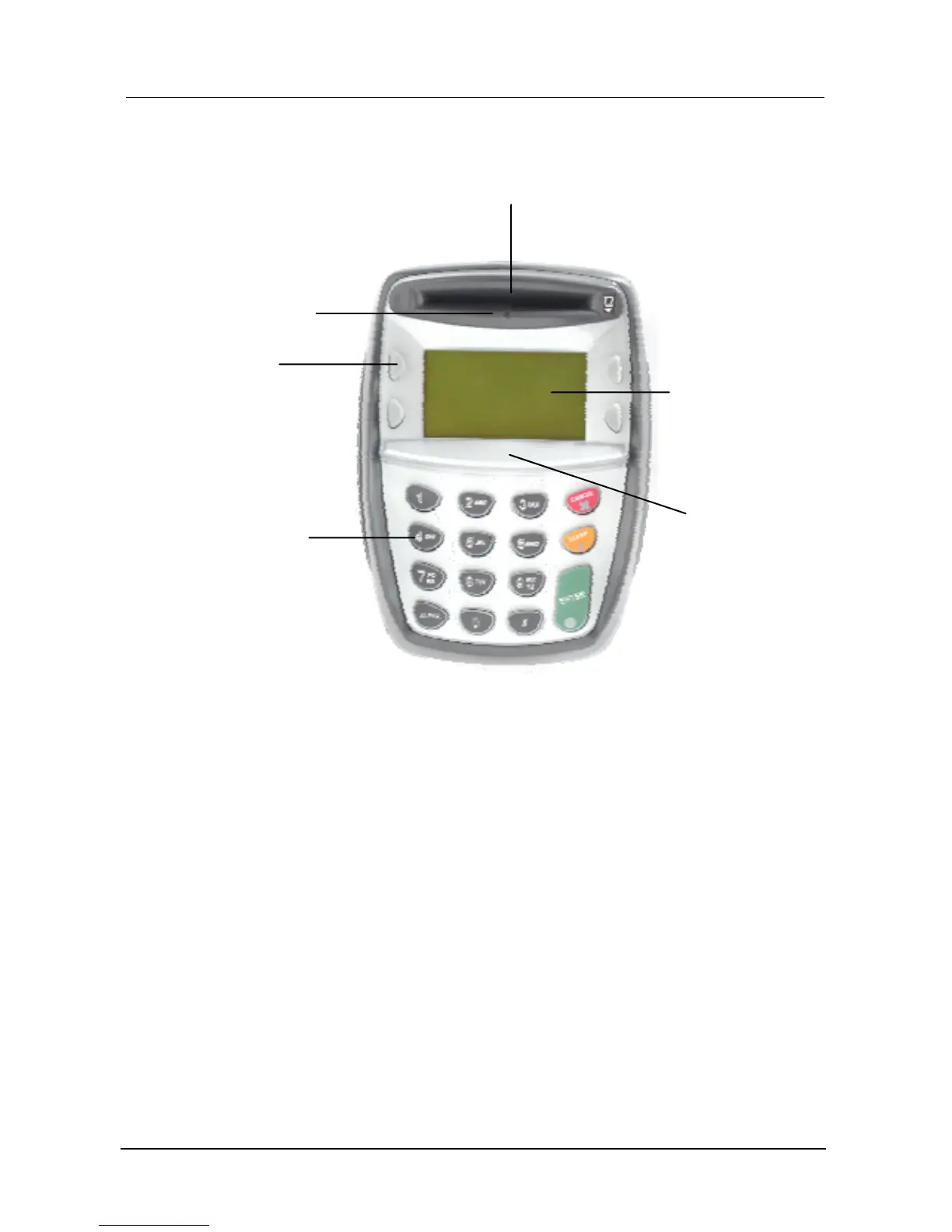
Ingenico 3300
6
1.1 Overview of Ingenico 3300
Led status
Led OFF: This is the normal status of the led.
Led ON in GREEN color: If the previous led status was OFF in this case it means
that it is requested to insert a card in order to continue the transaction. If the
previous status was red it means that you can remove your card from the reader
because the transaction can be successful finished.
Led ON in RED color: It means that the PIN-pad is reading or writing to the Smart
card and you MUST NOT remove your card, because you can damage it or
discontinue the transaction.
Smartcard reade










 To Next Page