24 Using the system
Fire alarm and extinguishing system
6.4 Managing the extinction channel
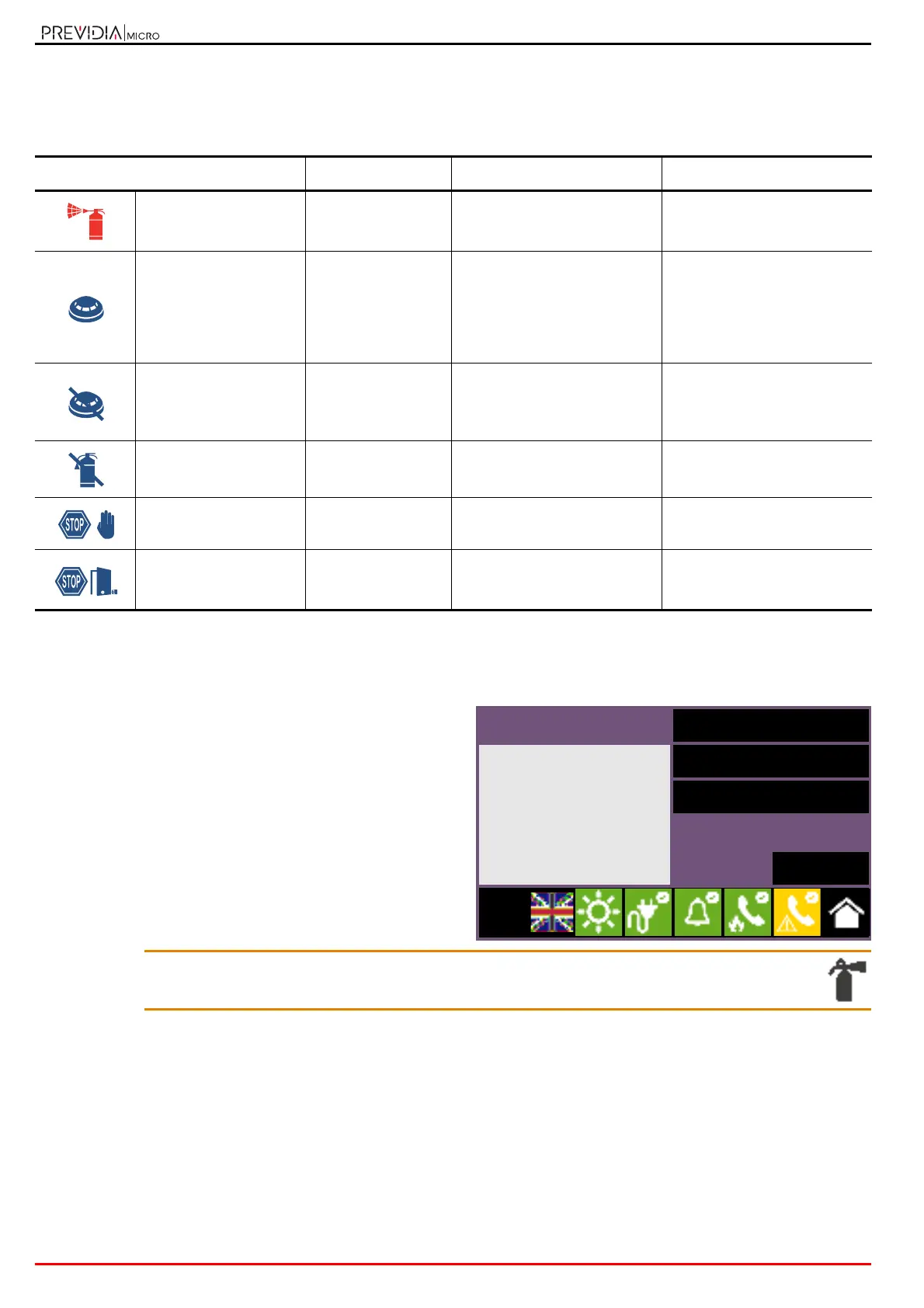
The front plates of control panels from the Previdia Micro range equipped with fire extinction channels, provide signals
via the LED indicators:
From the “Extinguishing” section, which can be reached via the system viewing menu by means of the System status
button (paragraph 5.3), it is possible to access the extinction channel management page.
Once reached, the left side of the section will provide
information relating to the status of the channel and the
description of the current fault.
On the right side are the function buttons associated with the
remote communicator. Activation or access to these depends
on the access level of the user.
• Disable/Enable Extinguishing, button to disable/enable the
extinction channel.
•
Disable/Enable Automatic Extinguishing
, button to switch the
extinction channel from automatic mode to manual mode.
• Stop valve pulse, button to return the solenoid valve
output to stand-by.
Inim Cloud: These functions are available via:
System management> select one of the available control panels > Extinguishing
LEDs Colour On solid Flashing
Extinction channel
activation LED
Red
Discharge extinguishing agent
activated
Pre-extinguishing time in
progress, imminent discharge
of extinguishing agent
Automatic activation
indicator LED
Red
Extinguishing agent discharge
command activated by
automatic detectors
Extinguishing agent discharge
command partially activated
by automatic detectors
(condition not yet sufficient
for activation of the discharge
procedure)
Bypass automatic
activation LED
Yellow
The automatic discharge
command has been disabled.
The extinction channel can
only be activated manually.
/
Bypass extinction
channel LED
Yellow Channel bypassed /
Manual stop extinction
LED
Yellow
Stop extinction command
activated manually
Fault on stop-extinction circuit
Stop extinction LED
from non-electrical-
devices
Yellow
Stop extinction command
activated by a non-manual
device
Fault on stop-extinction circuit
Extinguishing
Disable extinguishing
- OPEN OUTPUT Valve
Disable Automatic Exting.
Stop valve pulse
Esc
L:2



 To Next Page