·20·
FUNCTION SETTING
●
Press (PLAY) to confirm your selection. Set
"Dual Mono" in "Dolby Digital Setup" to "Left
Mono".
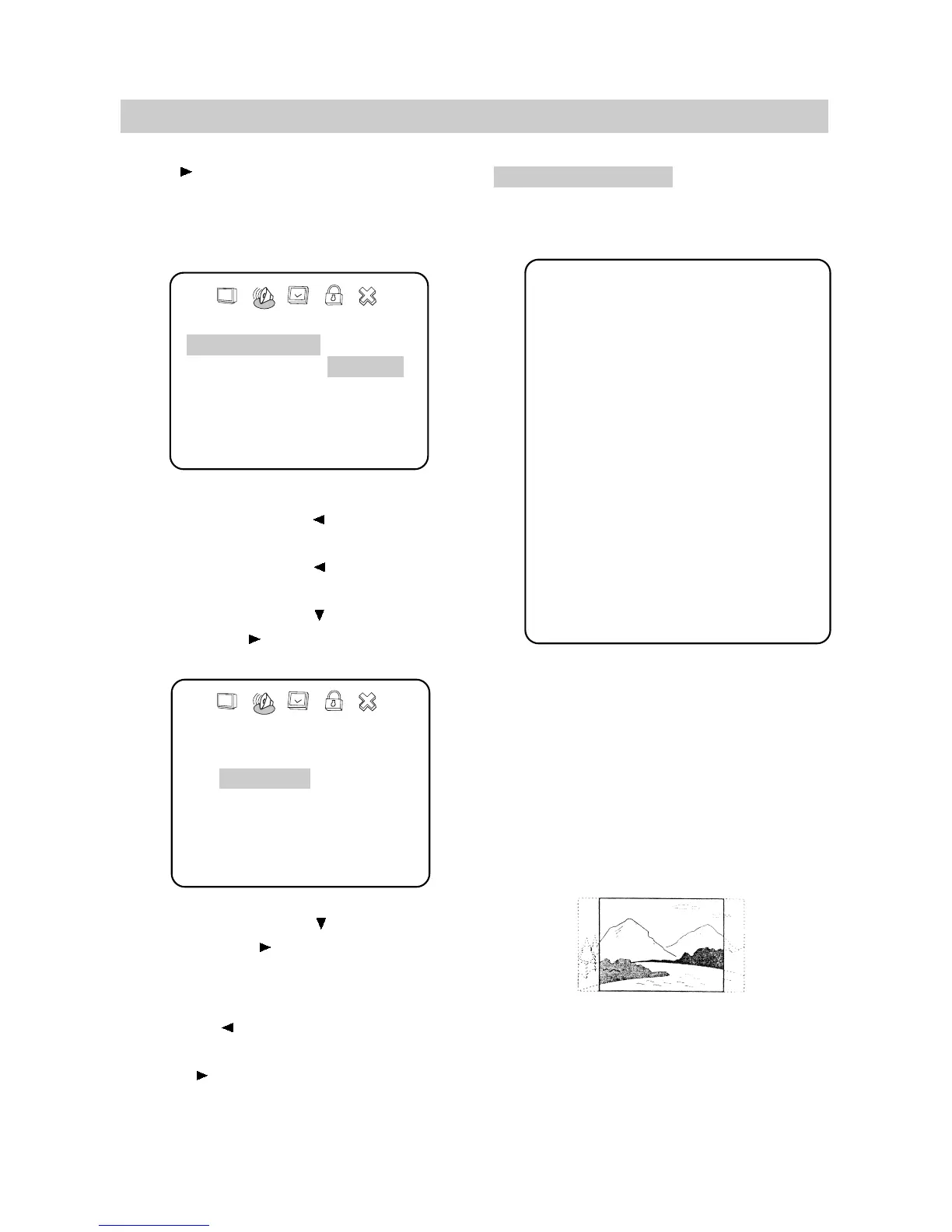
The screen shows:
3. Exit setup menu.
●
Press the direction button to exit from "Dual
Mono".
●
Press the direction button to exit from
"Dolby Digital Setup".
●
Press the direction button to highlight "Main
Page" and press (PLAY). The screen shows:
●
Press the direction button to highlight "Exit
Setup" and press (PLAY) to exit setup menu
completely.
-- Dolby Digital Setup --
Dual Mono L Stereo
Left Mono
Right Mono
Mixed Mono
D.R.C
Audio Setup
Setup Page - - Main Page
General Setup
Audio Setup
Preferences
Password Setup
Exit Setup
Go To Audio Setup Page
GENERAL SETUP
The setting structure is as follows:
■ TV DISPLAY
1. NORMAL/PS
This is selected when the unit is connected
to a normal TV.
Wide-screen images are shown on the screen,
but with some parts cut automatically.
- - General Setup Page - -
TV Display Wide Normal/PS
Normal/LB
Wide
SPDIF RAW Off
SPDIF/RAW
SPDIF/PCM
Captions On On
Off
Screen Saver On On
Off
Main Page
NOTE:You can also keep pressing the direction
button until the cursor is moved to
the last icon illustrating Exit, then press
the (PLAY) button to exit setup menu
completely.


 To Next Page