inVoca User Guide - Page 43
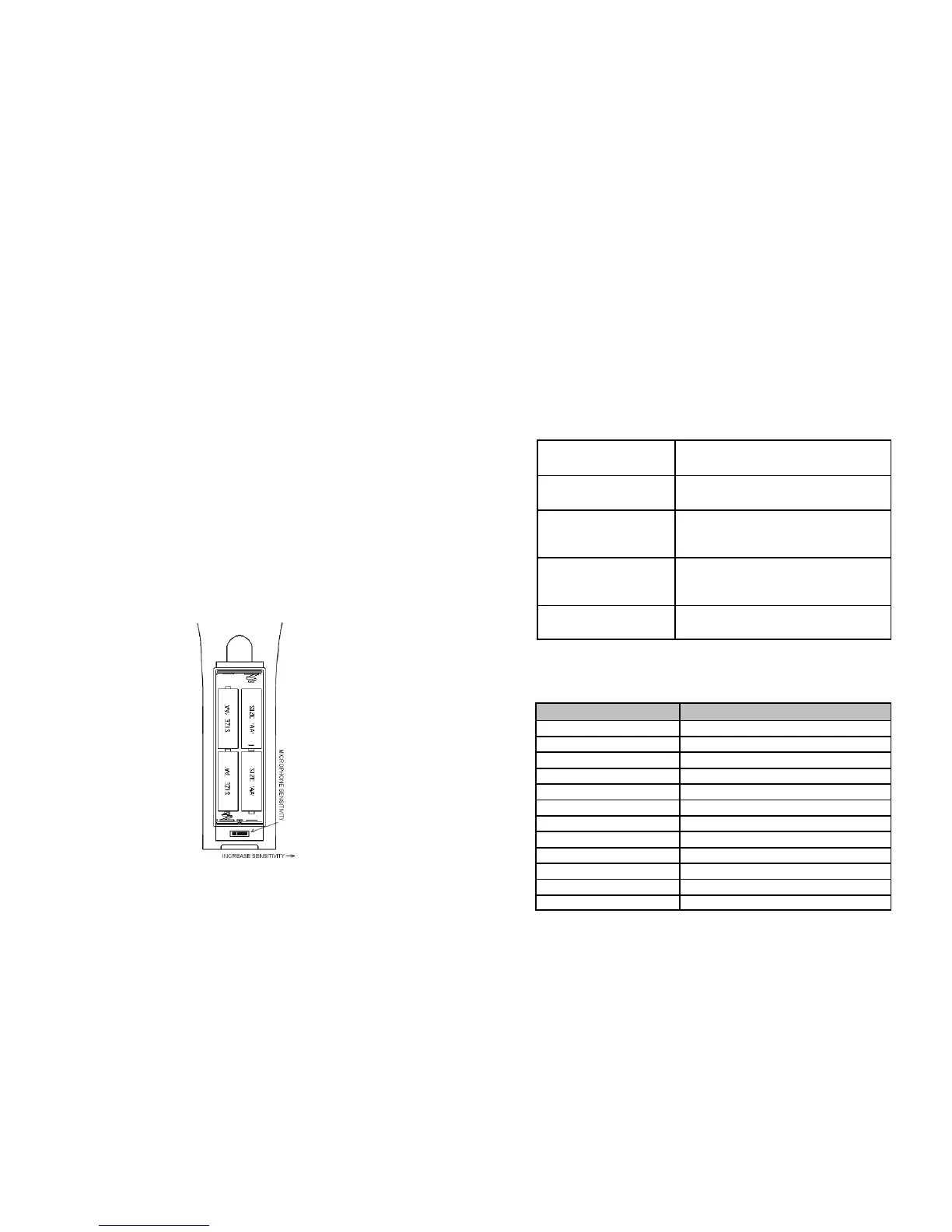
BATTERY INSTALLATION
Your inVoca Voice Operated Remote Control requires four new AA
alkaline batteries. Installing the batteries involves three simple steps:
First, open the battery cover on the back of the inVoca by pushing
back on the tab and pulling out the cover.
Then, insert four new batteries in the direction indicated on the inside
of the battery compartment. Note: if you are replacing old batteries,
unlike conventional remote controls, inVoca will retain its set up
and programming indefinitely, even without batteries.
Finally, with the four new batteries properly installed, close the cover.
Note: Do not mix old and new batteries. If your inVoca is not to be
used for a long period of time, remove the old batteries to prevent
leakage and internal damage.
USE ALKALINE BATTERIES ONLY
inVoca User Guide - Page 44
INDEX OF DEVICE CODES
Following is a list of device codes to be used when programming the
inVoca remote control. Note that the first codes listed for an
entertainment device brand are the latest models. You may have to try
some or all of the codes for each brand before you find the proper code
for your product. If you have problems, refer to the Frequently Asked
Questions section of the manual (page 38)
Set-Up Procedure (see page 9 for details)
1. [TV], [CBL/SAT],
[VCR/DVD], or [AUX]
Press the device button. The LED will
flash once.
2. [PROG] Press the [PROG] button. The LED will
flash twice.
3. [1]ÿ [2]ÿ [3] Type in the 3-digit code for your TV,
VCR, Cable Box, DSS or DVD. The
LED will flash for each digit pressed.
4. [PROG] After you have entered the correct code,
press [PROG]. The LED will flash three
times.
5. [TV], [CBL/SAT],
[VCR/DVD], or [AUX]
Repeat steps one through four for each
device.
TV Device Codes
TV Manufacturer TV Device Code
Admiral 025, 049, 078, 133, 142
Akai 071
Amark 263
Anam 049, 047
Anam National 138, 154
AOC 015, 014, 135, 146
Archer 263
Audiovox 263
Bell and Howell 078
Brooksonic 338
Candle 014, 013, 023, 139
Capehart 135



 To Next Page