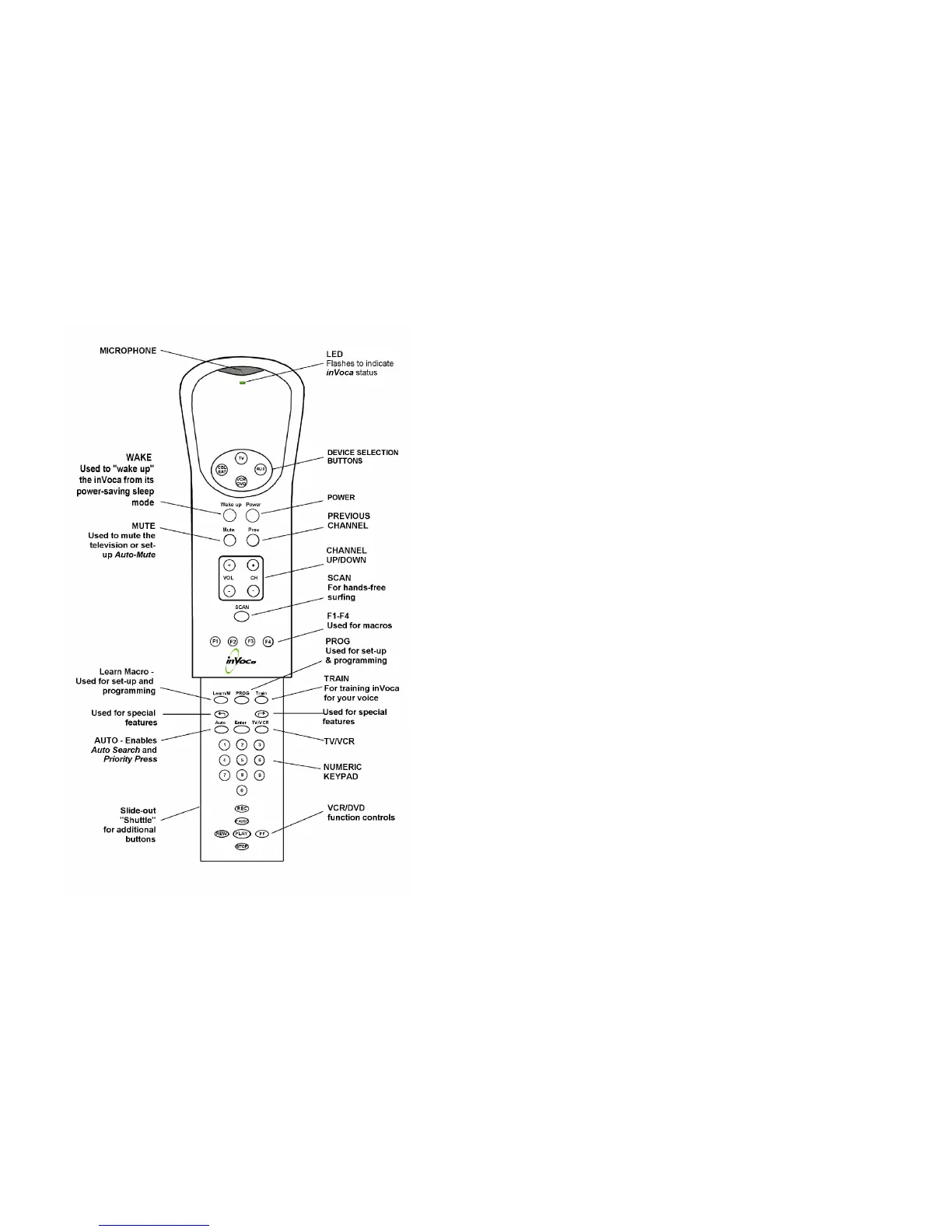
inVoca User Guide - Page 5
BUTTONS & FUNCTIONS
inVoca User Guide - Page 6
LED
The multi-function LED will flash different colors,
depending on the particular operation. See page 9 and
page 30.
[TV]
[CBL/SAT]
[AUX]
[VCR/DVD]
Used to select the device to be controlled. For example,
after pressing [TV], inVoca will control your TV.
[AUX] may be used to control any device. See page 37.
[Wake_up]
Used to "wake up" inVoca from its power-saving
"sleep mode." See page 16.
[Power]
Used to turn your TV, VCR, cable box, DSS
receiver or DVD player on and off.
[Mute]
Mutes the TV. May also be used for Auto-Mute.
See "Advanced Features," page 25.
[Prev]
Switches the selected device to the previously tuned
channel.
[SCAN]
inVoca’s Channel Scan feature means hands-free
channel surfing — you can even tell inVoca how
long to stop at each channel! See page 20.
[F1] - [F4]
Macro buttons. See page 31
[Learn/M]
Learn Macro Button. May also be used for an
individual macro. See "Advanced Features,"
page 21.
[PROG]
Program button. Used for setting up the inVoca.
See Set-up Guide, Special Features, and advanced
features
[Train]
Used in "training" voice commands. See "Voice
Set Up," page 10.
[¢]
Used for various functions. When you see [¢]
followed by another button (for example, [¢] ÿ
[1]), press and release the [¢] button, then press
the [1] button.
[Æ]
See above
[Auto]
Used for Auto-Search. See page 35.



 To Next Page