Using the Scan Tool
VIEWING ABS DTCs
48 3040c
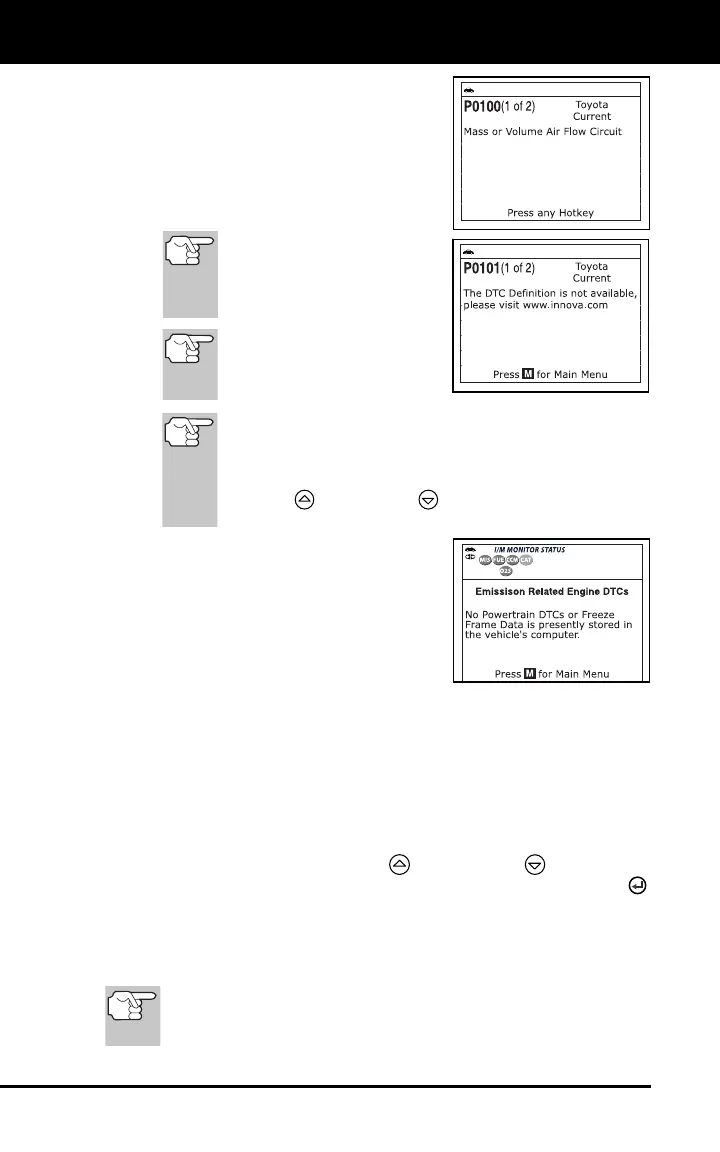
The display shows the number of
the code currently being displayed,
the total number of codes retrieved.
The Diagnostic Trouble Code (DTC)
and related code definition are
shown in the lower section of the
LCD display.
If the definition for the cur-
rently displayed code is not
available, an advisory mes-
sage shows on the Scan
Tool’s LCD display.
I/M MONITOR STATUS
icons are not displayed
when viewing enhanced
DTCs.
In the case of long code definitions, or when viewing
Freeze Frame data, a small arrow is shown in the
upper/lower right-hand corner of the code display area
to indicate the presence of additional information. Use
the UP
and DOWN buttons, as necessary, to
view the additional information.
The Scan Tool will display a code only
if codes are present in the vehicle’s
computer memory. If no codes are
present, a “No Enhanced DTC’s are
presently stored in the vehicle’s
computer” is displayed. Press the M
button to return to the Main Menu.
3. If more than one code was retrieved press the DTC button, as
necessary, to display additional codes one at a time.
4. When the last retrieved DTC has been displayed and the DTC
button is pressed, the Scan Tool returns to the “Priority” code.
To view additional enhanced DTCs, repeat steps 1 through 4,
above.
To exit the enhanced mode, press the M button to return to the
Main Menu. Use the UP
and DOWN buttons, as
necessary, to highlight Global OBD, then press the ENTER
button to return to the Global OBD2 mode.
VIEWING ABS DTCs
Refer to Vehicle Applications - ABS on page 82 for vehicle
makes covered. For a complete list of vehicle’s covered,
please visit www.innova.com.


 To Next Page