Need help?
Do you have a question about the InnovaPrep CP Select and is the answer not in the manual?
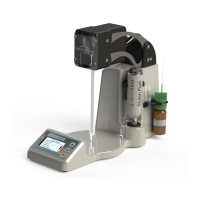
Provides a description of the CP Select and its applications.
Details the applications of the InnovaPrep concentration technology.
Lists the dimensions, weight, and input power of the instrument.
Explains the dead-end filtration and Wet Foam Elution process.
Details the advantages of Wet Foam Elution over liquid rinsing.
Explains the composition and process of generating the elution foam.
Refers to the filter selection matrix for choosing the correct CPT.
Guides the user on connecting the power cord and power supply.
Explains how to connect and disconnect the permeate line tubing.
Details the installation of the storage fluid and adapter for shutdown.
Describes the main menu options: Start Run, Maintenance, Instrument Settings.
Details the Run Protocol screen and protocol selection.
Provides a step-by-step guide for initial instrument setup.
Details the daily procedure for starting up the instrument.
Explains the daily procedure for shutting down the instrument.
Guides on priming the elution fluid lines after installing a new canister.
Outlines procedures for preparing the instrument for transport or service.
Details collecting permeate fluid in an enclosed container with a vent filter.
Explains standard options for controlling elution volume and pulses.
Describes advanced options for optimizing elution timing and foam generation.
Lists default protocols (FLAT, HOLLOW, ULTRA) for different CPT types.
Guides on selecting or viewing available concentration run protocols.
Details the process of naming and creating custom run protocols.
Explains how to edit previously created custom protocols.
Provides instructions for deleting custom or available protocols.
Describes how to set up password protection for protocol management.
Lists checks to ensure the instrument was not damaged during shipping.
 General
| Brand | InnovaPrep |
|---|---|
| Model | CP Select |
| Category | Laboratory Equipment |
| Language | English |

 To Next Page