Copyright 2018, InnovaPrep LLC Patented https://www.innovaprep.com/patents
5.3 THE MAINTENANCE MENU
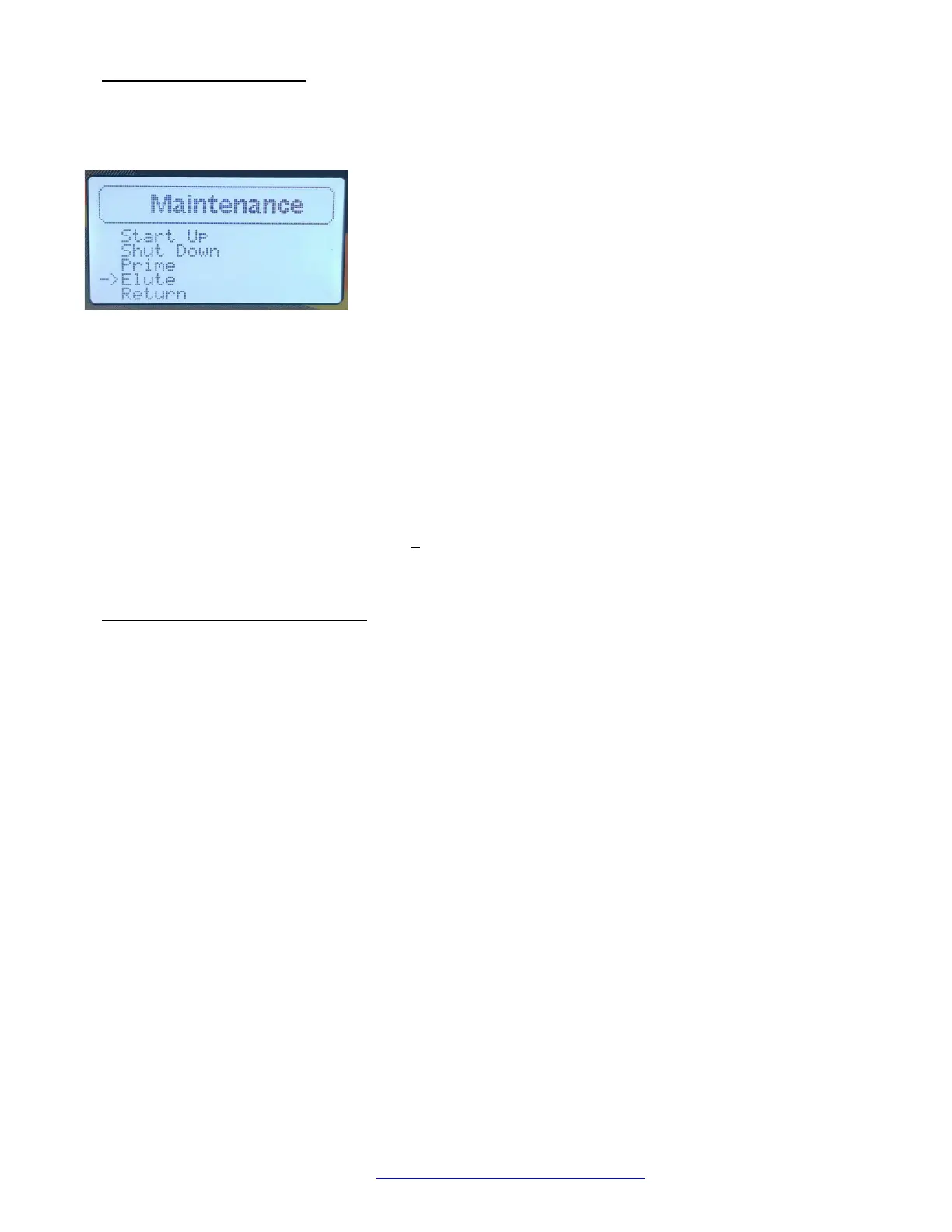
Selecting Maintenance from the Main Menu will display instrument procedures (see Section 6 Maintenance
Procedures):
Start Up
Shut Down
Prime
Elute
Return
• Selecting Start Up will take the user through a series of prompts for the daily Start Up procedure (see Section
6.2 Start Up Procedure).
• Selecting Shut Down will take the user through a series of prompts for the daily Shut Down procedure (see
Section 6.3 Shut Down Procedure).
• Prime is for priming the elution fluid lines when a new elution fluid canister is installed in the unit. This
ensures that there is no air in the fluid path (see Section 6.4 Priming the Elution Fluid).
• Elute performs a foam elution according to the current instrument settings. This can be used at any time to
test the elution settings (see Section 8 The Elute Function).
• Return will lead back to the Main Menu.
5.4 THE INSTRUMENT SETTINGS MENU
There are seven instrument settings. A description of each are listed below:
• Beep volume changes the volume of the beeps that occur at the end of concentration cycles and elutions.
The four options are low, med., high, and off. Default = low
• Power LED turns the blue LED light in the Fluidics head on and off. Default = on
• Run LED turns the flashing red LED light in the Fluidics head on and off. Default = on
• Elute LED turns the flashing green LED light in the Fluidics head on and off. Default = on
• Set Password allows the user to set a password that must be entered before a custom protocol can be
created, modified, or deleted.
• Protocol allows the user to set the instrument to standard (Std) or advanced (Adv) options. If set to Std, the
user will have access to two standard set points - Valve Open and Pulse Count. If set to Adv, the user will
have access to 11 advanced settings during Protocol Creation. Once set, the options are accessed in the
Protocol Setup menu under Create Protocol. Default = Std
• Fluid Gauge turns the Elution Fluid Volume gauge on and off. Default = on
• Return will return you to the Options menu.
FIGURE 5.3 MAINTENANCE DISPLAY


 To Next Page