13
13
4.1 Applying the WalkAide (cont’d)
6.
If a Foot Sensor was provided, place the Foot Sensor into the
shoe and plug the connector into the side of the WalkAide unit
marked .
7
. Turn the WalkAide unit ON by rotating the light blue
Intensity Knob (1) in a clockwise direction. A green light
(2) will flash intermittently. You should also hear a confirmation
beep.
8.
Adjust the intensity to the level determined by the clinician.
9.
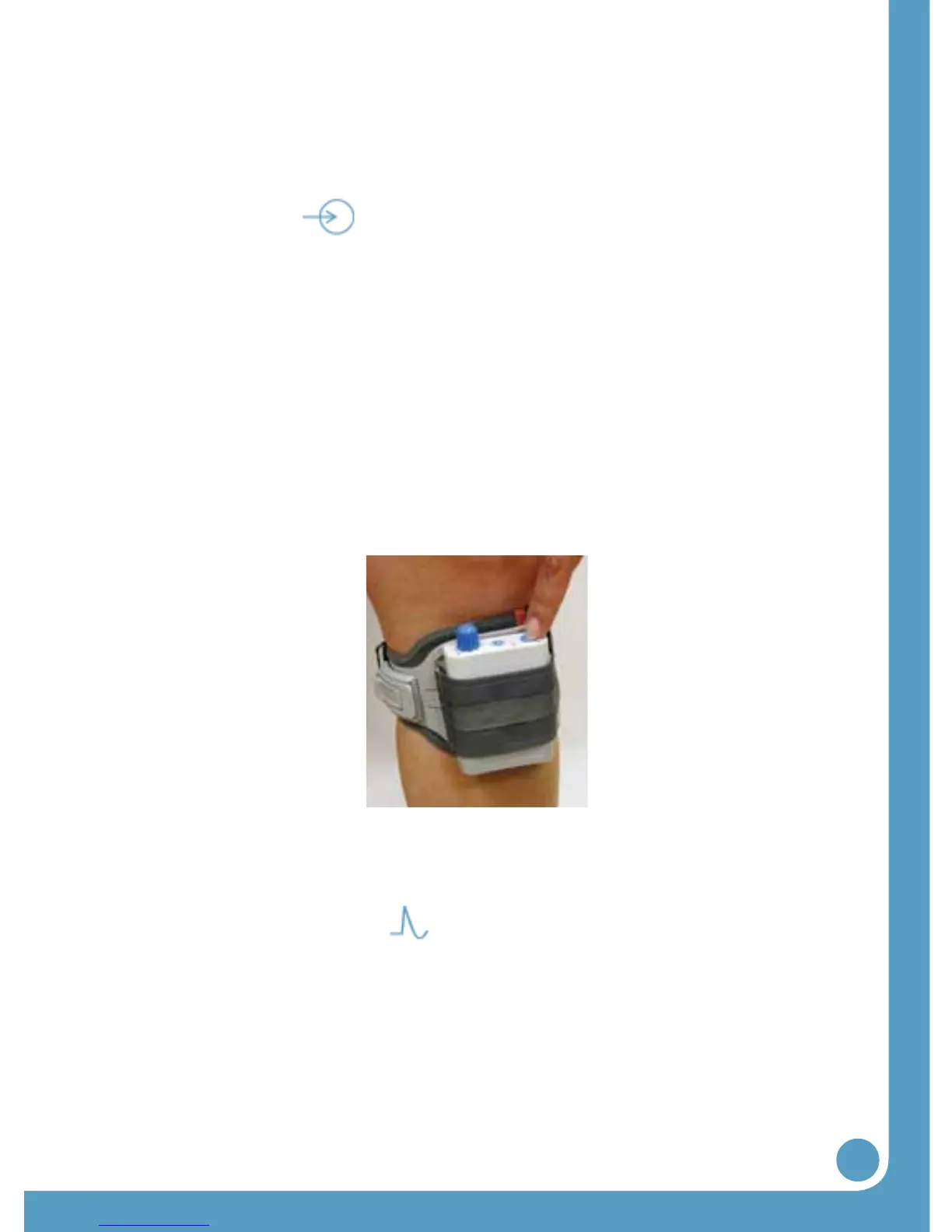
Check the intensity of the stimulation and quality of the foot
movement by pushing and holding the large STIM button (6)
for 1 to 2 seconds (Figure 6).
This button is labeled . The intensity level of the stimulation
or the placement of the cuff may need to be adjusted to attain
optimal foot movement. Always adjust the intensity level to the
level determined by the clinician. Higher levels of stimulation
may result in discomfort or skin irritation.
10.
Stand up and walk as usual. The WalkAide can be used with or
without shoes, although proper footwear is recommended.
Figures 6: Testing the stimulation and proper placement of the WalkAide


 To Next Page