14
4.2 Removing the WalkAide
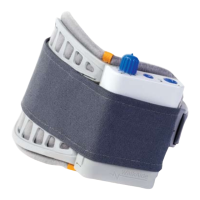
1. Turn the WalkAide unit OFF by rotating the Intensity
Knob (1) in a counter-clockwise position until it clicks at O.
2. Release the strap buckle at the back of the leg.
3. Slowly peel the cuff away from the leg taking extra care with
the removal of the electrodes from the skin.
4. Place the plastic backings onto the electrodes.
5.
Check the skin for signs of irritation.
6. For storage, place plastic backings on electrodes and then
place the cuff containing the electrodes and WalkAide unit in
a resealable plastic bag so that the electrodes do not dry out.
Keep the resealable plastic bag and unit out of direct sunlight.
The WalkAide may be worn all day but must be removed at night
before going to bed. Be sure to turn the WalkAide unit OFF to
prevent unintentional stimulation during handling and to conserve
battery power when it is not being worn.
4.3 Skin Care
Always check the skin prior to and after using the WalkAide. It is
normal to have somewhat reddened areas under the electrode
placements as this indicates increased blood flow in these areas.
Suggestions to prevent skin irritation:
l Remove electrodes GENTLY down and away from the body. Use
a drop of water to separate the electrode from the skin.
l DO NOT place electrodes over irritated areas. The clinician may
be able to suggest alternative sites.
l DO NOT place electrodes over skin coated with lotions or oils.


 To Next Page