17
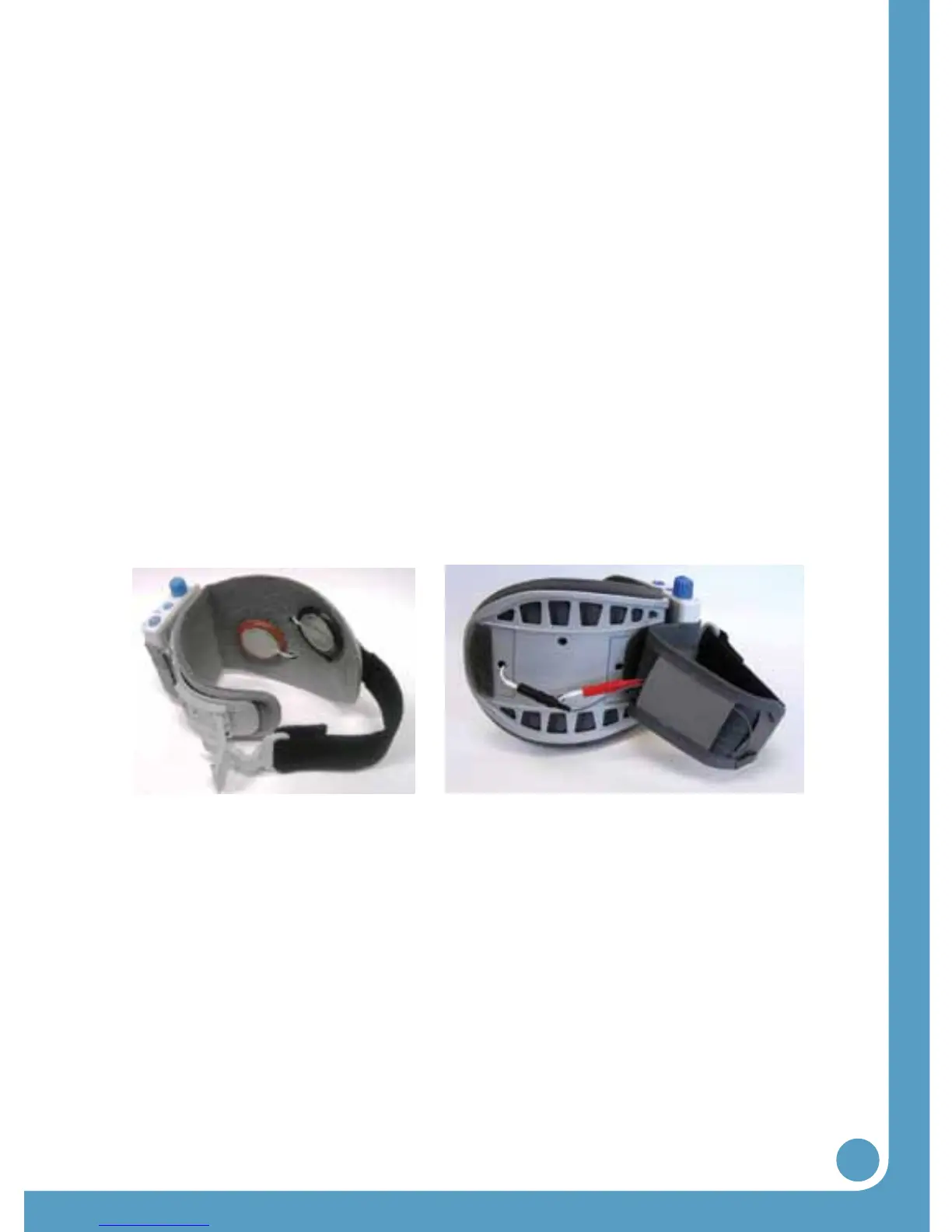
Figures 9 and 10: Changing the electrodes (inside and outside views)
4.6 Changing the Electrodes
For proper skincare and maximum effectiveness, the elec-
trodes should be replaced every 1 to 2 weeks. Pull back the
WalkAide attachment strap to uncover the electrode lead cables.
Disconnect the black and red leads between he WalkAide and
the electrodes. Remove the electrodes from the Electrode
Locators. Place the new electrodes on the Electrode locators
and feed the leads through the holes toward the outside of the
cuff. The BLACK lead is connected to the Electrode on the Black
Electrode Locator. The RED lead is connected to the electrode
on the Red Electrode Locator. Feed the excess wires in the strap
pouch as indicated in the image below.
Connect the leads from the electrodes to the WalkAide
Electrode Lead Cable (Figure 10).
l The BLACK lead is connected to the BACK electrode.
l The RED lead is connected to the FRONT electrode.


 To Next Page