ISTRUZIONI PER L’UTENTE
INSTRUCTIONS FOR THE USER
ANLEITUNGEN FÜR DEN BENUTZER
Combination ovens with direct and boiler system, gas and electric models. Programmable panel
29
7.0G SETTING AND MODIFICATION OF THE COOKING CHAMBER TEMPERATURE IN A PHASE OF AN AUTOMATIC COOKING
PROGRAM
After you have pressed the encoder knob, on the first line of the display the number of the cooking phase remains highlighted, while on the second
line you will see the name of the cooking program.
The cooking chamber temperature is flashing on the display (L) to show that you can modify the value.
Turn the encoder knob clockwise or counter clockwise to increase or decrease the value. Once you have reached the wished value (ex.180°C), press
the encoder to store the value and you go to the next parameter CORE TEMPERATURE PROBE, whose value will flash on the display (N). The
cooking chamber temperature you can select is the same as manual programs.
Attention:
if you selected low speed of fan, the max value of cooking chamber temperature for CONVECTION and COMBINATION mode is reduced
to 220°C.
7.0H SETTING AND MODIFICATION OF CORE TEMPERATURE IN AN AUTOMATIC COOKING PROGRAM
To modify the value of core temperature probe, turn the encoder knob ( to the right to increase and to the left to decrease it).
If you selected a phase with combination mode and you set a temperature for ex. of 80°C on the display (O) of the skewer, by pressing the encoder
knob you store the value and go to the parameter PERCENTAGE OF HUMIDIFICATION, the display (M) is flashing and the display (N) will be
switched off.
The temperature you can select is the same as described in the paragraphs of manual programs.
If you select 2 central lines (
- -
) on the display of the skewer (O), you will have a timed cooking , and not a skewer cooking (see next paragraph).
To set a timed cooking, press the encoder on the 2 central lines (- -); to activate cooking TIME, whose value will flash on the display (N).
Attention:
if the temperature is in °F, the skewer value will appear on the display of the timer (N); the skewer display (O) will be switched off,
because 2 “digit” are not enough for a value between 68°F and 210°F.
To set a timed cooking, select and confirm 3 central lines (
- - -
) on the display (N), the cooking time will be shown on the same display.
7.0I SETTING AND MODIFICATION OF THE Delta T FUNCTION IN AN AUTOMATIC COOKING PROGRAM
Δt is a parameter, whose value is expressed in °C or °F; the range to select is between 30 and 150°C and can be activated only with core probe
cooking mode, to check the temperature in the core of the product.
When this function is on, the electronic system calculates automatically the cooking chamber temperature, adding the Δt value, to the one measured
each 10 seconds by the skewer, to check the temperature in the core of the product.
Thanks to this system the cooking chamber is heated according to the temperature in the core of the
product to be cooked; the Δt function allows to maintain a steady difference between the temperature
in the core of the product and the cooking chamber temperature , and not an established temperature
as a normal skewer cooking.
This function is particularly useful while cooking large pieces of meat so that the loss of salts and
vitamins is very reduced; needless to say that the difference between the cooking chamber temperature and that one in the core of the product must
be steady. The smaller the difference between the 2 temperatures is, the better will be the cooking results, the food will be more tasty and the weight
loss will be reduced.
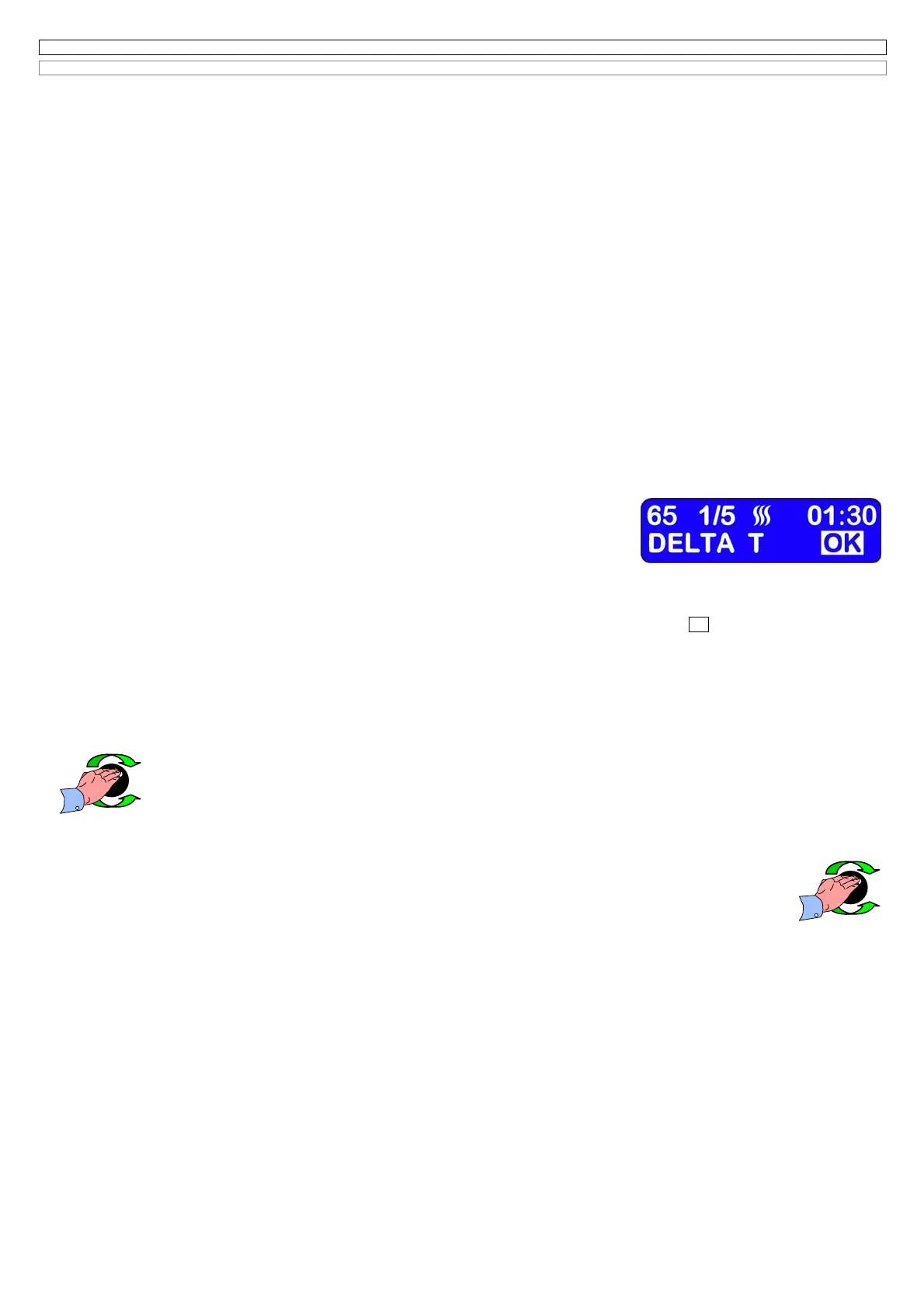
On the second line of the LCD display, the name of the cooking program is replaced by the message “
DELTA T OK
.
Use the encoder knob: (OK) to accept it, or (NO) to refuse it.
When you activate the Δt function, confirming (OK),the led (H1) turns on, and the Δt value flashes on the display (L).
Turn the encoder knob to select the wished value (ex. Δt 50°C); press the encoder to store the value and go to the parameter of PERCENTAGE OF
HUMIDITY; if you selected the combination cycle, vice versa the electronic system will wait for the START. No display will flash.
As in the manual cooking cycle, the cycle stops when the core probe temperature is reached, without any time limit.
If the Δt function is on, to deactivate it press for a second time the button (H), the led (H1)will switch off.
7.0L SETTING AND MODIFICATION OF THE COOKING TIME IN AN AUTOMATIC COOKING PROGRAM
To modify the cooking time, turn the encoder knob (to the right to increase and to the left to decrease it).
Once you have reached the wished value (ex. 00h:40’) press the encoder to store it and go to the next parameter PERCENTAGE OF
HUMIDITY , whose value will flash.
The time to be selected on the timer (N) goes between 1 minute (00:01) and 9 hours and 59 minutes (09:59)
Attention:
By modifying the value of the timer, also the total cooking time on the LCD display (A) will be automatically updated.
7.0M SETTING AND MODIFICATION OF THE PERCENTAGE OF HUMIDITY IN AN AUTOMATIC COOKING PROGRAM
Attention: the modification of the percentage of humidity appears on the display (M) and it’s possible only with
combination mode.
The percentage of humidity on the display (M) varies from 1% up to 99%.
To modify the value turn the encoder knob ( to the right to increase, to the left to decrease it).
Once you have reached the wished value (ex. 80% ) press the encoder knob to store the value and go to the parameter of the
following phase.
Note 1:
when a single cooking phase is foreseen (1/1) the electronic system waits for the START
Note 2:
at any time it’s possible to enter in any stored phase, to do any type of modification.
Note 3:
it’s possible to exit from a programming phase at any time, pressing the button (PRG), the electronic system will store all data confirmed
using the encoder.
If at the time of programming a phase of an automatic cooking program, you exit by pressing the button (PRG),the electronic system will store the
phase even if it’s not completed; default values will be used and stored to complete the phase.
Note 4:
it’s important always to complete the programming of the phase.


 To Next Page
 Loading...