16
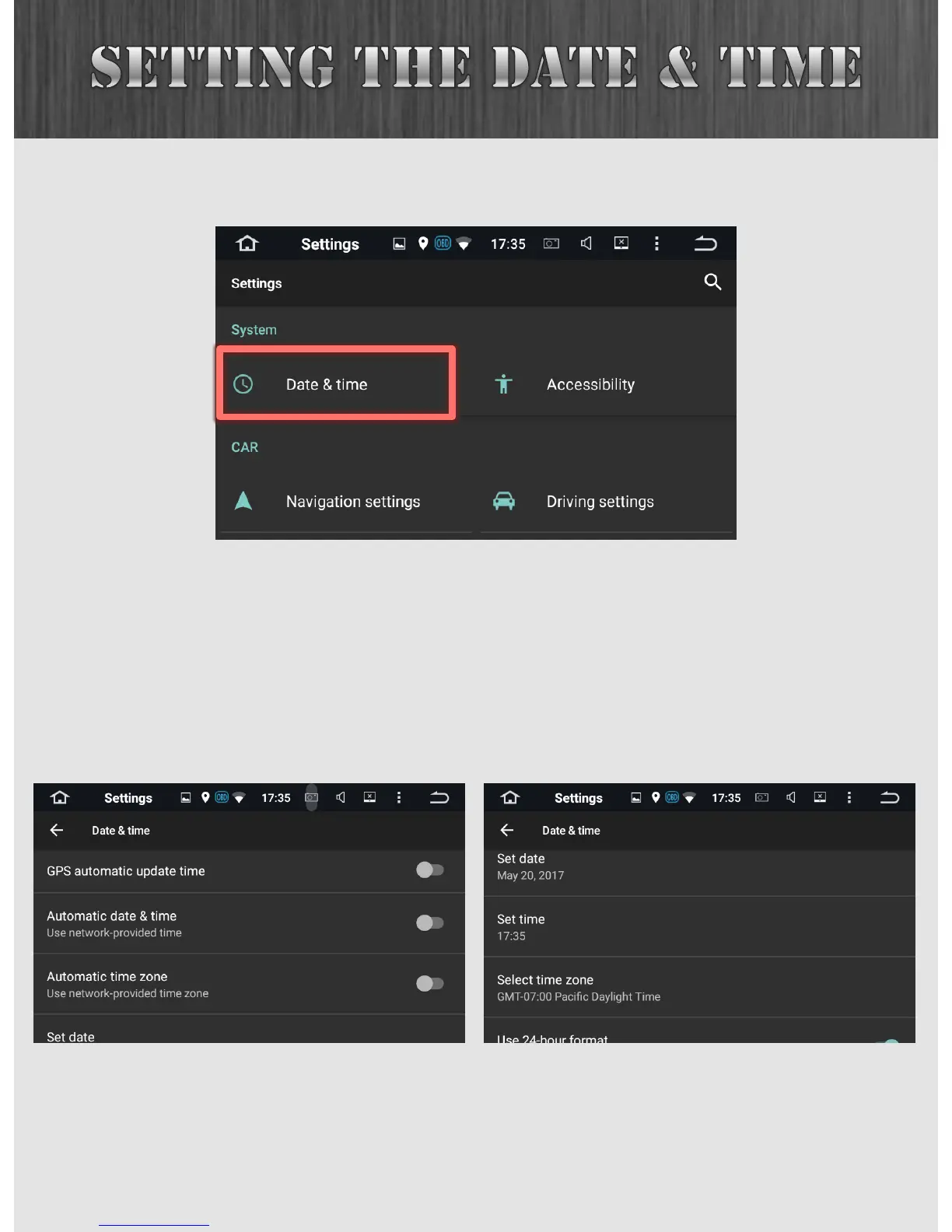
From the Settings menu, select Date & Time.
There are a lot of options here, but we recommend starting
simple, and then playing around with advanced features as
you get more comfortable. To that effect, turn off all three
automatic time checkboxes, and then manually set your date,
time and time zone.



 To Next Page