46
Your Insane Audio head unit comes with a high quality,
ruggedized WiFi antenna designed to pickup a nearby WiFi
signal. Most users use their smartphone as a mobile hotspot
(sometimes called WiFi tethering) to have Internet
connectivity on the go!
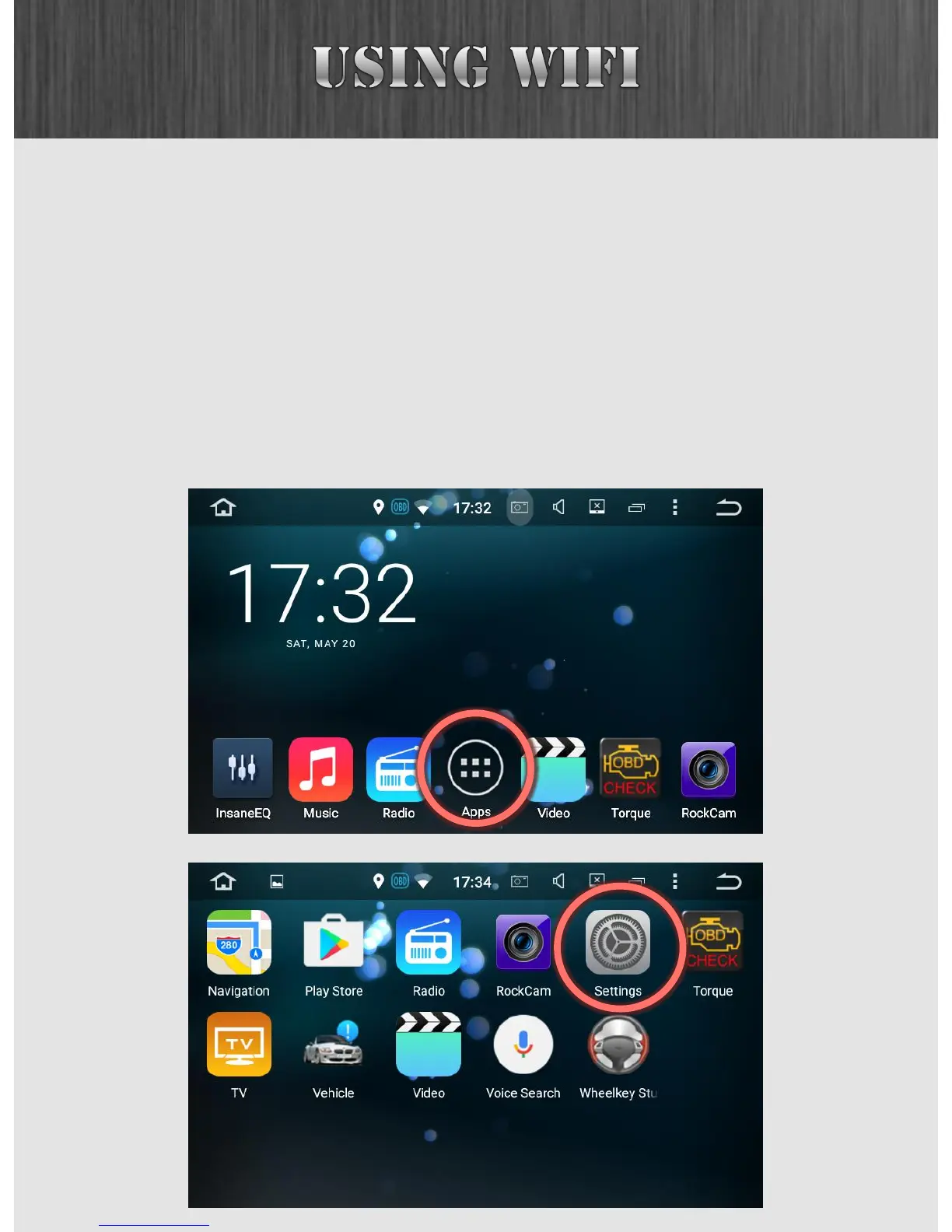
To setup WiFi, first press the six pack, and then enter the
Settings app.



 To Next Page