This section will focus on Insane Audio’s JK2001, but the same
general principles apply for other Insane Audio Android-based
head units.
5
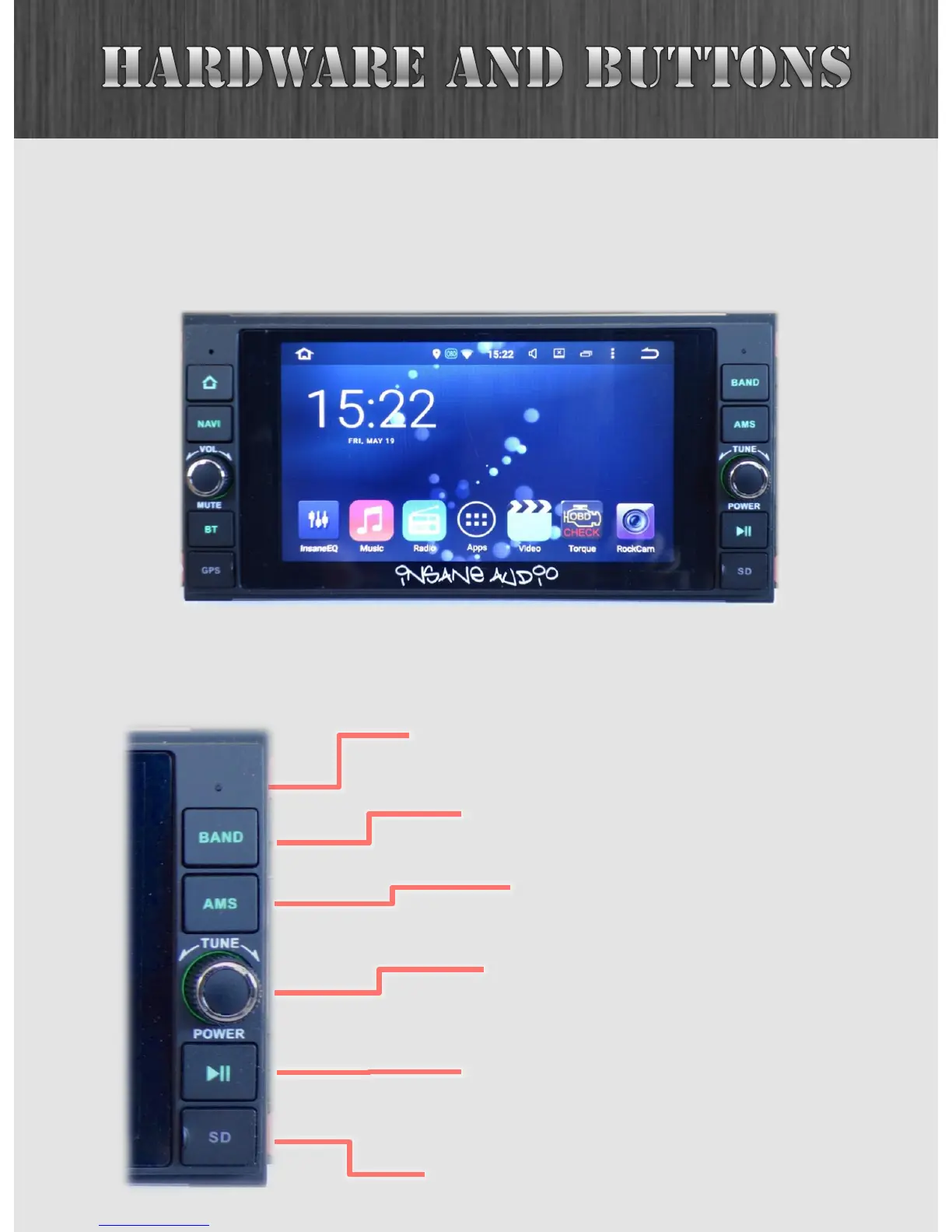
The following buttons are on the right side of your JK2001.
Should you ever need to reset your unit, you can
press this button with a pen or paper clip.
The BAND button toggles through
AM/FM frequency bands.
Automatic Music Search.
See the Radio app section.
Turning this knob will seek through
songs or radio presets.
Push and hold to power off.
This button will pause/play from
several different apps (e.g. Music,
Radio, iPod).
Opening this flap will reveal the microSD
slot. This is a great place to store music
or movies. See Music Player section.



 To Next Page