EasyManua.ls Logo

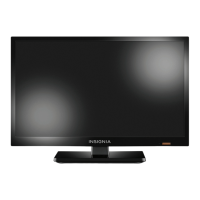
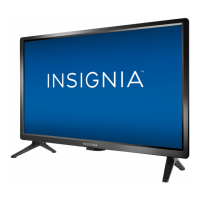
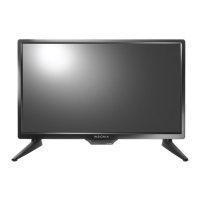
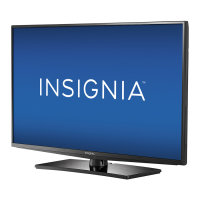
Insignia NS-19E310A13 - User Manual

Insignia NS-19E310A13
63 pages
Print Icon
To Next Page IconTo Next Page
Loading...
NS-19E310A13
User Guide
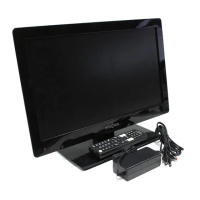
19" LED TV
Before using your new product, please read these instructions to prevent any damage.

Table of Contents

Other manuals for Insignia NS-19E310A13

Questions and Answers

  • P
    Peggy CherryAug 25, 2025
    What to do if buttons on Insignia NS-19E310A13 LED TV don't work?
    • C
      christensenphillipAug 26, 2025
      If the control buttons on your Insignia LED TV do not work, first make sure that the Button Lock option is set to Off. If that doesn't work, unplug the power cord, wait a few seconds, then plug the cord back in and turn on your TV.
  • J
    jimeneztimothyAug 26, 2025
    Why does my Insignia NS-19E310A13 LED TV keep turning off by itself?
    • S
      Shelby AndrewsAug 26, 2025
      If your Insignia LED TV keeps turning off, ensure that the sleep timer is not activated.
  • A
    Anita RodriguezAug 27, 2025
    What to do if my Insignia LED TV says no signal?
    • B
      Brittany JonesAug 27, 2025
      If your Insignia LED TV displays a 'No Signal' error, first, press the INPUT button and select the correct input for your device. If you're using a cable or satellite box, use its remote to change channels. Ensure you've selected the correct input to view channels from the cable or satellite box.
  • S
    Steve AllenAug 27, 2025
    Why does my Insignia LED TV have picture but no sound?
    • S
      Shirley MathewsAug 27, 2025
      If you have good picture but no sound on your Insignia LED TV, first, increase the volume and ensure the sound isn't muted. Check if headphones are connected, as this will disable the TV speakers. Also, ensure the correct audio mode is selected and that all audio cables are properly connected to the TV. Finally, make sure the antenna or cable TV is securely connected.
  • M
    michaelmillerAug 28, 2025
    Why is the picture dark on my Insignia LED TV but the sound is good?
    • G
      georgefitzgeraldAug 28, 2025
      If you're experiencing a dark, poor, or no picture on your Insignia LED TV, but the sound is fine, try switching to another channel as the station may be experiencing problems. Ensure that the antenna or cable TV is securely connected. Adjust the brightness and make sure the correct picture mode is selected. If using an antenna, the digital channel signal may be weak. Adjust the antenna, use a directional outdoor antenna, or a set-top antenna with a built-in amplifier. Check that the video cables are securely connected, and if necessary, try a new set of video cables.
  • M
    Matthew Wilson MDAug 29, 2025
    Why does my Insignia NS-19E310A13 only show snow?
    • M
      meyerpaulAug 29, 2025
      If your Insignia LED TV displays only snow (noise) on the screen, try changing to another channel, as the station might be experiencing problems. Make sure that the antenna or cable TV is connected correctly and securely. If you are using an antenna, the digital channel signal may be low, so adjust the antenna or use a highly directional outdoor antenna or set-top antenna with a built-in amplifier.
  • S
    Stephen FinleyAug 30, 2025
    Why is the picture quality poor on some channels on my Insignia NS-19E310A13 LED TV?
    • S
      spearsjohnAug 30, 2025
      If the picture quality on your Insignia LED TV is good on some channels but poor on others, the problem may be a weak signal from the broadcaster or cable TV provider. If you're connected to cable or satellite TV without a set-top box and experience poor picture quality, you may need to install a set-top box to improve signal reception. Contact your cable or satellite TV provider about upgrading to a set-top box.
  • S
    stephanie89Aug 23, 2025
    How to fix Insignia NS-19E310A13 LED TV remote control not working?
    • M
      Mr. Darren BrooksAug 23, 2025
      If your Insignia LED TV remote control isn't working, ensure the power cord is properly connected to both the TV and the power outlet. Verify there are no obstacles blocking the path between the remote and the TV's sensor. Point the remote directly at the sensor on the TV. Also, make sure you've removed any plastic wrapping from the batteries, that the batteries are correctly installed, or try replacing them with new ones.
  • H
    hallmargaretAug 31, 2025
    Why is there no color on my Insignia LED TV?
    • C
      cainkaylaSep 1, 2025
      If you are experiencing no color, a dark picture, or incorrect colors on your Insignia LED TV, try switching to another channel as the station may be experiencing problems. Adjust the color settings. Ensure that the video cables are connected correctly and securely to your TV. Also, make sure that the antenna or cable TV is connected correctly and securely. If you are using an antenna, the digital channel signal may be low; adjust the antenna or use a highly directional outdoor antenna or set-top antenna with a built-in amplifier.
  • M
    Mr. Mark StuartSep 1, 2025
    Why is there audio noise coming from my Insignia LED TV?
    • M
      margaretleonardSep 1, 2025
      If you are hearing audio noise from your Insignia LED TV, it may be due to interference from other devices such as a surround sound receiver, external speakers, fans, or hair dryers. Try turning off one device at a time to determine which device is causing the interference. After you have determined which device is causing interference, move it further from the TV to eliminate the interference.

Summary

CHILD SAFETY

Tune Into Safety

Provides essential safety tips for TV placement and child interaction.

Wall Mounting Safety

Offers guidance and precautions for safely mounting the TV on a wall.

Important Safety Instructions

Operational Precautions

Damage Requiring Service

Lists conditions under which the TV requires professional servicing.

Remote Control Operation

Making Connections Overview

Choosing the Right Connection Type

Guides users on selecting the best connection type for optimal video quality.

Connecting Power

Connecting Cable or Satellite Box

Connecting DVD or Blu-ray Player

Using HDMI Connection

Details how to connect a DVD or Blu-ray player via HDMI for best quality.

Connecting Composite and Coaxial Sources

Connecting Antenna or Cable TV (No Box)

Connecting a VCR

Connecting Camcorder or Game Console

Connecting a Computer

Using VGA Connection

Details how to connect a computer to the TV using a VGA cable.

Using a USB Flash Drive

Audio Connections

Connecting Home Theater System

Guides on connecting a home theater system for enhanced audio.

Using Digital Audio

Details connecting a home theater system using digital audio output.

Connecting Multiple Audio Devices

Using Analog Audio

Explains connecting a home theater system using analog audio.

Basic TV Operation and Setup

Using the Remote Control

Covers remote control installation, aiming, and general usage.

First-Time TV Setup Wizard

Guides users through initial TV setup including language and channels.

TV Channel and Information Features

Selecting Channels

Explains how to tune to specific channels using the remote.

Picture Adjustment

Adjusting TV Picture Settings

Guides on adjusting picture modes, brightness, contrast, color, and tint.

Adjusting Computer Picture Settings

Explains how to adjust picture settings when using a computer input.

Sound Adjustment

Adjusting Sound Settings

Covers sound modes, balance, bass, and treble adjustments.

Channel Management and Audio Features

Changing Channel Settings

Explains how to manage channel lists and settings.

Setting Up Favorite Channels

Checking Digital Signal Strength

Aspect Ratio and Parental Controls

Setting Parental Controls

Guides on setting up parental controls to restrict content.

Setting or Changing Password

Details the process for setting or changing the parental control password.

Locking Control Buttons

Blocking Unrated TV

Setting Parental Control Levels

Closed Captioning Features

Customizing Digital Caption Styles

Time and Menu Settings

Setting the Sleep Timer

System Settings and INlink

Browsing Photos on USB Drive

Troubleshooting Guide

Video and Audio Problems

Addresses common issues related to picture and sound.

Picture and Sound Issues

Details specific picture quality and sound problems and their solutions.

Remote Control Troubleshooting

General Troubleshooting

Product Specifications

Remote Control Programming

One-Year Limited Warranty

Insignia NS-19E310A13 Specifications

General IconGeneral
Screen Size19 inches
Display TypeLED
Resolution1366 x 768
Aspect Ratio16:9
Refresh Rate60 Hz
HDMI Ports1
USB Port1
Component Video Input1
Composite Video Input1
Power Consumption30W
InputsHDMI, USB, Composite
Sound Output10W (2 x 5W)

Related product manuals