IF1200A Pilot Operating Handbook 7. Install QGroundControl
7. Install QGroundControl
QGroundControl (QGC) is an open-source mission planning and configuration software
application for UAVs using the MAVLink Communication Protocol. QGC is well documented, and
first-time users are encouraged to review the available user guide at:
https://docs.qgroundcontrol.com/en/. Training videos describing all aspects of planning and
uploading an autonomous mission are available online.
Installing QGC or MIssion Planner on a laptop is required for the LRT configuration. It is optional
for the HereLink configurations.
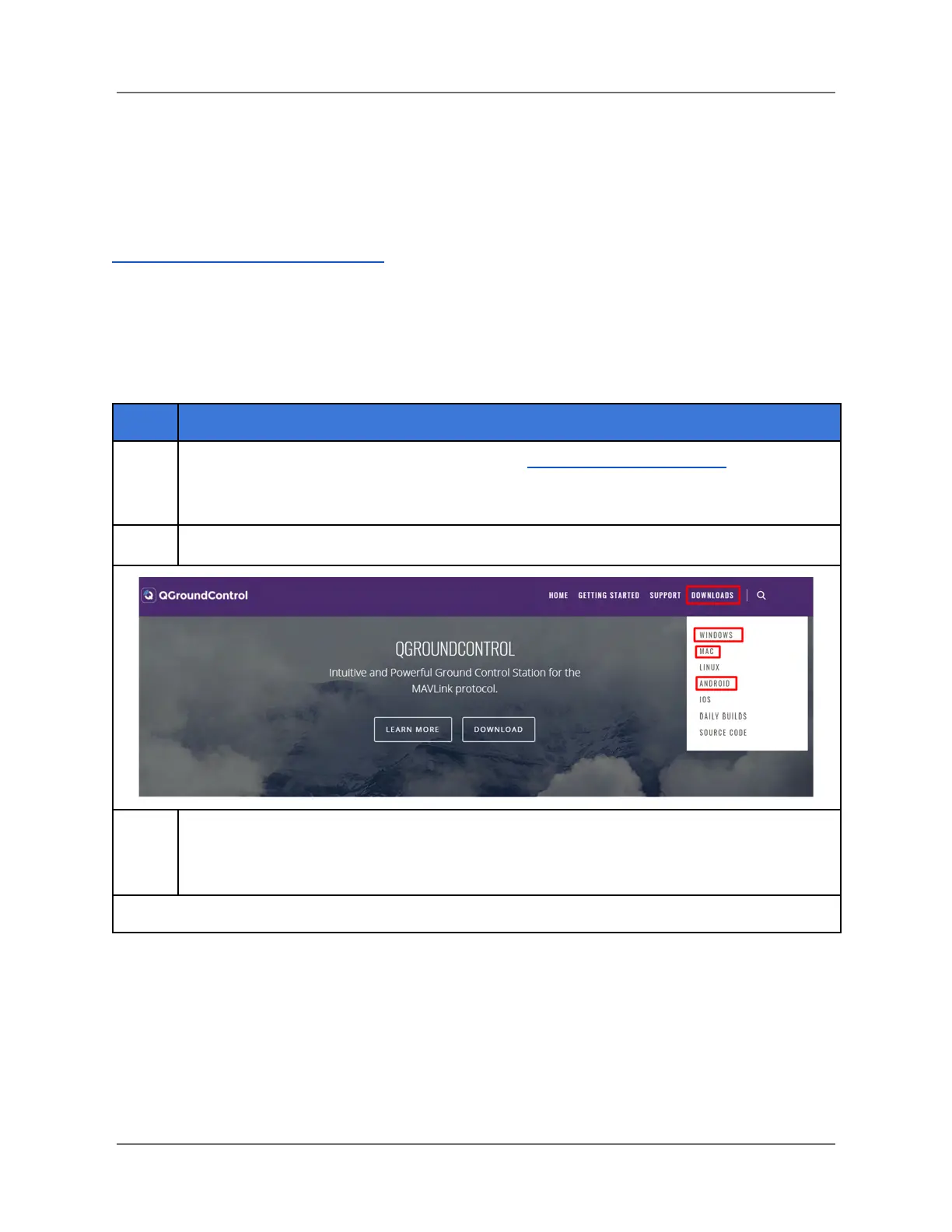
Download the QGroundControl installer from http://qgroundcontrol.com/. The
download links for PC, Mac or Android tablets can be found on the top right
‘Downloads’ drop-down menu of the website (see below).
Follow the prompts on the website to download and install QGC to your device.
To establish a link between the aircraft and QGC, power on the ground station (and
open QGC) BEFORE you power on the aircraft. QGC automatically connects to the
aircraft when it powers up.
IFT Doc Num 102094, Rev 1.02 Page 9



 To Next Page