IF1200A Pilot Operating Handbook 20. Planning a Mission
Example Mission, Continued
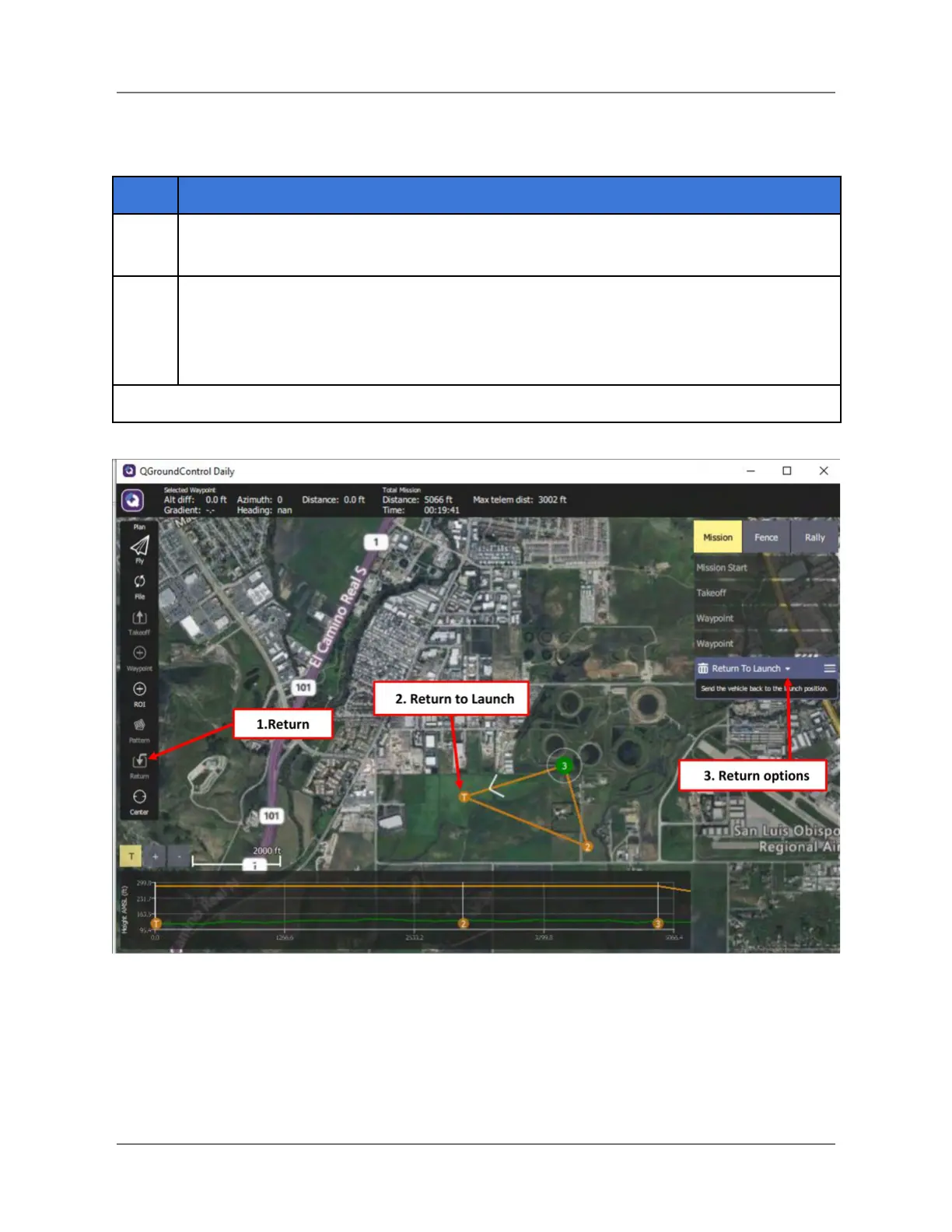
After you’ve added the desired Waypoints, complete the mission plan by creating a
Return to Launch point. In the Plan Tools panel, select the Return icon (#1 below).
When you select Return, the default is Return to Launch (RTL), as shown in the
Mission Command List. The last leg of the mission (#2 below) is shown on the map.
Note: For more Return and other options, click on the down arrow next to Return to
Launch (#3 below). This opens the Basic Mission Command Editor (see next page).
Figure 25. Add a Return
IFT Doc Num 102094, Rev 1.02 Page 50


 To Next Page
 Loading...
