IF1200A Pilot Operating Handbook 20. Planning a Mission
Example Mission, Continued
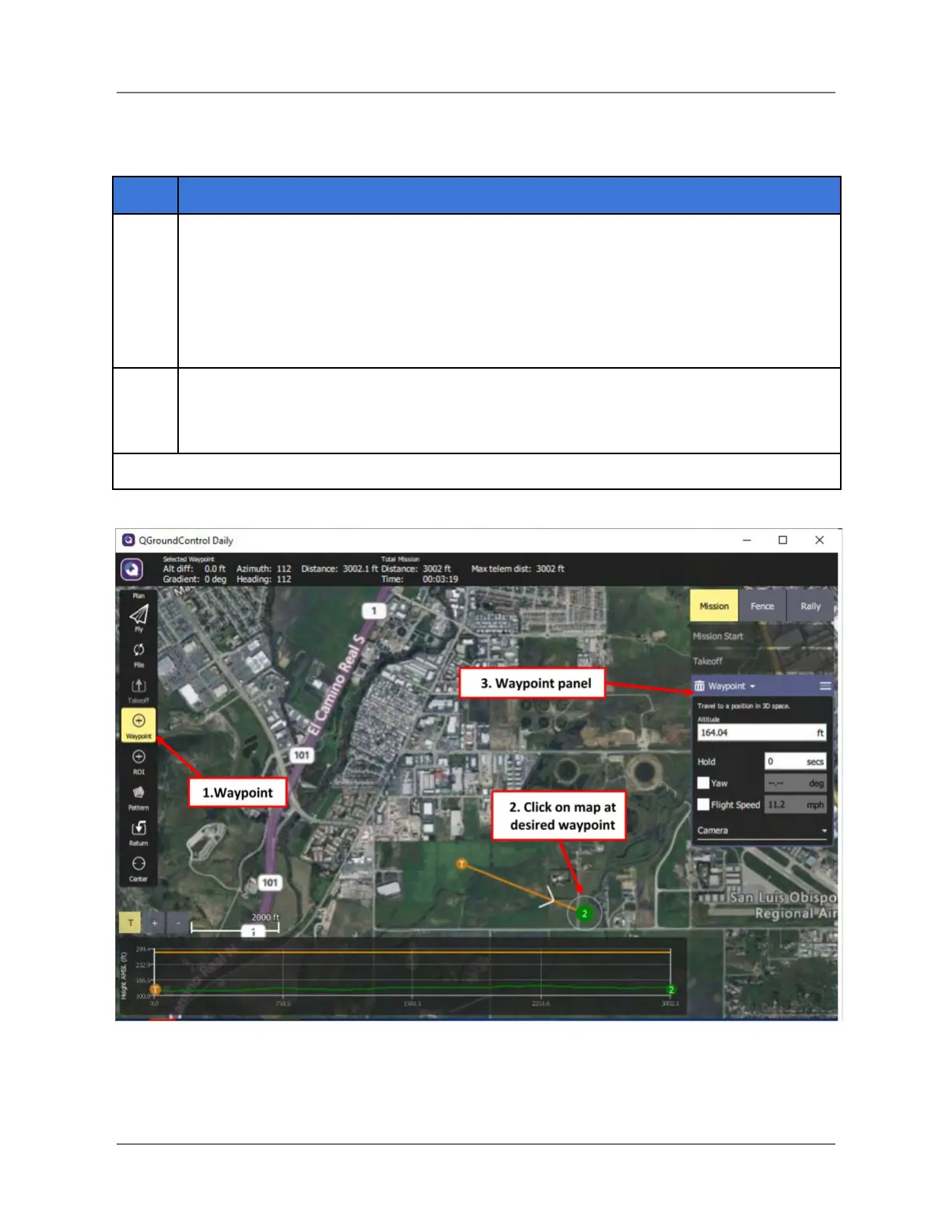
Place the first Waypoint:
1. In the Plan Tools, select Waypoint (#1 below).
2. Place the cursor on the map for the desired Waypoint location (#2 below),
then select it
3. Notice that the Waypoint panel appears on the right side of the screen when
Waypoint was selected in the Plan Tools panel.
Use the steps described in the previous step to add more waypoints as desired.
Note: Waypoints may be deleted by selecting the trashcan icon at the top of the
Waypoint panel.
Figure 24. Adding Waypoints
IFT Doc Num 102094, Rev 1.02 Page 49


 To Next Page
 Loading...
