IF1200A Pilot Operating Handbook 20. Planning a Mission
Example Mission, Continued
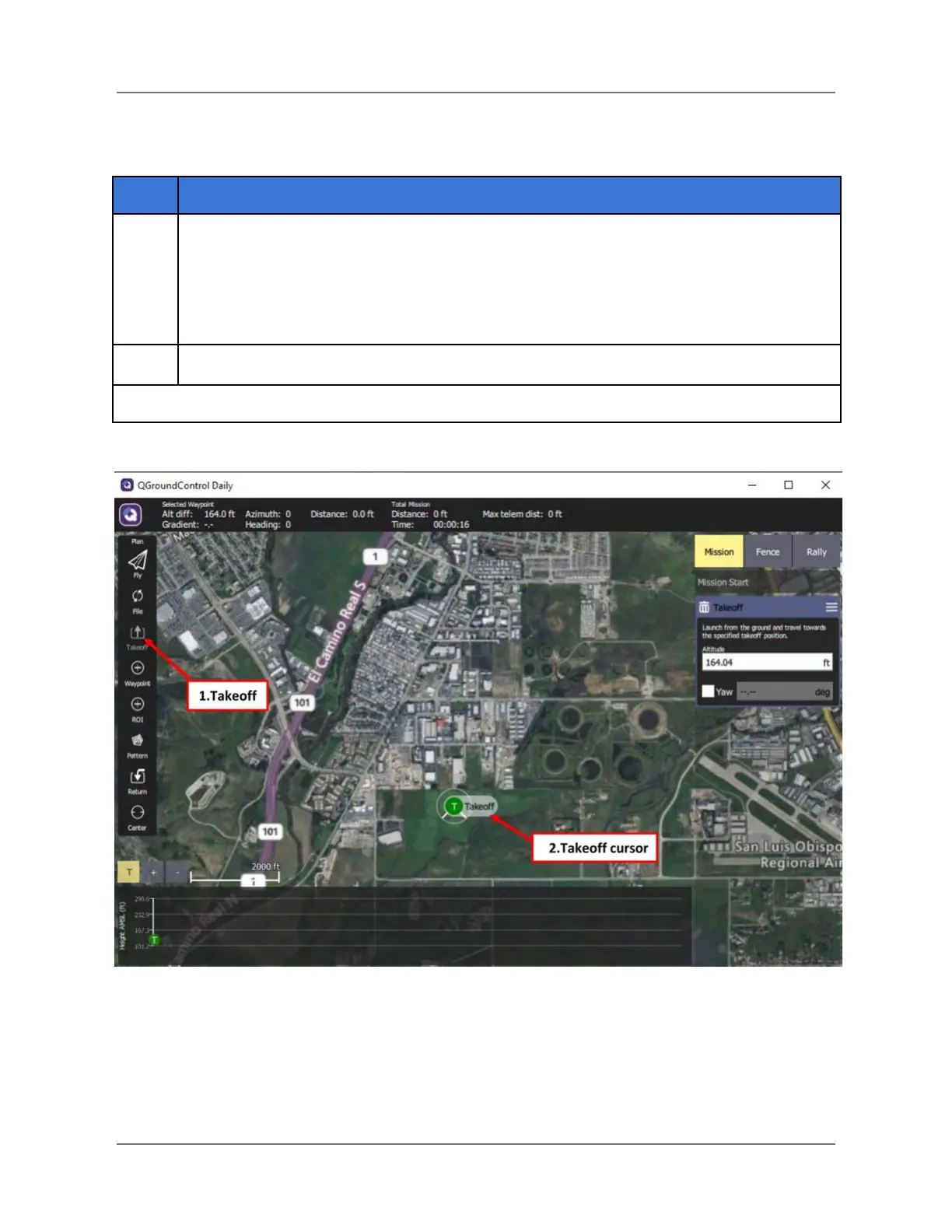
On the Plan Tools panel on the left side of the screen, select the Takeoff button (#1
below). The Takeoff icon appears (# 2 in the screenshot below).
Note: A Takeoff panel appears in the Mission Command List on the right side of the
screen when the Takeoff icon is selected. The trashcan in the Takeoff panel allows
you to delete a Takeoff point if you need to redo the takeoff point.
Drag the Takeoff icon and release it at the desired location on the map.
Figure 23. Selecting a Takeoff Point
IFT Doc Num 102094, Rev 1.02 Page 48


 To Next Page