IF1200A Pilot Operating Handbook 20. Planning a Mission
Example Mission, Continued
When you have completed planning the mission, an Upload Required icon in the
upper-right corner of the screen flashes. Select it, and Done appears at the top of the
screen if the upload was successful.
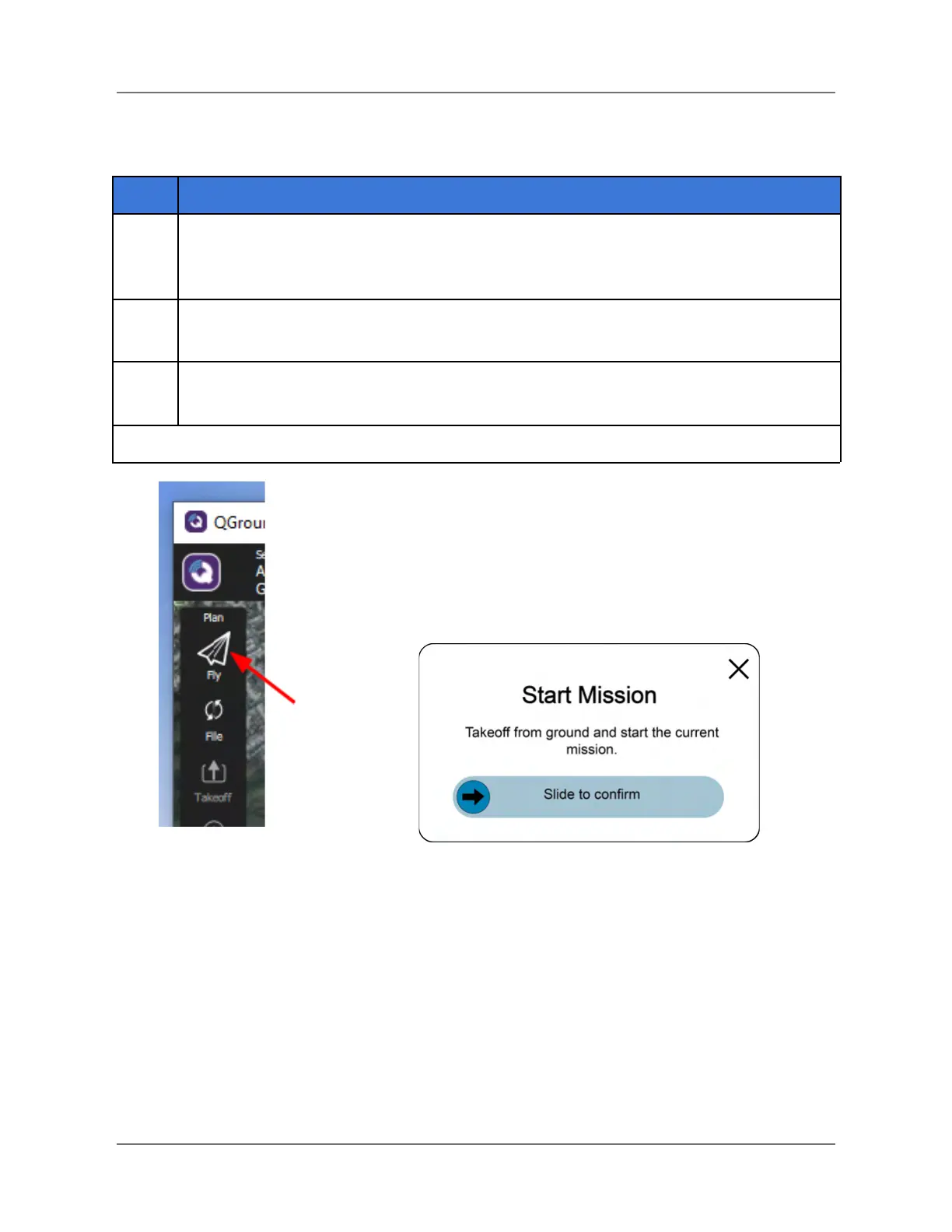
Select the Fly icon at the top of the Tools panel (see Figure 29, below), then select
Takeoff.
A Start Mission window appears at the bottom of the QGC screen (see Figure 30
below). Slide in the Slide to confirm from left to right to takeoff.
Figure 29. Fly and Takeoff Figure 30. Start Mission Window
IFT Doc Num 102094, Rev 1.02 Page 54



 To Next Page