IF1200A Pilot Operating Handbook Appendix
Use the Wireless Hotspot in the HereLink Hand Control
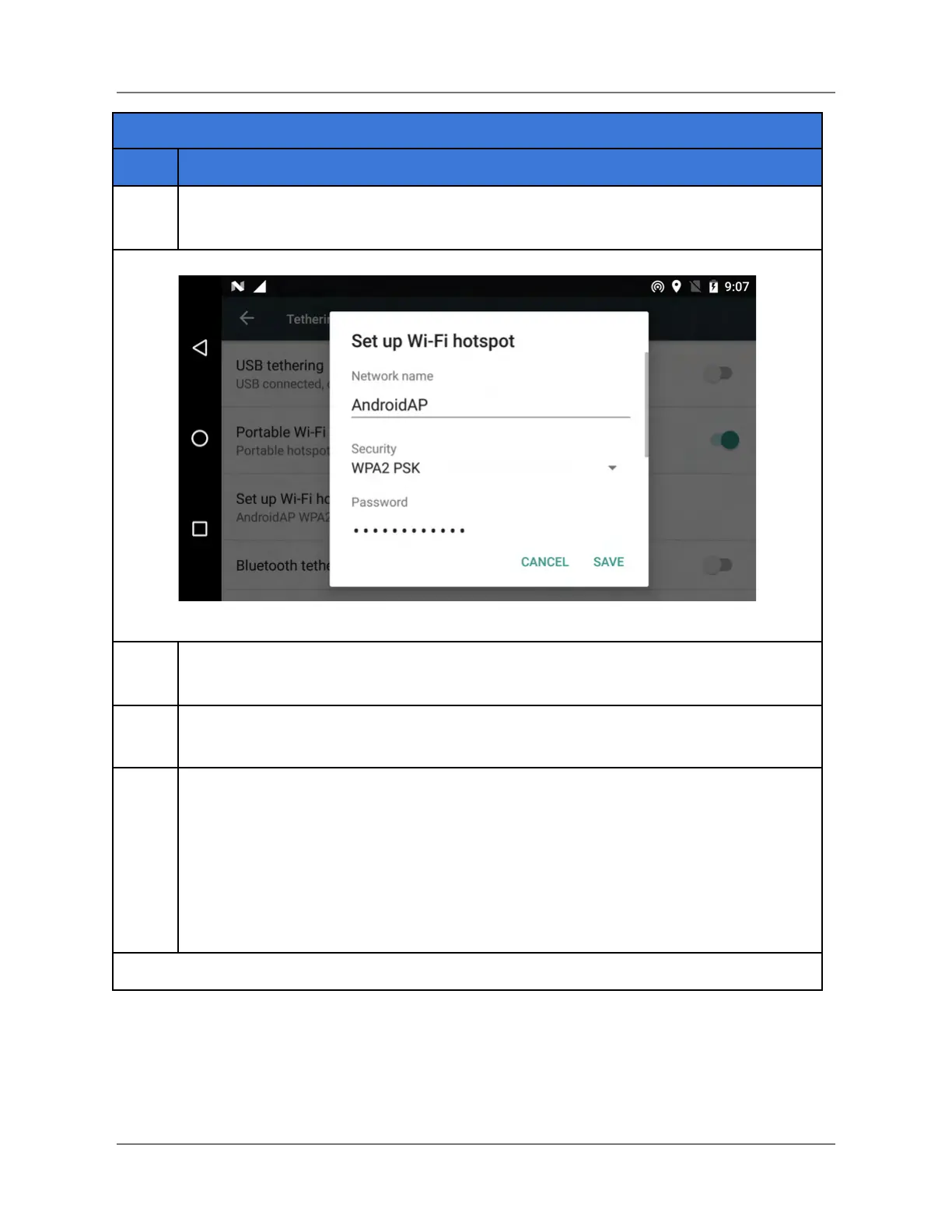
Enable Portable WiFi hotspot (the button on the right side of the screen). A Set up
Wi-Fi hotspot dialog window appears (see below).
Record the Network name and Security information that appears in the dialog
window (see above). This information will be used later.
On the GCS, open the Network & Internet Settings, and enter the network name
and security information for the HereLink hotspot (from the previous step).
Connect your ground control software application to the HereLink:
● QGroundControl (QGC): after performing the previous steps, QGC will
automatically connect to the HereLink when QGC is opened.
End of Procedure for QGC.
● Mission Planner: go to the next page.
Connect to Mission Planner: go to next page
IFT Doc Num 102094, Rev 1.02 Page 83



 To Next Page