IF1200A Pilot Operating Handbook Appendix
Connect Mission Planner to the HereLink Hotspot
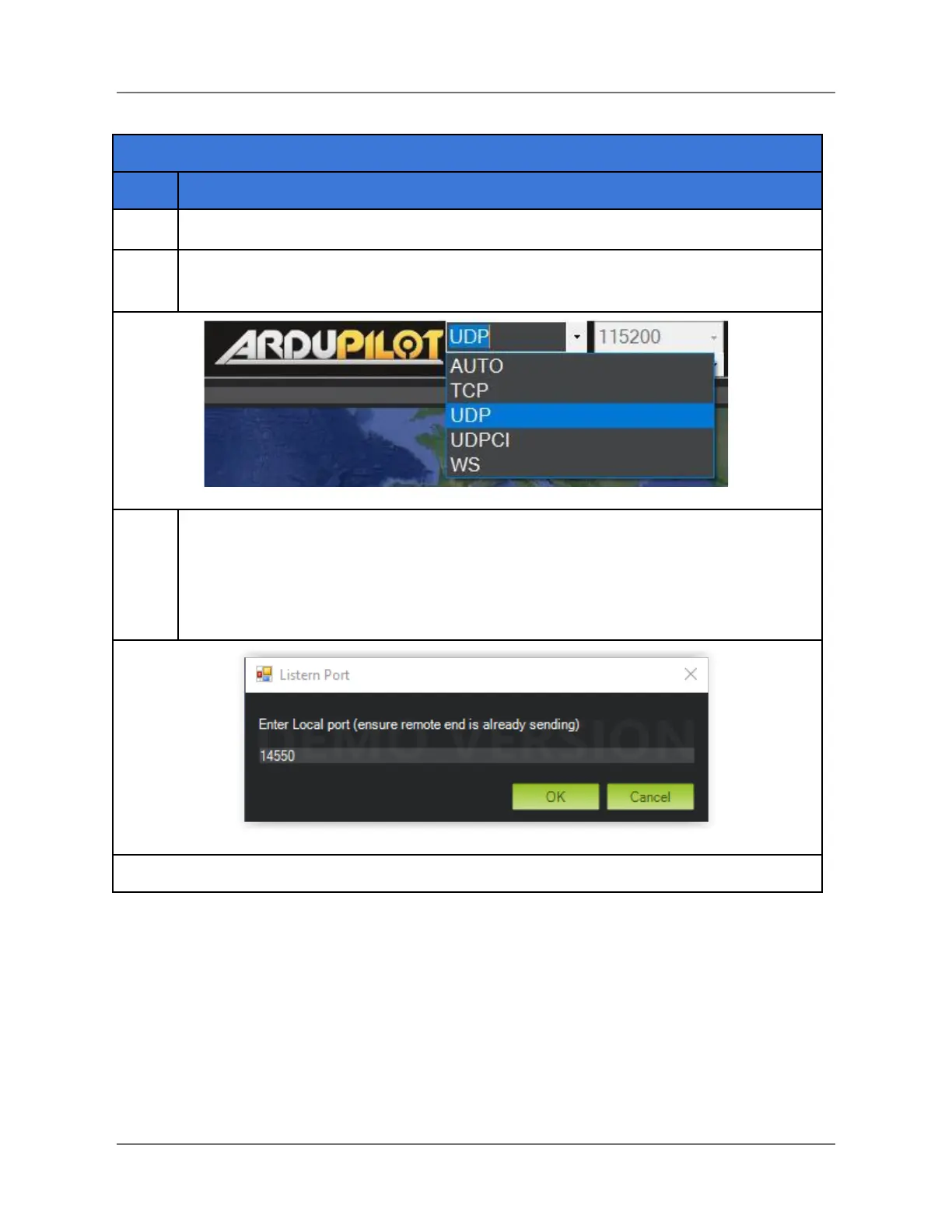
In the upper-right corner of Mission Planner, click on the down arrow to open the
communication protocol dropdown menu, and select UDP (see graphic below).
In the upper right corner of Mission Planner, click on Connect. The Listen Port
window opens (see below). If necessary, change the port number to 14550, as
shown below, then click OK.
Mission Planner is now connected to the HereLink via its WiFi hotspot.
IFT Doc Num 102094, Rev 1.02 Page 84



 To Next Page