13
Multi-Linking or Making a Scene
2
3 4
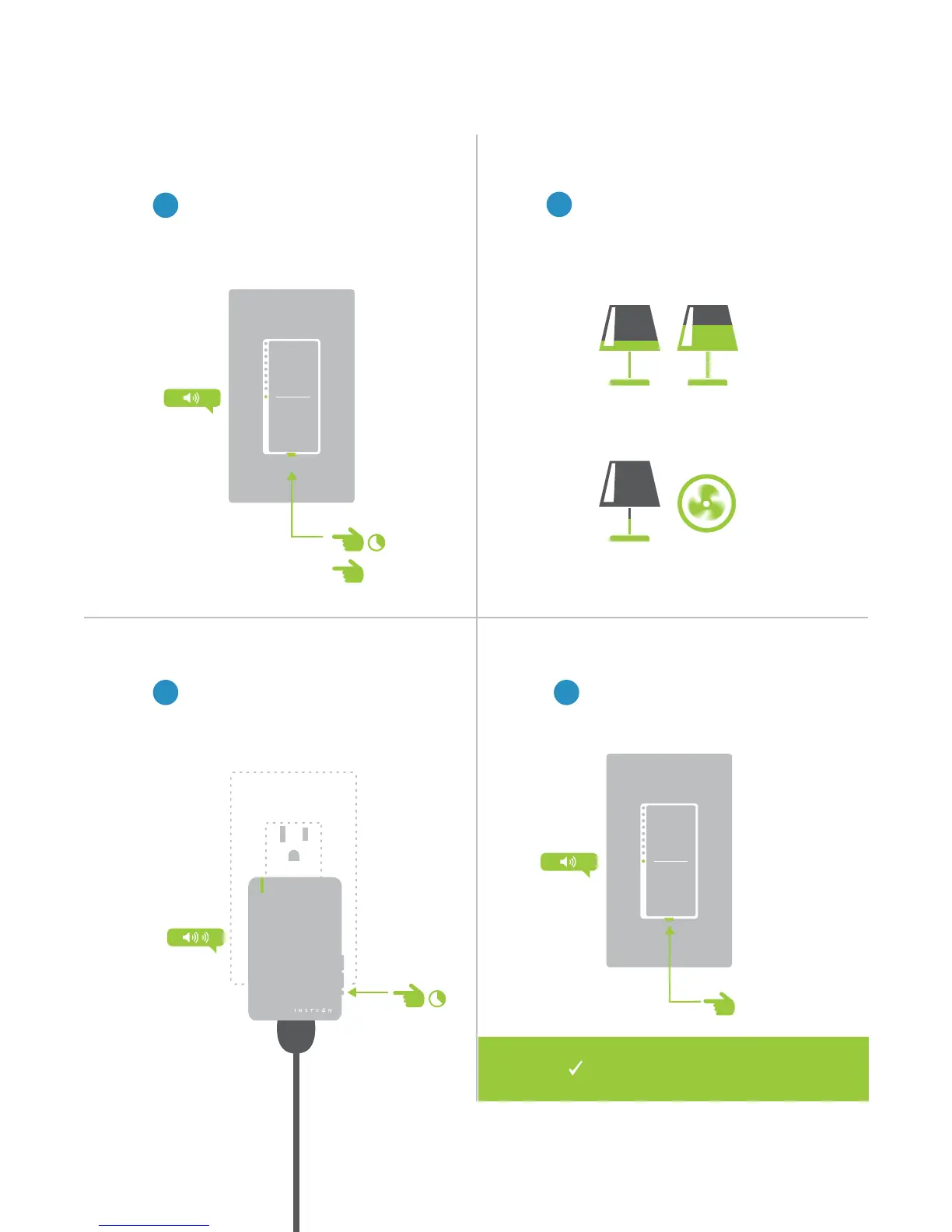
Adjust your scene members to
their desired state: on, o, or
brightness level if dimming.
Lamp 1
Lamp 3
Lamp 2
Appliance
One at a time, press and hold the
set button on each scene member
until it double-beeps.
Tap the set button on your
INSTEON controller to nish
building your scene.
1
On your INSTEON controller, press
and hold the set button until the
device beeps, then tap the set
button.
50% 72%
30%
ON
®
A
B
Your INSTEON controller will
now control your scene.
Manual Linking Only


 To Next Page