10 Commissioning
This chapter describes how to activate the EBW-E100, i.e. how to connect it
to a PC, and how to prepare it for the configuration.
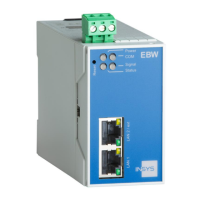
Connecting to a LAN and a PC
How to connect the EBW-E100 to a PC for configuration and an external
LAN.
The power supply is disabled.
You will need a Cat 5 network patch cable.
You will need a network card in the PC.
You will need a connection to your external LAN via a network cable.
1. Locate the RJ-45 socket of the network card at the PC.
2. Plug one end of the network cable into the RJ45 socket of the PC,
and the other end into the LAN socket of the EBW-E100.
3. Connect the network cable of the external LAN to the LAN ext socket
at the device.


 To Next Page